Glassbox alternative (2026): replay, then test the fix
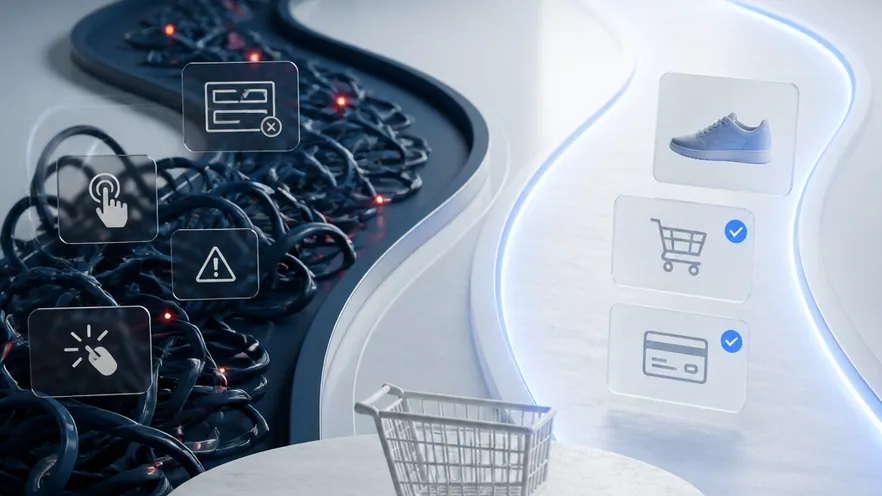
Glassbox is a digital experience analytics platform that captures every web and mobile session for replay and friction analysis. It does not run A/B tests. Omniconvert Explore is the experimentation platform an eCommerce store adds on top: it tests the friction Glassbox surfaces on product, cart, and checkout, and reports the result in revenue per visitor.
- Glassbox is a session replay and digital experience analytics platform; Omniconvert Explore is an eCommerce experimentation platform. They occupy different layers of the CRO stack.
- Glassbox does not run A/B tests, multivariate tests, or server-side tests. If experimentation is a requirement, it is not an alternative on its own.
- Glassbox is rated 4.9/5 across 809 G2 reviews and is genuinely strong at complete session capture and struggle detection in regulated industries. [G2, 2026]
- For a Shopify or DTC store, Explore adds native testing on product, cart, and checkout with outcomes measured in revenue per visitor, not just click rate.
- The realistic pairing is Glassbox for diagnosis and Explore for the test; the friction Glassbox surfaces becomes the hypothesis Explore validates.
Glassbox vs Omniconvert Explore is not really a head-to-head; it is a question of which layer of the stack you are missing. Glassbox reconstructs exactly what a customer experienced. Explore lets you test a better experience on the pages where store revenue is actually decided. This page maps where the two overlap, where they do not, and how an eCommerce team should choose.
What is Glassbox, and what does it actually do?
Glassbox is an enterprise digital experience analytics platform. It records one hundred percent of web and mobile sessions, then surfaces the moments customers struggle, with the compliance controls regulated industries require.
Glassbox sits in the analytics layer of the stack, not the experimentation layer. Its job is to reconstruct what happened in a session with enough fidelity that a product or CX team can see the exact click, tap, form field, or error that caused a drop-off. It is used heavily in banking, insurance, telecom, and airlines, where session evidence has to be complete and audit-ready.
Glassbox is rated 4.9 out of 5 across 809 G2 reviews, one of the highest ratings in the digital experience analytics category. [G2, 2026] Reviewers consistently single out support quality and the accuracy of automated struggle detection.
Where Glassbox is genuinely strong
- Complete session capture: one hundred percent of web and mobile sessions recorded, not a sampled subset.
- Compliance-grade controls: masking, retention rules, and audit trails built for regulated industries.
- Automated struggle detection: rage clicks, dead clicks, form abandonment, and error events flagged without manual tagging.
- Cross-channel visibility: the same session view for web and native mobile apps.
Where it hits its ceiling for an eCommerce store
- No experimentation: Glassbox runs no A/B tests, no variant delivery, no audience targeting for tests.
- Short retention windows: reviewers cite retention limits as a constraint on historical analysis.
- Steep learning curve: the depth of captured data takes time to turn into decisions.
- Enterprise pricing: quote-based, oriented to regulated enterprise budgets rather than a Shopify DTC store.
What Glassbox cannot do for an eCommerce store
Glassbox reconstructs exactly what a customer experienced but offers no way to test a better experience. That is a category gap, not a product weakness.
Teams using Glassbox for eCommerce CRO identify friction with unusual precision. They see the exact size-selector on the product page that customers rage-click, the address field that breaks on mobile checkout, the coupon error that empties a cart. Then they need a second tool to validate which alternative actually lifts conversion. Session replay tells you what happened; it does not tell you what would happen if you changed it.
Most experimentation and analytics tools are built around a generic web page and a generic conversion event. They optimise the execution of a test, or in Glassbox's case the fidelity of a recording. They are not built around the surfaces where eCommerce revenue is won or lost, product pages, cart, and checkout, or around the metric that matters to a store, revenue per visitor rather than a click.
eCommerce CRO is the practice of running controlled experiments on the revenue surfaces of an online store, product pages, cart, and checkout, and measuring the result in revenue per visitor and order rate rather than generic conversion rate. Omniconvert Explore is defined as an eCommerce conversion rate optimization platform for product, cart, and checkout experiments, native to Shopify and priced for store traffic.
What Glassbox cannot tell an eCommerce store
- Whether a fix actually moved revenue per visitor. A replayed friction point does not tell you whether the alternative version wins on RPV and order rate, only that the current one is painful.
- Which page in the funnel to test first. Session evidence shows struggle everywhere; it does not rank product, cart, and checkout by revenue impact if changed.
- How a variant behaves on the real Shopify checkout. Glassbox has low native Shopify integration, so testing catalog, variants, and checkout flow needs a different platform.
- Whether the result holds for high-value, repeat customers. The Customer Value Optimization question, not just first-session behaviour, is out of scope for session replay.
Across the 7,000+ eCommerce websites Omniconvert benchmarks, average conversion rate sits well below 2%, and checkout is the single biggest source of friction, exactly the surface Glassbox surfaces best and cannot test. See the full findings in the CROBenchmark Report 2026. [CROBenchmark Report 2026, Omniconvert]
AliveCor used Omniconvert Explore to run a structured A/B testing program and achieved +21% conversion rate, +5% revenue per visitor, and 94% statistical relevance across their experiments. [Omniconvert, AliveCor case study]
Glassbox vs Explore: the capability comparison
Different layers of the stack. Glassbox records the session; Explore tests the variant. The table below is job-by-job so it is easy to see where the overlap is (little) and where they are complementary (most rows).
| Capability | Glassbox | Omniconvert Explore |
|---|---|---|
| Primary function | Session capture and replay for friction analysis | eCommerce experimentation on revenue surfaces |
| A/B testing | No not a testing tool | Yes native A/B on product, cart, checkout |
| Multivariate testing | No | Yes multi-element MVT |
| Server-side testing | No | Yes server-side supported |
| Visual editor | No analytics UI, not editing | Yes WYSIWYG variant editor |
| On-site surveys and overlays | No | Yes surveys, overlays, personalization |
| Shopify integration | Partial low native Shopify support | Yes native Shopify |
| eCommerce focus | Partial medium, enterprise multi-industry | Yes built for eCommerce |
| Pricing model | Quote-based, custom quote [Glassbox, 2026] | Session-based, transparent |
| Best for | Regulated enterprise needing complete session capture | Shopify and DTC stores testing product, cart, checkout |
| User rating | 4.9 out of 5 (G2, 809 reviews, as of 2026) | 4.6 out of 5 (G2, 191 reviews, as of 2026) |
A store often keeps Glassbox for the diagnosis and adds Explore for the test. The two are complementary more than competing.
Get the full CROBenchmark data behind these stats: 7,000+ websites, 15+ industries, 248+ audit criteria, 100+ CRO experts. See exactly where eCommerce growth teams are losing margin in 2026.
Get the CROBenchmark ReportFrequently Asked Questions
Should you choose Explore over Glassbox?
Choose by layer, not by preference. If you need complete, compliance-grade session capture across web and mobile, keep Glassbox. If you need to test the friction it surfaces on your product pages, cart, and checkout, add Explore. For most Shopify and DTC stores under enterprise scale, Explore is the required layer and Glassbox is optional; for regulated enterprises the reverse is closer to true.
The practical action for an eCommerce team already on Glassbox is to treat every recurring friction cluster it flags as a testable hypothesis and route it into Explore. That converts a diagnostic tool into a growth loop instead of a report.
The practical action for a team not yet on either is to start with Explore. Native Shopify integration, session-based pricing, and outcomes in revenue per visitor address the store's primary question. Session replay can be layered in later once the experimentation loop is running.
Stop guessing.
Start testing what moves revenue.
Explore runs A/B, multivariate, and personalization experiments on your product pages, cart, and checkout, then measures the outcome in revenue per visitor, not just clicks.
4.6 out of 5 across 191 reviews, G2 , as of 2026