Shoplift alternative (2026): Theme sections vs full-funnel CRO
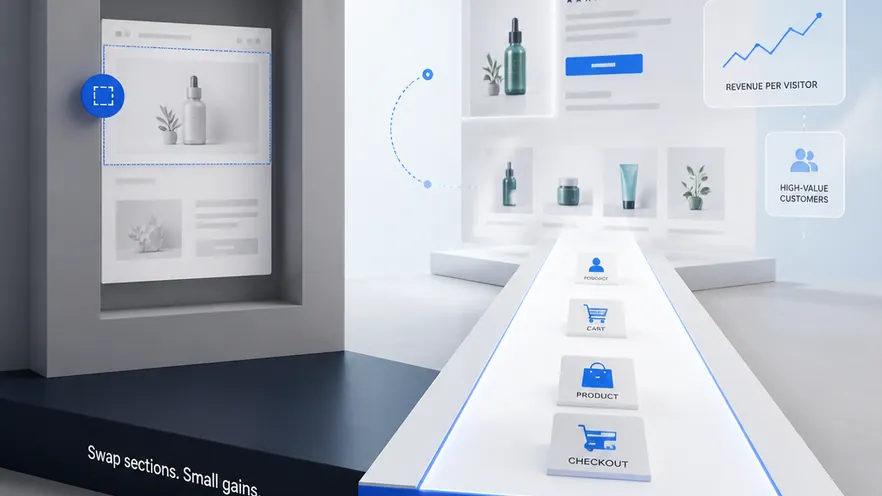
Shoplift is a Shopify-native A/B testing app for testing theme sections, product pages, and page components without developer work. Omniconvert Explore is an eCommerce CRO platform that runs A/B, multivariate, server-side, and personalization experiments across the full funnel, and measures results in revenue per visitor. Different scope.
- Shoplift is a Shopify-native theme A/B testing app, rated 4.8 out of 5 on G2 across 55 reviews. [G2, 2026]
- Shoplift runs A/B tests on Shopify theme sections and page components through the native theme editor, with zero-setup onboarding from the Shopify App Store.
- Shoplift has no server-side testing, no on-site surveys or overlays, limited statistical depth, and cannot reach beyond the Shopify checkout extensibility API.
- Omniconvert Explore runs A/B, multivariate, server-side, and personalization experiments across product, cart, and checkout, with surveys and overlays built in, measured in revenue per visitor.
- Small Shopify merchants may run only Shoplift; growth-focused stores usually outgrow theme-only testing and move to a full eCommerce CRO platform.
Teams comparing Shoplift vs Omniconvert Explore are usually asking a very Shopify-specific question. Shoplift is a Shopify App Store install that lets a merchant swap hero images, rewrite product descriptions, and rearrange theme sections through the native Shopify theme editor. Omniconvert Explore is a Shopify-native CRO platform that runs A/B, multivariate, server-side, and personalization experiments across product, cart, and checkout, with surveys and overlays built in and results measured in revenue per visitor. This page explains where Shoplift is the right pick and where an eCommerce store outgrows theme-only testing.
What is Shoplift, and what does it actually do?
Shoplift is a Shopify App Store install that runs A/B tests on theme sections and page components through the native Shopify theme editor. Merchants can test hero images, product descriptions, section layouts, and page structures without writing code or booking a developer. [Shoplift, 2026]
Shoplift is rated 4.8 out of 5 on G2 across 55 reviews. [G2, 2026] It has a small but strongly positive base of Shopify merchants who value how fast the install-to-first-test loop is and how naturally the experience sits inside the Shopify admin.
The category Shoplift sits in is Shopify-native theme A/B testing. Experiments are defined against theme sections, variants are edited in the Shopify theme editor, and the reporting is scoped to what happens between a shopper landing on a Shopify page and clicking through it.
The question this page answers is narrower: is Shopify theme section testing the same job as running a full eCommerce CRO program? And if not, where is the gap?
Shopify-native theme A/B testing means the tool installs from the Shopify App Store, hooks into the theme editor, and lets a merchant create variants of theme sections and page components without touching code. It is fast to adopt and merchant-friendly. It is a separate concern from whether the same tool can run multivariate designs, server-side experiments, or full-funnel tests that reach into cart logic, checkout flow, and post-purchase personalization.
Where Shoplift is genuinely strong
- Native Shopify theme integration: the app hooks into the Shopify theme editor, so building a variant of a hero, a product description, or a section layout is a merchant task, not a developer ticket.
- Zero-setup onboarding: install from the Shopify App Store, connect the theme, launch a section test the same day, no snippet placement or engineering review needed.
- Purpose-built for stores: the whole product is scoped to Shopify, so the concepts (theme, section, product page, collection page) match how a merchant actually thinks about the storefront.
- Session-based pricing built for store traffic: the plan shape matches a growing Shopify catalog rather than seat-based or contract-based enterprise pricing.
Where Shoplift hits its ceiling for an eCommerce store
- Theme-scope only: experiments live inside the Shopify theme editor, which rules out anything that is not a theme section or component (custom overlays, on-site surveys, personalization rules driven by segment or behavior).
- No server-side testing: everything is client-side theme rendering, so tests that need to change catalog logic, pricing display, or checkout behavior cannot be run.
- Limited statistical depth: the reporting is scoped to straightforward two-variant theme tests, which is fine for hero swaps but thin for anything requiring segment-level significance or interaction effects.
- No on-site surveys or overlays: voice-of-customer feedback and exit-intent or targeted overlays sit outside the product entirely and require a second tool.
- Cannot reach beyond checkout extensibility: checkout experimentation is capped by what Shopify's checkout extensibility API exposes, so full-funnel checkout tests are limited.
None of this makes Shoplift a weak product. It makes it a Shopify theme testing product. The friction shows up when a store's CRO program grows past hero-image swaps and needs multivariate designs, personalization, surveys, and full-funnel measurement in revenue per visitor.
What Shoplift cannot do for an eCommerce store
Shoplift is a Shopify theme testing tool. It runs A/B tests on theme sections and page components and cannot run server-side experiments, full-funnel tests, on-site surveys, or personalization beyond the theme editor. That is the gap a full eCommerce CRO platform closes.
Omniconvert Explore is built for the layer Shoplift leaves open. Shoplift can run a hero swap or a section reorder well, but a store past its first few theme tests does not just need more theme tests; it needs multivariate designs on the product page, server-side experiments on catalog and pricing logic, surveys to understand why non-converters bounced, and personalization tied to segment behavior. Those are not the same task as swapping a hero image.
Most Shopify App Store testing tools are built around a generic theme section and a generic click event. They optimise the mechanics of a theme edit. They are not built around the full set of surfaces where eCommerce revenue is won or lost (product logic, cart behavior, checkout flow, post-purchase personalization) or around a measurement model that reports the outcome in revenue per visitor.
eCommerce CRO is the practice of running controlled experiments on the revenue surfaces of an online store, product pages, cart, and checkout, and measuring the result in revenue per visitor and order rate rather than generic conversion rate. Explore is defined as an eCommerce conversion rate optimization platform for product, cart, and checkout experiments, native to Shopify and priced for store traffic.
What Shoplift cannot tell an eCommerce team
- Did the win move revenue. Whether a winning variant actually raised revenue per visitor and order rate, not just a click on a theme section.
- Which surface to test first. Which pages in the Shopify funnel (product, cart, checkout) carry the highest revenue impact if tested next, when theme-editor tests are only one layer of the funnel.
- How it behaves server-side. How a test performs when it needs to alter catalog logic, pricing display, or segment routing rather than swap a client-rendered section.
- Why non-converters bounced. Whether on-site surveys or targeted overlays reveal the friction that a theme A/B alone cannot explain.
- Whether it holds for valuable customers. Whether the result holds for repeat, high-value customers, the Customer Value Optimization question, not just first-session traffic.
Across the 7,000+ eCommerce websites in Omniconvert's CROBenchmark Report 2026, stores that stop at theme-level A/B testing ship a fraction of the impactful experiments their peers do, because the winning hero swaps stack up while cart, checkout, and personalization experiments never make it into the roadmap. [CROBenchmark Report 2026, Omniconvert]
Explore runs the experiment on the store's real revenue surfaces and reports the outcome in revenue per visitor. AliveCor used Explore to run a structured A/B testing program and achieved +21% conversion rate, +5% revenue per visitor, and 94% statistical relevance across their experiments. [Omniconvert, AliveCor case study]
Shoplift vs Explore: the capability comparison
Side by side, Shoplift and Explore aim at different scopes of the same store. Shoplift runs A/B tests on Shopify theme sections through the theme editor, fast to install and easy for a merchant to operate. Explore runs Shopify-native experiments across product, cart, and checkout, adds server-side testing, multivariate designs, surveys and overlays, and reports outcomes in revenue per visitor.
| Capability | Shoplift | Omniconvert Explore |
|---|---|---|
| Primary function | Shopify theme section A/B testing | eCommerce CRO on product, cart, and checkout pages |
| A/B testing | Partial Shopify theme sections only | Yes across product, cart, and checkout |
| Multivariate testing | Partial supported but scoped to theme sections | Yes full MVT designs |
| Server-side testing | No | Yes |
| Visual editor | Partial uses the Shopify theme editor | Yes dedicated visual editor plus code editor |
| On-site surveys and overlays | No not part of the product | Yes surveys and overlays built in |
| Shopify integration | High installed from the Shopify App Store | Yes native |
| eCommerce focus | High Shopify-only | High built for store revenue workflows |
| Pricing model | Session-based, starts at $99/mo, free trial | Session-based, built for store traffic, free trial |
| Best for | Shopify merchants testing theme sections and page components without any developer involvement | Shopify and eCommerce teams optimizing product, cart, and checkout for revenue |
| User rating | 4.8 out of 5 (G2, 55 reviews, as of 2026) | 4.6 out of 5 (G2, 191 reviews, as of 2026) |
Competitor pricing and plan details reflect publicly listed figures as of 2026 and can change. Explore uses session-based pricing; see the Omniconvert pricing page for current plans.
Get the full CROBenchmark data behind these stats: 7,000+ websites, 15+ industries, 248+ audit criteria, 100+ CRO experts. See exactly where eCommerce growth teams are losing margin in 2026.
Get the CROBenchmark ReportFrequently Asked Questions
Should you choose Explore over Shoplift?
If your Shopify team wants zero-setup theme section testing to find the best-performing page layouts without developer work, Shoplift is purpose-built and priced for that job. If you need full-funnel eCommerce CRO with multivariate designs, server-side experiments, on-site surveys, and personalization measured in revenue per visitor, Explore is the right fit. Small merchants may run only Shoplift; growth-focused stores usually outgrow theme-only testing and move to a full CRO platform.
Shoplift earns its place with small Shopify merchants and lean teams. Its App Store install, theme-editor variants, and session-based entry price are exactly what a solo operator or a two-person growth team wants for hero swaps and section reorders.
The question for a scaling store is narrower: are the experiments that move revenue reaching the cart, the checkout, and the personalization layer, and are they measured in revenue per visitor. That is the surface Explore is built for.
Stop guessing.
Start testing what moves revenue.
Explore runs A/B, multivariate, and personalization experiments on your product pages, cart, and checkout, then measures the outcome in revenue per visitor, not just clicks.
4.6 out of 5 across 191 reviews, G2 , as of 2026