Click and Collect (BOPIS) vs Reserve and Collect Explained

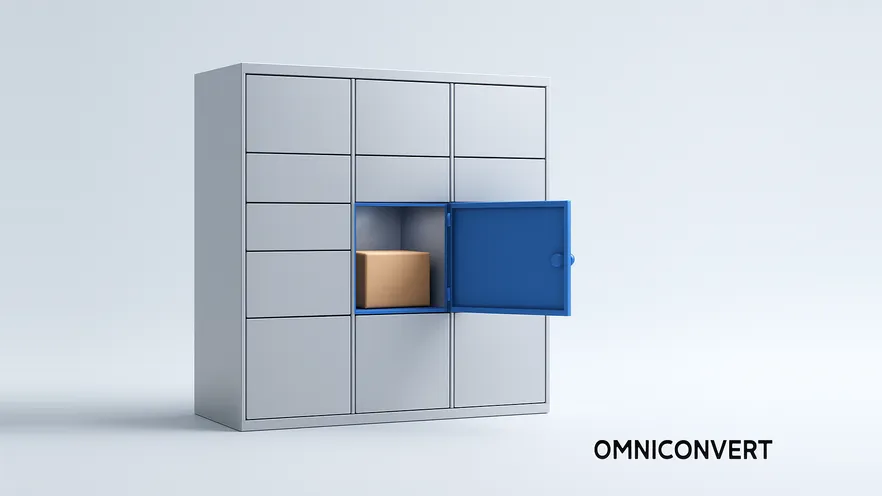
- Click and collect (BOPIS) takes payment online and turns the store visit into a handover. It is now the default way retailers offer store pickup.
- Reserve and collect is the earlier model: hold online, pay at the counter. Argos, once its flagship retailer, states in its own help pages that items cannot be reserved and paid for in store.
- Reserve and collect still wins in fit-dependent, high-consideration, age-restricted and staff-advised categories, and for limited promotional stock reserved through an app.
- Store pickup fails on inventory accuracy before it fails on anything else. A pickup promise the store cannot honor costs more trust than never offering the service.
- Show real store-level stock on the product page, before the cart. Discovering the item is unavailable nearby after adding it to the cart is the single most avoidable drop-off in the flow.
An eCommerce site does not only sell products. It sells the service wrapped around them, and delivery is the part of that service customers judge hardest. A vague promise to deliver "within a few days" is uncomfortable to accept. A named date, or an item waiting at a store two miles away, is not.
Click and collect, also called BOPIS (buy online, pick up in store), is the standard answer to that discomfort today: the customer pays online and collects the item from a nearby store. It grew out of reserve and collect, where the customer held the item online and paid only at the counter. This article covers how click and collect works, where the older reserve and collect model still earns its place, and how to set up, improve and test store pickup.
What is click and collect (BOPIS)?
Three things have to be true for the service to work at all. The website has to know what is on the shelf of each individual store, in something close to real time. The store has to be able to pull the item and have it ready by a stated time. And the customer has to be told, in writing, exactly where to go, when, and how long the order will be held.
Every failure mode of store pickup traces back to one of those three. Most of them trace back to the first.
Large retailers now document the service in detail for their customers. Best Buy's store pickup help page is a useful example of how much a customer needs to know before the trip: when the order will be ready, where to collect it, and what to bring.
What is reserve and collect, the earlier model?
The difference between the two models is when the customer pays, and that single difference changes the economics on both sides. Click and collect converts the sale immediately and moves the risk of a wasted trip onto the retailer's fulfillment process. Reserve and collect keeps the sale open, which costs certainty but buys two things: a customer who was not willing to pay unseen, and a face-to-face conversation at the counter.
| Click and collect (BOPIS) | Reserve and collect | |
|---|---|---|
| Payment | Online, at order | In store, at collection |
| Sale status on arrival | Closed | Still open |
| Customer commitment | High | Low |
| Main objection it removes | Delivery cost and waiting | Buying something unseen |
| Store staff role | Handover | Advice, fitting, closing the sale |
| Main retailer risk | Refunds and pickup congestion | Held stock that is never collected |
| Best fit | Standardized, decided purchases | Fit-dependent, high-consideration purchases |
The direction of travel across mainstream retail has been toward taking the money online. IKEA, Best Buy and most large grocers run store pickup as a paid-online service. Argos, the retailer most associated with reserving an item and paying at the counter, now requires the order to be paid online before collection, as its delivery and collection guide explains. Some retailers have withdrawn pickup services altogether: Aldi UK ended its click and collect grocery service in August 2024 to concentrate on the stores themselves.
Where does reserve and collect still win in 2026?
- Fit and feel categories. Clothing, footwear, eyewear, jewelry and beauty, where the return rate of an unseen online order is the real cost. Nordstrom built its Reserve Online and Try In Store service on exactly this logic, launching it in 2016 and expanding it to around 40 stores in 2017, a move Forbes covered in 2017 as a bet on convenience.
- High-consideration purchases. Furniture, appliances, bikes, instruments and vehicles, where nobody pays thousands online without sitting on it, riding it or hearing it first.
- Age-restricted and ID-checked goods, where an in-person check is required anyway, so taking payment early gains nothing.
- Duty-free and travel retail, where the reservation guarantees availability and the transaction has to happen at the physical counter.
- Limited promotional stock. Lidl began piloting a Click, Reserve and Collect service in the UK in 2025, letting Lidl Plus app users reserve selected non-food promotional items and collect them from a chosen store.
If your catalog is none of those, click and collect will probably serve you better, and the effort is better spent making pickup fast and the stock data accurate.
What does store pickup do for conversions?
It removes the uncertainty that stalls the order
The uncomfortable part of an online order is rarely the price. It is not knowing when the parcel arrives. Store pickup answers that directly: the item exists, it is at a named address, and it will be ready at a stated time.
It saves the customer time on both ends
The browsing and the decision happen at home, without a queue and without a salesperson waiting. The store visit is reduced to a handover, which matters most during the periods when stores are least pleasant to shop in.
It forces better inventory discipline
To offer store pickup at all you need store-level stock accuracy, and once you have it, everything else gets easier: fewer failed pickups, better replenishment, fewer online orders taken for items that are not really there.
It creates a service moment
Every pickup puts a known customer in front of your staff. That is a cost when the interaction goes badly and an advantage when it goes well, which is why staff briefing belongs in the setup rather than as an afterthought. It is also the part that feeds a longer omnichannel strategy, alongside ship-from-store and in-store returns for online purchases.
How do you set up click and collect?
-
Get store-level inventory accurate firstA pickup order is a promise about a specific shelf in a specific store. If your stock data is a nightly batch, the promise is a guess. Fix the feed before you advertise the service, and hold back a small buffer per store so a pickup order is never placed against the last unit on the system.
-
Decide which products are eligibleStart with items that are reliably in stock and easy to hand over. Do not switch it on catalog-wide. A pickup you cannot honor is worse than no pickup option. If one category clearly needs inspection before payment, that is the place to trial a pay-in-store reservation instead.
-
Define the ready time and collection window, and publish themSay when the order will be ready and how long it is held, on the product page and in the confirmation. A short window protects your stock; an unstated window guarantees complaints. Send a reminder before it expires and handle uncollected orders automatically when it does.
-
Keep the pickup checkout minimalAsk only for what you need to fulfill the order and reach the customer: name, contact, store, and payment. No forced account creation, no marketing questions. Every extra field costs orders without improving the pickup.
-
Confirm the exact pickup time and placeThe moment the order is accepted, tell the customer when the item will be ready, which store, which counter, and what to bring. This is the highest-value message in the flow and it is usually the vaguest.
-
Brief the store teamStaff should have the item ready at the collection point, and should know what the customer bought online. That context is what turns a pickup into a served experience rather than a transaction.
Test the pickup option, the stock message and the form length before you roll them out storewide.
See how Omniconvert Explore works →How do you improve an existing store pickup service?
Show store stock on the product page, before the cart
Finding out that the item is not available nearby after adding it to the cart is an avoidable irritation, and for a first-time customer it is often the last thing they do on your site. Put availability at the nearest stores on the product page, next to the price, with a way to change the store.
Suggest other stores, with the distance
If the local store is out, offer the next ones and say how far away they are. Some people will happily drive a few miles for something they want today. What they will not do is guess.
Suggest alternatives when nothing is available
When the item is not available for pickup anywhere nearby, show similar products that are. A customer who is not attached to a specific brand or model will often take the alternative rather than start again somewhere else.
Promote the option before checkout
Do not wait for the checkout to mention that store pickup exists. Services complete the purchase and drive engagement as much as the products do, so any advantage you have belongs on the pages where the decision is made: category pages, product pages, the header, and the delivery information page.
Make the confirmation specific
After the order is placed, reward the customer with the basics: the date and time the item will be ready, the store address, the collection point inside the store, and how long it will be held. Vague confirmations produce phone calls and uncollected orders.
How do you cross-sell at the collection point?
The mechanics are unglamorous and they work:
- Place complements near the counter. Cases and chargers by phone collections, memory cards by camera collections, care products by footwear. The suggestion should be visible before it is spoken.
- Give staff the online context. If the system shows what the customer ordered and what they previously bought, the recommendation stops being a script and starts being useful.
- Attach a collection-only offer. A discount on a genuinely complementary item, or loyalty points, gives a reason to look around rather than leave.
- Ask one question. "Did you find what you were looking for online?" surfaces both a cross-sell and a site problem worth fixing.
The same principles apply online, where they are easier to test. Our guide to cross-selling and upselling strategies covers the offer logic in more detail, and improving customer experience covers the service side.
What should you test and measure?
| Lever | What to test | How to read the result |
|---|---|---|
| Store stock message | Showing nearest-store availability on the product page vs revealing it in the cart | A lift in product-page engagement with a flat pickup selection rate means the message is visible but not credible. Check the accuracy of the feed. |
| Pickup option | Wording, prominence and position of the pickup choice relative to home delivery | If pickup orders rise while total orders stay flat, you are moving delivery orders into stores, not creating new ones. Compare revenue per visitor, not counts. |
| Ready time and collection window | How the ready time is stated and how long orders are held | A longer window that does not raise the collection rate is pure stock cost. Shorten it and state it more clearly instead. |
| Form length | Minimum fields vs an account-creation step | Watch collection rate as well as order rate. A shorter form that raises pay-in-store reservations but lowers collections has bought you no-shows. |
| Out-of-stock fallback | Alternative stores with distances vs similar products available for pickup | Which fallback holds the session decides what your customers actually optimize for: the specific item, or getting it today. |
| Pickup confirmation | Exact ready time and collection point vs a generic confirmation | This shows up in collection rate and in inbound service contacts, not in the conversion rate. Track both. |
All of these are page elements, which means they can be settled with evidence rather than opinion. Omniconvert Explore runs A/B and multivariate tests, on-site surveys and personalization on product and checkout pages, with geo and device segmentation so a store-pickup test only reaches the visitors who could realistically collect. Explore has been used across 7,000+ websites and 70,000+ experiments, with an average conversion uplift of 23.2%.
One caution on measurement: a pickup order that is never collected is not revenue, and a pay-in-store reservation is not revenue at all until the counter. Report store pickup on collected orders and on attachment at the counter. If you also want to know whether pickup customers are worth more over time, that is a customer-level question, and Omniconvert Commander (formerly Nexus) is where the RFM and lifetime-value side of it lives.
Click and collect vs reserve and collect FAQ
Click and collect, also called BOPIS (buy online, pick up in store), is a retail service that lets a customer order and pay for an item on the website or app and then collect it from a chosen store or pickup point. The sale is closed at checkout, so the store visit is a handover. It removes delivery cost and waiting time while keeping the certainty of an online order.
Reserve and collect is the earlier model that click and collect grew out of. The customer holds a specific item at a specific store from the website or app, without paying, and decides whether to buy it once they have seen it in person. Payment happens at the counter, so the reservation is a commitment to look, not a commitment to buy.
The difference is when the customer pays. Click and collect takes payment online at the moment of order, so the sale is already closed and the store visit is a handover. Reserve and collect takes no payment online. The customer inspects the item in store and pays at the counter if they want it, which means the sale can still be lost and gives staff a chance to help or to cross-sell.
Some do, but far fewer than a decade ago. Pay-online click and collect has become the default model. Argos, which built its reputation on check and reserve, now states in its own help pages that items cannot be reserved and paid for in store. Reserve and collect survives in categories where the customer genuinely needs to see or try the item first, in age-restricted and duty-free retail, and in app-based reservations for limited promotional stock, such as the Click, Reserve and Collect pilot Lidl started in the UK in 2025.
Reserve and collect is better when payment before inspection is the thing blocking the order. That covers fit-dependent categories such as clothing, footwear, eyewear and jewelry, high-consideration purchases such as furniture, appliances and vehicles, items with high return rates, age-restricted or ID-checked goods, and any store whose staff add real value in the conversation. If the product is standardized and the customer already knows what they want, click and collect converts better because it closes the sale immediately.
It can, because it removes two of the common reasons people abandon a cart: delivery cost and delivery uncertainty. It is not a general fix for abandonment. It only helps the subset of visitors who live near a store and want the item quickly. Measure it on that segment rather than on sitewide cart abandonment.
The main risk is promising stock the store does not have. An order paid online for an item that is not on the shelf turns into a refund, a wasted trip and a lost customer. Uncollected orders and congestion at the pickup counter come next. Accurate store-level inventory, a clear ready-time message and a stated collection window control all three.
Track four numbers: pickup selection rate (orders choosing store pickup divided by orders from visitors near a store), collection rate (pickup orders actually collected), time to ready (from payment to the pickup-ready message), and attachment rate (additional items bought at collection). If you also run reserve and collect, add the reservation-to-purchase rate. Compare revenue per visitor, not just pickup counts.
Do not start by building a new pickup flow. Start by putting real, store-level stock information on the product page for the stores nearest the visitor, and see what happens to the conversion rate of local traffic. That single change fixes the most avoidable failure in store pickup, and it is useful whether you offer click and collect, reserve and collect, or both. Once local stock is visible and trustworthy, make the pickup option visible before checkout, keep the form to the minimum, and confirm the exact ready time in writing. If one category clearly needs inspection before payment, trial a pay-in-store reservation there only. Then test the wording, the placement and the form length rather than assuming the first version was right.
Test your store pickup experience with Omniconvert Explore
Store stock messages, pickup options, ready-time wording and collection instructions are all page elements, which means they can be tested rather than argued about. Omniconvert Explore runs A/B and multivariate tests, on-site surveys and personalization on the pages where those decisions are made, with geo and device segmentation so you can target only the visitors who live near a store.