Customer Segmentation Tools: 5 Best for eCommerce (2026)

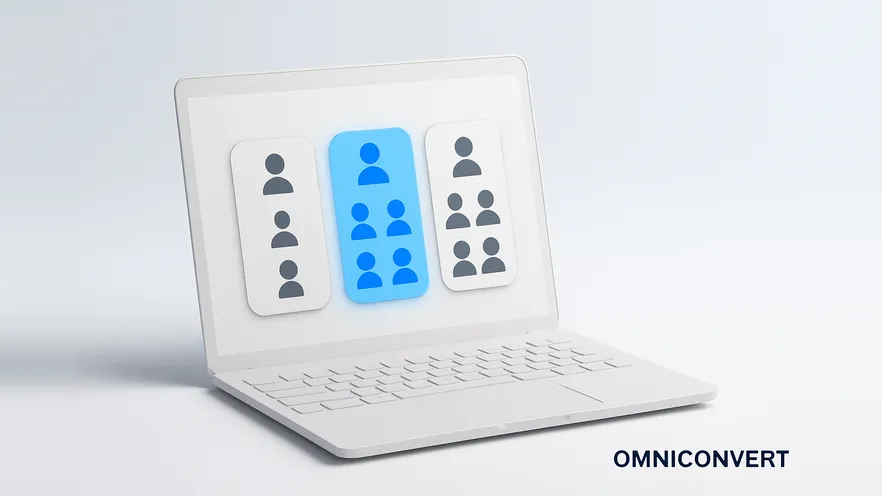
- Choose a customer segmentation tool by your goal first: retention and lifetime value call for purchase-based RFM segmentation.
- Use five common bases for segmentation: RFM, demographics, geography, behavior and psychographics, plus technographics where devices matter.
- Pick Omniconvert Commander for eCommerce RFM segmentation that updates from store data and reaches Meta Ads, Google Ads and Klaviyo.
- Use Google Analytics for visitor and traffic segments, since it holds little customer-level purchase history.
- Treat HubSpot, Salesforce and Mailchimp segmentation as part of a CRM or email platform you already run.
- Check that segments flow to the channels where you act, or they go stale in a spreadsheet export.
Customer segmentation tools split your customer base into groups that share traits, so you can market to each group in the way it responds to. The benefits are better personalization, better targeting, more effective acquisition and retention, better ROI, and new ideas for growth and product development.
Being customer-centric is no longer optional. Knowing who your customers are, how they like to be approached and what makes them buy is the job, and with a growing customer base comes the responsibility to nurture each relationship. This guide covers what segmentation tools do, the criteria they segment by, a four-step segmentation strategy, and five tools, led by Omniconvert Commander (formerly Nexus), the AI eCommerce growth engine.
What are customer segmentation tools?
Everyone who buys from you leaves information behind about who they are and how they behave online and offline. That is your customer data, and how you manage it decides whether you can raise retention, spot patterns, find your best customers and win more people like them.
People are different, and they expect to be treated that way. Customer segmentation is defined as breaking your customer base into small, manageable groups organized by RFM scoring, traits, habits, preferences, location and more. When you know which customers are similar in taste, values or buying patterns, you can improve their experience, build loyalty and raise customer lifetime value (CLV).
Benefits of customer segmentation software
Search engine optimization, email and social media marketing, pay-per-click advertising and content marketing have one thing in common: they work best when they are targeted to the needs and preferences of your audience. Segments help you meet those needs. The advantages of using a tool rather than spreadsheets are:
- Precision: many segmentation tools use AI and machine learning, which find patterns and predictions you would not find by sorting customers manually.
- Accuracy: automated tools make fewer errors than people copying data between sheets.
- Speed: you get the insights you need in minutes instead of days.
- Better targeting: segments support every marketing channel you run.
- Organization: you can save segments and build audiences based on their traits.
- Choice of criteria: tools differ in features and criteria, so you can pick one for your industry, size and marketing mix.
Segmenting your customers helps you reach six goals:
- Understand your customers better: what motivates them, what drives the purchase, whether they are happy and how often they order.
- Target ad campaigns better: cater to the needs and preferences of each segment.
- Get a better ROI from ads: more relevant ads give people more reasons to buy, and to keep buying.
- Build loyalty: the right content and offer at the right time raises customer retention.
- Make customer support more effective: different segments have different problems, and support can prepare for each.
- Know your best customers: reward them for their loyalty and turn them into brand advocates.
Customer segmentation criteria: what tools segment by
- RFM scoring: the recency, frequency and monetary value of each customer's purchases.
- Demographic segmentation: age, gender, income, marital status, education and languages spoken.
- Geographic segmentation: city, state, country and region.
- Behavioral segmentation: buying patterns, buyer journey stage, benefits sought, preferred products and product use.
- Psychographics: personality, values, interests, activities, lifestyle, opinions and attitudes.
- Technographics: the devices customers use, how they access the internet, and the apps and tools they use.
The customer segmentation models guide explains each model with examples. For eCommerce, RFM matters most, because it uses purchase data you already own and predicts who will buy again.
Customer segmentation strategy in 4 steps
Before you choose a tool, decide what you need it for. Here is the customer segmentation process in four steps:
-
Start with why: define your segmentation goalsAre you segmenting to increase sales, raise retention or handle customer problems better? Fit the process into your company strategy. Goals depend on your size, industry and customers (B2B or B2C), so there is no universal approach: build segments and test tactics until you find the ones that work.
-
Segment customers by your goals and needsChannel-based segmentation shows who prefers email, text messages or each social network. Demographic segmentation shows age, income, occupation and family size. To find your most valuable customers and build an ideal customer profile for paid campaigns, apply RFM segmentation and find your best buyers.
-
Use the segments across your organizationMarketing uses them for automation, sales to raise conversions, customer support to prepare resources for each segment, and product development for insight into what each group needs.
-
Adjust segments as your goals changeYour target customer changes as you add products and markets. When you review your goals, review your segments too, so you keep talking to the right audience.
Then measure how each segment performs. The customer segmentation analysis guide shows why doing that by hand falls short.
5 best customer segmentation tools for eCommerce in 2026
Customer data comes from many places, which makes manual segmentation hard. Some tools are intuitive, others need more expertise, and the right one depends on what you want to achieve. Prices change often, so confirm current plans on each vendor's site.
1. Omniconvert Commander
Omniconvert Commander customer intelligence is more than segmentation software: it is customer intelligence built for eCommerce. It uses RFM segmentation to group customers by buying behavior, one of the strongest signals of repeat purchases, loyalty and lifetime value. You see when customers buy (recency), how often (frequency) and how much they spend (monetary value), so you can focus on the segments that matter now without losing sight of those that could bring value later.
Beyond the RFM customer segments in Omniconvert Commander, you can analyze your customers by:
- RFM segments that update from your Shopify data as new orders come in, with no CSV exports.
- Customer lifetime value by segment, cohort and acquisition channel.
- Net Promoter Score by segment and by product category.
- Buying habits, such as which first-order products lead to repeat purchases and which lead to churn.
- True Profit per order and per customer.
Omniconvert Commander pushes segments directly to Meta Ads, Google Ads and Klaviyo, so you can personalize across channels, prioritize your most valuable customers, lower acquisition costs with better lookalikes and solve problems before customers leave.
Best for: eCommerce stores that want retention and lifetime value. Pricing: the Omniconvert Commander app for Shopify stores has a free plan on the Shopify App Store; stores on other platforms can register on the web app or book a call.
2. Google Analytics
Google Analytics is one of the most widely used analytics tools. In Google Analytics 4, you can build segments in Explorations and audiences from users, sessions and events, and analyze them with cohort and user lifetime explorations. Demographic reports show age, gender and interests. Predictive audiences use purchase probability and churn probability to find users likely to buy or to leave in the next seven days [Google Analytics Help].
From these segments you can separate converters from non-converters and share audiences with Google Ads. The major downside of Google Analytics is its limited customer-level information: it is best for visitor and traffic data, not purchase history across years.
Best for: eCommerce stores and B2B businesses that need traffic segments. Pricing: free; Google Analytics 360 is sold through Google sales.
3. HubSpot
HubSpot segments contacts with active segments, which update automatically, and static segments, which do not. You can filter by contact, company or deal properties, activity on the contact record, products bought (quantity and price), membership of other segments, form submissions, marketing email activity, ad interactions, email subscriptions and page views. The features depend on your plan: Free, Starter, Professional or Enterprise.
Best for: B2B businesses. Pricing: free plan; paid Marketing Hub plans charge per seat.
4. Salesforce
Salesforce is one of the most popular CRM (customer relationship management) platforms, built so marketing, sales, commerce, service and IT teams work from the same data. It uses AI and machine learning to segment audiences by demographics, behavior and lifestyle, devices, ad exposure and customer journey. Segmentation centers on Salesforce Data Cloud, which brings data from any source into one profile and builds segments you can send to Marketing Cloud and other channels. That lets you see patterns in customer journeys across channels and reach your audience more precisely.
Best for: B2B and enterprise businesses. Pricing: custom, through Salesforce sales.
5. Mailchimp
Mailchimp is a marketing platform for small businesses. You can segment by subscriber data (automation and campaign activity, contact rating, date added, email marketing status, landing page and survey activity, language, location, signup source and engagement) and by app and website behavior. For connected stores, predictive segments group contacts by predicted customer lifetime value and by likelihood to purchase again, on the Standard and Premium plans [Mailchimp]. Tags and custom form fields let you filter by details unique to your business.
Best for: eCommerce stores and small businesses that market mainly by email. Pricing: free plan for up to 250 contacts; paid plans by contact count.
Customer segmentation software compared
| Tool | Main segmentation data | Best for | Free option |
|---|---|---|---|
| Omniconvert Commander | Purchase history (RFM), CLV, NPS, True Profit | eCommerce retention and lifetime value | Free plan on the Shopify App Store |
| Google Analytics | Visitors, sessions, events, predictive metrics | Traffic and audience segments for ads | Free |
| HubSpot | CRM properties, email and web activity | B2B marketing and sales | Free plan |
| Salesforce | Unified profiles from many sources | B2B and enterprise teams | No (custom pricing) |
| Mailchimp | Subscriber data, email engagement, predicted CLV | Email-led small businesses | Free plan (250 contacts) |
If you want a deeper look at tools built only for RFM, see the best RFM and customer intelligence tools.
Omniconvert Commander turns your order history into RFM segments and sends them to Meta Ads, Google Ads and Klaviyo.
See how Omniconvert Commander works →How to choose customer segmentation tools for your store
Customer segmentation tools have moved from nice-to-have to must-have, and there are many options. Keep your business needs and the places you will use segments in mind:
- Retention and lifetime value in eCommerce: a purchase-based RFM tool such as Omniconvert Commander.
- Ad audiences from site behavior: Google Analytics, linked to Google Ads.
- B2B pipelines: the segmentation in your CRM, HubSpot or Salesforce.
- Email-first small businesses: Mailchimp's segments and predictive segments.
One mistake catches many teams. They pick the tool with the longest feature list, build segments there, and then export a CSV each week to upload to their email and ad platforms. Within a month the uploads slip, the suppression list is out of date, and lapsed best customers receive the welcome discount meant for first-time buyers, while new customers get a win-back email. Check the integrations before the features.
Segments also need testing. AliveCor used Omniconvert to run a structured A/B testing program and achieved a 21 percent lift in conversion rate, a 5 percent lift in revenue per visitor, and 94 percent statistical relevance across their experiments [Omniconvert, AliveCor case study]. Test the offer and message for each segment the same way before you roll it out.
Customer segmentation tools FAQ
Customer segmentation tools are software that divides your customer base into groups based on criteria such as purchase behavior, demographics, location or engagement. They help you understand each group, personalize marketing and send each segment relevant messages and offers. Some specialize in one model, such as RFM, while CRMs and email platforms include segmentation as one feature among many.
Common criteria are RFM scores (recency, frequency and monetary value), demographics (age, gender, income), geography (city, country, region), behavior (purchase history, product use, engagement), psychographics (values, interests, lifestyle) and technographics (devices and software used). B2B companies also segment by firmographics such as company size and industry, and many stores add context such as seasonal buying patterns.
They let you target each segment with relevant campaigns instead of one message for everyone, focus budget on the segments most likely to buy, and give each customer a more relevant experience. They also do the grouping faster and with fewer errors than spreadsheets, and they keep segments current as customers change.
Start from your goal and your data. If you want repeat purchases and higher lifetime value in an online store, pick a tool built on purchase data and RFM segmentation. If your segments are mostly for email, use the segmentation in your email platform. Then check that the tool connects to your store and sends segments to the channels where you act on them, such as Meta Ads, Google Ads or Klaviyo.
Customer segmentation software is the broad category: any tool that groups customers by any criteria, from demographics to email engagement. An RFM segmentation tool is one specialized kind that groups customers by recency, frequency and monetary value of their purchases. RFM tools fit eCommerce retention work best, while CRMs and analytics suites cover wider but shallower segmentation.
Yes. Google Analytics is free, HubSpot and Mailchimp have free plans with basic segmentation, and the Omniconvert Commander app has a free plan on the Shopify App Store. Free tiers usually limit contacts, seats or advanced features such as predictive segments, so check what the plan includes before you build your process on it.
Omniconvert Commander is an AI eCommerce growth engine. It scores customers on recency, frequency and monetary value from your store data, groups them into RFM segments that update as new orders come in, and reports customer lifetime value and NPS by segment. It calculates True Profit per order and per customer and pushes your segments directly to Meta Ads, Google Ads and Klaviyo.
Write down the one decision your segments must drive this quarter, such as who gets a win-back offer or which customers seed your lookalike audiences. Then shortlist only the tools that segment on the data behind that decision and send the result to the channel where you make it.
For an online store whose growth depends on repeat orders, that means purchase data and RFM segments that update themselves. See how Omniconvert Commander segments your customers.
Segment customers by what they buy, not only who they are
Omniconvert Commander builds RFM segments from your store data, reports lifetime value and NPS by segment, and pushes segments to Meta Ads, Google Ads and Klaviyo.