Bannerflow vs Icon.com vs Omniconvert Commander (2026): HTML5 vs human UGC
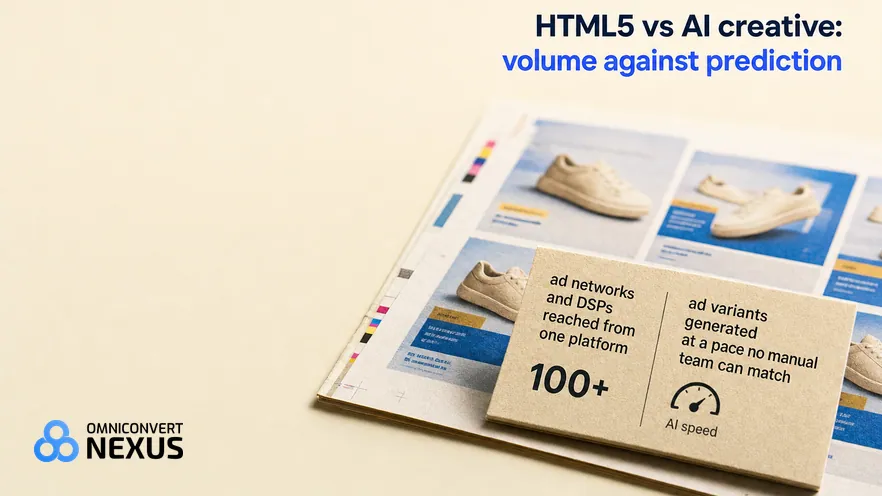
Bannerflow and Icon.com solve different parts of the ad creative problem. Bannerflow scales HTML5 display production across 100+ ad networks with DCO and live updates. Icon.com ships 6 human UGC ads a month filmed by real creators for $1,000. Omniconvert Commander sits above both, deciding which segments deserve the spend and whether it improved True Profit.
- Bannerflow is an enterprise creative management platform that produces HTML5 display ads, runs DCO with live product feeds, and publishes across 100+ ad networks and DSPs with live in-campaign updates.
- Icon.com is a done-for-you agency that ships 6 human UGC ads a month filmed by real creators for $1,000 after a 3-day free trial.
- Bannerflow is production and distribution infrastructure; Icon.com is a managed human UGC production agency; neither models customer lifetime value or measures net margin.
- Both optimise the ad creative workflow within their scope, but neither decides which customer segment is worth acquiring at current CAC.
- Omniconvert Commander adds CLV segmentation, True Profit measurement, and the ranked action queue above either platform, briefing the ad work rather than replacing it.
A DTC growth team comparing Bannerflow vs Icon.com is choosing between two ad creative models. Bannerflow is enterprise HTML5 display production with DCO and live in-campaign updates across 100+ ad networks. Icon.com is a done-for-you agency that ships 6 human UGC ads a month filmed by real creators for $1,000. Neither reads customer lifetime value or measures net margin, and that decision layer is what Omniconvert Commander is built to hold.
What is Bannerflow, and what is it actually good at?
Bannerflow is an enterprise creative management platform for HTML5 display and social advertising. It combines master creative production, dynamic creative optimisation, and direct publishing to over 100 ad networks and DSPs from a single interface. G2 users rate it 4.6 out of 5 across 80 reviews as of 2026.
Bannerflow's distinguishing move is combining HTML5 production with distribution: teams build a master creative once, then scale it to every required format and push it to 100+ ad networks and DSPs from one place. DCO connects live product data feeds to ad variants so personalisation runs automatically at scale. Live ad updates change creative in running campaigns without a rebuild or a republish.
The category is creative management platform. The buyer is an enterprise brand or in-house agency running display at scale across many networks, with a design team already in place. The trade is scope: Bannerflow is production and distribution infrastructure, not a generative tool for non-designers, and full DCO requires integration with other adtech.
Bannerflow holds a 4.6 out of 5 rating on G2 across 80 reviews as of 2026. Reviews praise the network coverage, the DCO workflow, and the live update capability. The recurring caveat: it is enterprise scaffolding, so teams without a designer or without a display-heavy stack rarely see the value.
A creative management platform (CMP) is production infrastructure for display and social ads. It centralises master creatives, scales them to every required format, connects to product feeds for dynamic creative optimisation, and publishes to ad networks and DSPs. A CMP optimises production and distribution; it does not read customer signals or model CLV.
Where Bannerflow is genuinely strong
- Live ad updates without republishing: change creative content in running campaigns in real time, no rebuild required.
- 100+ ad network reach from one platform: publish directly to networks and DSPs without manual trafficking or agency handoff.
- DCO with live product feeds: real-time personalisation across variants at enterprise scale, driven by live product data.
Where Bannerflow hits its ceiling
- Enterprise design tool, not no-code: requires design expertise; not a self-serve generator for non-designers.
- No standalone DCO: full dynamic creative optimisation requires integration with other adtech in the stack.
- Production infrastructure, not customer intelligence: no CLV or customer-behaviour layer informs which segment the display spend should chase.
Bannerflow is a strong specialist for enterprise display teams. The ceiling shows up when the production line runs smoothly but the display spend still chases the wrong customer segments.
What is Icon.com, and what is it actually good at?
Icon.com is a done-for-you agency that ships human UGC ads filmed by real creators. For $1,000 a month after a 3-day free trial, Icon.com delivers 6 human UGC ads from 2 creators making 3 ads each, with scripts, coaching and editing included [icon.com, 2026]. Icon.com launched as The AI Admaker, so older descriptions of an AI ad tool no longer apply. It has no public G2 rating as of 2026.
Icon.com's distinguishing move is a managed production service: its team finds creators from a pool of 1,288+ vetted people, ships them the product, writes the scripts, coaches the creators and edits the videos. A dedicated Creative Director works with each brand. Where Bannerflow ships enterprise design scaffolding, Icon.com ships finished human UGC ads [icon.com, 2026].
The category is done-for-you human UGC. The buyer is a brand that wants real people on camera and a managed production service, not an in-house creator pipeline. The trade is scope: Icon.com delivers 6 finished UGC ads in 12 to 16 days after creators receive the product, but it does not generate variants at pace, read customer data, or model CLV segments [icon.com, 2026].
Icon.com does not carry a public G2 aggregate as of 2026, so third-party review data is limited. Teams evaluating it against established CMPs should confirm current features, integrations, and pricing directly at icon.com before signing.
UGC ads are short social videos in which a real person talks about a product in a native style. Human UGC means real creators film them.
Where Icon.com is genuinely strong
- Real creators on camera: 6 human UGC ads a month from 2 vetted creators, with scripts, coaching and editing handled by Icon.com's team [icon.com, 2026].
- Fixed-price managed service: $1,000 a month after a 3-day free trial, with scripts in 24 hours and a full refund if you don't love the ads [icon.com, 2026].
Where Icon.com hits its ceiling
- No customer data layer: Icon.com's Creative Director works from the brand's brief, not from CLV, NPS or customer segment data.
- Fixed throughput, 12 to 16 days to delivery: a managed service produces 6 finished ads a month after creators receive the product, not a continuous variant pipeline [icon.com, 2026].
- No margin measurement: finished UGC ads are a creative win, not a margin signal; True Profit still has to be tracked outside the tool.
Icon.com is a fit for brands whose bottleneck is getting real creators on camera and shipping finished UGC ads. The ceiling shows up when the ads look great but the campaigns still chase the wrong segments and margin stays flat.
Bannerflow vs Icon.com vs Omniconvert Commander: the capability comparison
Bannerflow scales HTML5 display production across 100+ ad networks with DCO for enterprise teams. Icon.com films and edits human UGC ads as a done-for-you agency. Both optimise ad creative work within their scope. Omniconvert Commander is the intelligence layer above either: CLV, the brief, and the margin loop. The table reads as complementary, not competing.
| Capability | Bannerflow | Icon.com | Omniconvert Commander |
|---|---|---|---|
| Primary function | Produce, manage, and distribute HTML5 display ads with DCO across 100+ networks | Done-for-you human UGC ads: creators, scripts, coaching and editing | Autonomous growth intelligence above any ad platform |
| Unified commerce data | No: production and distribution data only, no commerce layer | No: managed UGC production only, no commerce data layer | Yes: single source of truth across the stack |
| AI-prioritised experiment queue | No: production workflow, not a prioritised action queue | No: managed production workflow, not a prioritised action queue | Yes: next best action by projected margin impact |
| Creative generation | Partial: scales a master design to every format and connects DCO feeds, not generative AI from scratch | Yes: real creators film 6 UGC ads a month and Icon.com edits them, no AI in the ads | Yes: variants ranked by CLV-weighted angle |
| True Profit tracking | No: distribution metrics only, no margin signal | No: production metrics only, no margin signal | Yes: margin not ROAS, per campaign and per cohort |
| CLV and segment intelligence | No: no CLV or customer-behaviour data | No: no CLV or customer-behaviour data informing the brief | Yes: RFM, cohorts, churn prediction, NPS signal |
| Autonomous action layer | No: designers and traffickers still run the workflow | No: managed service delivers ads to a brief, not on autonomous action signals | Yes: removes the human middleware between data and action |
| AI creative briefing | No: production infrastructure, briefs are supplied by humans | No: briefs come from the brand, not from CLV or NPS data | Yes: brief built from CLV, NPS, and review data |
| Pricing model | Enterprise annual subscription, pricing on request at bannerflow.com | $1,000 a month for 6 human UGC ads after a 3-day trial (icon.com, checked November 2026) | Free plan; paid plans from $49/month, see Omniconvert Commander pricing |
| Best for | Enterprise ecommerce, gaming, travel, and automotive teams running display at scale with DCO | Brands that want real people on camera and a managed production service | eCommerce 1M dollar plus ARR teams focused on margin |
| Integrations | 100+ ad networks and DSPs, Google, Meta, product feeds | Admaker 2.0 helps your team review, launch and analyse ads; see icon.com for details | Shopify, Klaviyo, Meta, Google, TikTok, GA4, Triple Whale |
| User rating | 4.6 out of 5 (G2, 80 reviews, as of 2026) | No public G2 rating | 5.0 out of 5 (Shopify App Store, 63 reviews, as of November 2026) |
Competitor columns reflect publicly available feature documentation as of September 2026. Bannerflow G2 rating as cited in s1; Icon.com does not carry a public G2 aggregate at the time of writing.
What Bannerflow and Icon.com cannot do
Bannerflow and Icon.com both assume you already know which segments to target and which message converts them. They optimise the execution of that assumption. Neither questions it. The shared blind spot is not creative production; it is the CLV, NPS, and review data that should brief the creative in the first place.
Bannerflow manages the production and distribution of display creative at enterprise scale. Omniconvert Commander provides the brief from CLV and segment data before the production pipeline opens, specifying which segment deserves the display investment and what message converts them.
Icon.com ships 6 human UGC ads a month, filmed by real creators and edited by Icon.com's team. Omniconvert Commander adds the CLV and segment layer that tells the Creative Director which customers the ads should chase, and whether the resulting campaigns improved True Profit. Great creators are not the same as well-targeted creators.
What neither tool can tell you
- Which of your current customers are worth acquiring more of. A 12-month CLV view, not last-click attribution, is what tells you which segments deserve the next round of paid spend.
- Which segments are 60 days from churning. The early signal lives in NPS scores, review sentiment, and support ticket patterns, not in a display production pipeline or a human UGC agency.
- Whether your last campaign improved True Profit or just moved ROAS. ROAS can rise while net margin compresses; only a margin-first measurement loop catches the gap.
- What your highest-value customers actually respond to. A DCO feed personalising by product and a human UGC agency briefed by a marketer both miss the specific angle your top-CLV cohort reacts to.
Platforms like Omniconvert Commander are built for this layer. Omniconvert Commander synthesises CLV data, NPS signals, review intelligence, and competitor creative data into a ranked action queue, before a brief is written or a creative produced. The optimisation target is True Profit, not ROAS.
True Profit is defined as the net margin remaining after subtracting CAC, COGS, return rates, and the cost of customer acquisition from each cohort, not gross revenue or ROAS. It is what the business actually keeps. Omniconvert Commander tracks this as the primary optimisation metric across all experiments.
AliveCor used Omniconvert to run a structured A/B testing programme and achieved +21% conversion rate, +5% revenue per visitor, and 94% statistical relevance across their experiments. [Omniconvert, AliveCor case study]
Which tool is right for you?
Pick Bannerflow when the bottleneck is producing and distributing HTML5 display creative across many ad networks with live updates and DCO. Pick Icon.com when the bottleneck is getting real creators on camera and shipping finished UGC ads to a brief. Add Omniconvert Commander when the real bottleneck is knowing who to target and whether it improved margin.
- Choose Bannerflow if you need to produce, manage, and update HTML5 display ads across 100+ networks, DCO is a core requirement, and you run campaigns that need live creative updates without republishing.
- Choose Icon.com if your bottleneck is getting real creators on camera, you want a managed service that handles creators, scripts, coaching and editing, and $1,000 a month for 6 human UGC ads fits your creative budget.
- Add Omniconvert Commander if the production pipeline runs well but the open question is which segment is worth acquiring, whether the last campaign improved True Profit, and where the next 2 hours of team time should actually go.
Bannerflow and Icon.com sit at different points of the same ad creative problem: one runs enterprise HTML5 production and distribution across 100+ networks with DCO, the other runs a done-for-you agency that ships 6 human UGC ads a month filmed by real creators. Both optimise the pipeline. Omniconvert Commander sits above both, deciding which customers the resulting spend should chase and whether it improved margin. That is a different layer of the stack.
What each tool cannot do, honestly
A fair comparison names the limits. Bannerflow is enterprise production and distribution scaffolding with no CLV or customer intelligence layer. Icon.com is a done-for-you human UGC agency briefed by the brand, not by customer data. Omniconvert Commander does not produce HTML5 display, does not run DCO, and does not ship human UGC ads; it supplies the CLV and margin layer both platforms are missing.
- Bannerflow: enterprise CMP requiring design expertise, no standalone DCO, no CLV or customer-behaviour layer informing which segment display spend should chase.
- Icon.com: done-for-you human UGC agency briefed by the brand, not by customer data; no CLV, no True Profit measurement; no public G2 rating as of 2026.
- Omniconvert Commander: not an HTML5 display production platform, does not run DCO, does not ship human UGC ads, and leaves the bid and campaign lifecycle to the ad networks. It defines and measures the margin goal; it relies on tools like either one to execute the ad production.
The honest read: run Bannerflow for enterprise HTML5 display and DCO, run Icon.com for done-for-you human UGC ads, and run Omniconvert Commander for the CLV signal and the margin measurement. The pairing closes the loop none of them can close alone.
See where your store stands against real competitors in your category and country. Ecommerce Benchmark scores six areas free: Creative & Ads, Reviews & UGC, AI Visibility, Agentic Commerce, Competitor Synthesis, and CRO.
Benchmark Your Store FreeFrequently Asked Questions
Should you add Omniconvert Commander to your Bannerflow or Icon.com stack?
Add Omniconvert Commander if your ad creative workflow is dialled in but margin is flat. Bannerflow runs enterprise HTML5 display and DCO across 100+ networks. Icon.com ships 6 human UGC ads a month filmed by real creators for $1,000. Neither models which customers are worth acquiring or whether the spend improved True Profit. Omniconvert Commander ranks the next action by projected margin, then closes the loop. Teams losing hours to CLV, NPS, and review pulls are the highest-fit buyers.
Bannerflow and Icon.com are strong at execution within their jobs: enterprise HTML5 display production with DCO and live updates across 100+ networks, and done-for-you human UGC production for brands that want real people on camera. If shipping the display machine or shipping finished UGC ads is your live need, keep the tool that fits.
The harder question is whether your team has a reliable way to know who to target, what to say, and whether it worked at the margin level. That is a different question, and it is what Omniconvert Commander is built to answer.
Stop assembling data.
Start supervising growth.
Omniconvert Commander unifies your entire eCommerce data layer, detects revenue anomalies and generates a prioritized action queue, so your team stops being human middleware and starts running the P&L.
5.0 out of 5 across 63 reviews, Shopify App Store , as of November 2026