Using Icon with Omniconvert Commander
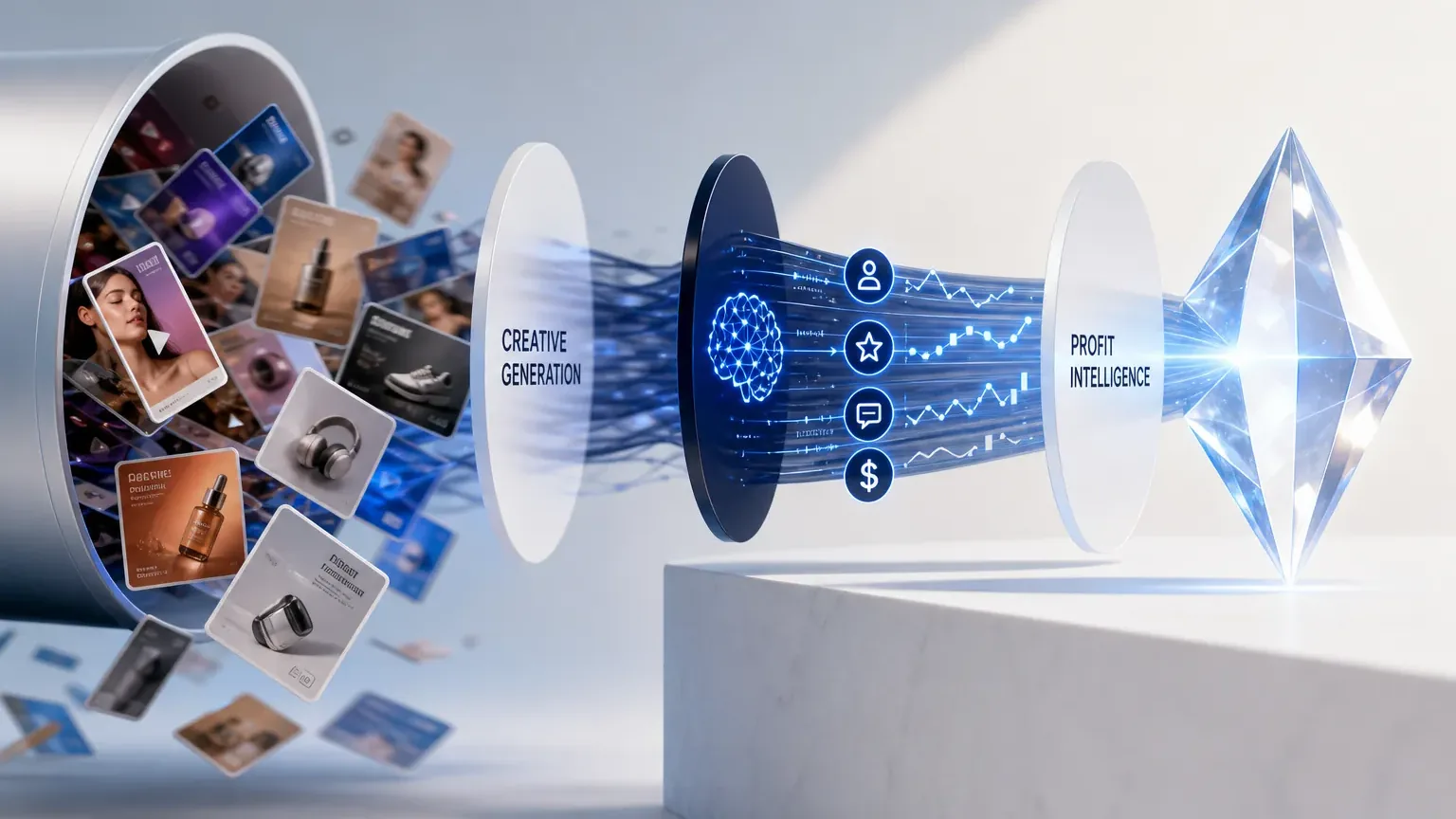
Keep Icon and add Omniconvert Commander on top, because they do different jobs. Icon is a done-for-you agency that films and edits human UGC ads: 6 ads for $1,000 a month, with no AI in the ads. Omniconvert Commander decides which customer segment and angle each batch should serve, and measures whether the ads earned True Profit.
- Cost per batch: the published plan is $1,000 a month for 6 ads, so each new set of angles to test costs another batch.
- Turnaround: Icon delivers in 12 to 16 days, counted from when the creators receive your product.
- Volume: a batch is 6 ads, from 2 creators with 3 ads each. More volume is on custom or agency pricing, which icon.com does not publish.
| Measure | Icon | Omniconvert Commander |
|---|---|---|
| Starting price | $1,000 a month for 6 human UGC ads (checked October 2026) | Free plan; paid plans from $49 a month |
Verdict: Add on top of Icon
Omniconvert Commander does not replace Icon. Keep Icon for what it does well and put Omniconvert Commander above it, to decide which customers the work should target and whether it earned any profit.
- Icon is a done-for-you agency that makes human UGC ads: 6 ads for $1,000 a month, which it describes as no AI and 100% real.
- Icon launched as The AI Admaker. Its site now sells human-made ads, so older descriptions of an AI ad tool no longer apply.
- Icon delivers in 12 to 16 days after the creators receive your product, with a Creative Director, unlimited revisions and a full refund if you do not love the ads.
- Omniconvert Commander does not film ads. It decides which customer segment and angle each batch should serve, from RFM, CLV and NPS data.
- Use both: Omniconvert Commander picks who the ads are for and measures True Profit, and Icon makes the ads.
Icon launched as The AI Admaker. Today it sells something different: 6 human UGC ads a month, filmed by real creators and edited by its own team, for $1,000. So the useful question is not which tool makes ads faster. Icon solves production: creators, scripts, filming and editing. It does not decide which customers are worth acquiring, or whether the ads earned money after COGS, shipping and returns. Omniconvert Commander does that part.
What is Icon, and what does it do today?
Icon is a done-for-you UGC ad agency. Its team finds creators, ships them your product, writes scripts, coaches the creators and edits the videos. The published plan is 6 human UGC ads for $1,000 a month, which Icon describes as "no AI / 100% real". [Icon, 2026]
Icon launched as The AI Admaker. Today its site says: "we make 6 Human UGC for $1000 (no AI / 100% real)" (icon.com, read October 2026). Reviews that call Icon an AI ad generator describe the earlier product.
You build a brief, and a Creative Director talks it through with you. Icon writes 6 scripts within 24 hours, and you do not pay until you review them. You get 6 ads in 12 to 16 days.
UGC (user-generated content) ads are short social videos in which a real person, not a brand actor, talks about a product in a native style: a review, an unboxing, a street interview. Human UGC means real creators film them. A managed UGC service handles the creators, scripts, product shipping and editing for you.
Where Icon is genuinely strong
- Real creators on camera: Icon says it works with 1,288+ vetted creators, and the ads are filmed, not generated.
- A human Creative Director: talks through your brief live, coaches the creators and checks every ad, with a shared Slack channel.
- Low risk on the first batch: you review 6 scripts before you pay, revisions are unlimited, and Icon offers a full refund if you do not love the ads.
- You own the assets: final ads, raw footage and B-roll, with full usage rights.
Where Icon hits its ceiling
- Batch pace: 12 to 16 days after the creators receive your product, so a new angle reaches your ad account weeks after you decide on it.
- Fixed volume per plan: 6 ads a month on the published plan. More needs custom or agency volume pricing.
- No customer-value layer: the context engine reads guidelines, competitors, Meta and Shopify, but icon.com does not describe CLV, RFM segments or margin measurement.
No independent rating is cited for Icon. The product changed from AI ads to human UGC, so older reviews describe a different service. The point for this comparison does not depend on a score: Icon is built to make the ads, not to decide which customers the ads should target.
What Icon cannot do
Icon makes the ads. It does not decide which customers are worth acquiring at your current CAC, which segment is close to churning, or whether a batch earned True Profit. That is a different job, and it is where Omniconvert Commander works.
A good UGC brief needs three answers: who the ad is for, what that person cares about, and how you will know it worked. Icon's Creative Director and scriptwriters help with the script and the format. The who and the how-it-worked need lifetime value and margin per customer, and icon.com does not offer either.
This matters more with human UGC than with AI ads. Each Icon batch is $1,000 and 12 to 16 days. You cannot test your way to the right segment cheaply, so the segment and the angle have to be right before the creators film.
What Icon cannot tell you
- Which of your current customers are worth acquiring more of. A 12-month CLV view, not last-click attribution, is what tells you which audiences deserve the next batch.
- Which segments are 60 days from churning. The early signal lives in NPS scores, review sentiment and support ticket patterns, not in a UGC brief.
- Whether your last batch improved True Profit or just moved ROAS. ROAS can rise while net margin falls. Only a margin-first measurement loop catches the gap.
- What your highest-value customers actually respond to. Icon's scriptwriters research your product and competitors. They do not read your reviews, NPS answers and support tickets segment by segment.
Platforms like Omniconvert Commander are built for this layer. Omniconvert Commander synthesises CLV data, NPS signals, review intelligence, and competitor creative data into a ranked action queue, before a brief is written or a creative produced. The optimisation target is True Profit, not ROAS.
True Profit is defined as the net margin remaining after subtracting CAC, COGS, return rates, and the cost of customer acquisition from each cohort, not gross revenue or ROAS. It is what the business actually keeps. Omniconvert Commander tracks this as the primary optimisation metric across all experiments.
AliveCor used Omniconvert to run a structured A/B testing programme and achieved +21% conversion rate, +5% revenue per visitor, and 94% statistical relevance across their experiments. [Omniconvert, AliveCor case study]
Icon vs Omniconvert Commander: the capability comparison
Icon is a managed production service: people make the ads. Omniconvert Commander is software that runs above it: it decides which segment and angle to fund and measures True Profit on the result. Most rows are different jobs, so the table reads as complementary rather than competing.
| Capability | Icon | Omniconvert Commander |
|---|---|---|
| Primary function | Done-for-you human UGC ad production | Customer intelligence and profit measurement above your channels |
| Who makes the ads | Real creators, human scriptwriters and in-house editors | Generated static ads, hooks, copy and video concepts from the brief; no filmed footage |
| Cost | $1,000 a month for 6 ads, published at icon.com | Free plan; paid plans from $49/month, see Omniconvert Commander pricing |
| Speed | Scripts in 24 hours; ads in 12 to 16 days after the creators receive your product | Briefs from your connected data, with no product shipping or filming |
| Volume | 6 ads per batch (2 creators, 3 ads each); more on custom or volume pricing | Creative variations matched to each audience segment |
| Testing | Partial: creative analytics on Meta winners and losers | Yes: opportunities ranked by profit impact, each with a hypothesis, audience and success criteria |
| Control | Yes: review 6 scripts before you pay, unlimited human revisions, a Creative Director | You approve each action before it goes to your stack |
| CLV and segment intelligence | No: the context engine takes guidelines, competitors, Meta and Shopify; no CLV or RFM described | Yes: RFM, CLV, cohorts and NPS signal |
| True Profit tracking | No: icon.com describes Meta creative analytics, not margin | Yes: contribution margin, not ROAS, per campaign |
| Launch to ad platforms | Yes: one-click launch to Meta | Deployment to Meta and Google Ads, with your approval |
| Live data connections | Meta and Shopify, as inputs to the context engine | Shopify, GA4, Meta, Google Ads, Klaviyo and Gorgias |
| Best for | Brands that need real people on camera and want production handled for them | eCommerce $1M+ ARR teams focused on margin, not just ROAS |
| User rating | No independent rating cited | 5.0 out of 5 (Shopify App Store, 63 reviews, as of November 2026) |
Icon column reflects icon.com, its pricing page and its Admaker 2.0 page, read on 23 October 2026. No independent rating is cited for Icon.
Who should pick Icon, Omniconvert Commander, or both
Pick by the bottleneck. If you lack ads with real people in them, start with Icon. If you have ads but do not know which customers they should target, or whether they earn money, start with Omniconvert Commander. If you have both problems, use both.
Pick Icon if
- You need real people on camera: creators filming your product, not generated visuals.
- You have no team for production: finding creators, shipping product, writing scripts and editing all sit with Icon.
- You want a person to own the creative: a Creative Director, unlimited revisions and a refund if the ads miss.
- A 12 to 16 day cycle fits your pace: you refresh UGC in planned batches, not daily.
Pick Omniconvert Commander if
- ROAS looks fine but margin is flat: you need each campaign judged on contribution margin, after COGS, shipping and returns.
- You do not know which segments to acquire: RFM segments and lifetime value show which customers are worth the next dollar.
- Your stack is already connected: Shopify, GA4, Meta, Google Ads, Klaviyo and Gorgias are live connections today.
Use both if
You spend on Meta with UGC and want each $1,000 batch aimed at the segment that earns the most. Omniconvert Commander names the segment and the angle. Icon films and edits the ads. Omniconvert Commander then measures True Profit on the result and feeds it into the next brief.
- A brief built from your customer data: RFM segments, lifetime value and NPS feedback decide which segment the next Icon batch serves.
- RFM audiences synced to Meta, Google Ads and Klaviyo, so each Icon ad reaches the segment it was scripted for.
- Profit measured per campaign on contribution margin, not ROAS, so you see which batch earned money after COGS, shipping and returns.
- No human creators. Omniconvert Commander does not cast creators, ship products or film footage. Keep Icon for real people on camera.
- No finished video ads yet. Omniconvert Commander has video concepts and scripts, and video ad production is coming next.
- Less hands-on service. Icon gives you a human Creative Director and a shared Slack channel. Omniconvert Commander includes onboarding and training for founding brands, plus chat and email support.
- Install Omniconvert Commander from the Shopify App Store and start on the free plan.
- Connect Shopify, GA4, Meta, Google Ads and Klaviyo. Add Gorgias if you use it for support.
- Keep your Icon plan as it is. Nothing in your Icon workflow changes.
- Take the segment and the angle from each Omniconvert Commander brief to your Icon Creative Director, or write them into your own scripts for Icon.
- Read the True Profit of each campaign in Omniconvert Commander, and let the result shape the next Icon batch.
See where your store stands against real competitors in your category and country. Ecommerce Benchmark scores six areas free: Creative & Ads, Reviews & UGC, AI Visibility, Agentic Commerce, Competitor Synthesis, and CRO.
Benchmark Your Store FreeFrequently Asked Questions
Should you replace Icon or add to it?
Add Omniconvert Commander, and keep Icon if real creators are what you need. Icon solves production: people, scripts, filming and editing, at $1,000 a month for 6 ads. It does not decide who the ads are for or measure margin. Omniconvert Commander ranks the next segment by projected profit, writes the brief for the batch, and measures True Profit on the result.
Icon is a strong pick for one job: human UGC ads without building a creator program yourself. The Creative Director, the script review before you pay and the refund promise make the first batch low risk.
Because each batch costs $1,000 and takes 12 to 16 days, the brief matters more than it does with AI tools. Getting the segment and the angle right before the creators film is the job Omniconvert Commander is built for.
Stop assembling data.
Start supervising growth.
Omniconvert Commander unifies your entire eCommerce data layer, detects revenue anomalies and generates a prioritized action queue, so your team stops being human middleware and starts running the P&L.
5.0 out of 5 across 63 reviews, Shopify App Store , as of November 2026