Convert vs Kissmetrics vs Explore (2026): Testing vs Events
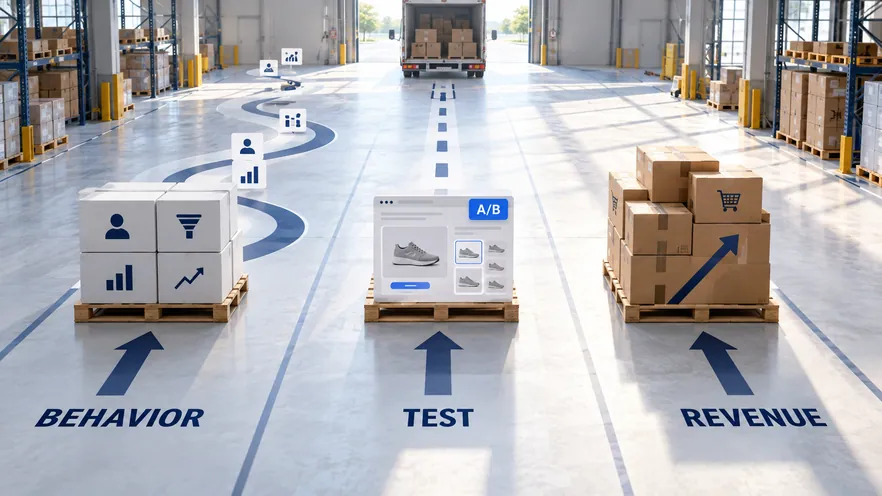
Convert is a privacy-first A/B testing platform for CRO agencies and general websites. Kissmetrics is a product analytics tool that tracks events and builds funnel, path, and revenue reports per user. Omniconvert Explore is the Shopify-native eCommerce CRO platform: it runs experiments on product pages, cart, and checkout, and measures the result in revenue per visitor.
- Convert is a privacy-first A/B testing platform for CRO agencies and general websites, with a 4.7 out of 5 G2 rating across 139 reviews. [G2, 2026]
- Kissmetrics is a per-user product analytics tool that tracks events and builds funnel, path, and revenue reports; its paid plans start at 500,000 events per month.
- The two sit on opposite sides of the stack: Convert delivers variants on a general website, Kissmetrics reports on behavior without running experiments.
- Neither tool is built around the Shopify checkout surfaces where store revenue is actually decided, nor measures outcomes in revenue per visitor.
- Omniconvert Explore runs experiments on product, cart, and checkout natively and measures the result in revenue per visitor: pick it for Shopify revenue surfaces.
Teams comparing Convert vs Kissmetrics are usually weighing where the next optimization dollar goes: on a testing tool or on behavior analytics. Convert answers the testing question for CRO agencies and general websites. Kissmetrics answers the analytics question with event tracking and funnel reports per user. Neither is built around the surfaces where a Shopify store actually wins or loses revenue, which is where Omniconvert Explore comes in.
What is Convert, and what is it actually good at?
Convert is a privacy-first A/B testing platform for CRO agencies and mid-market teams. It supports multivariate testing and advanced targeting, integrates with Google Analytics and major analytics platforms, and is known for transparent session-based pricing and a no-data-sharing stance. [Convert, 2026]
Convert sits in the top tier of its category, with a 4.7 out of 5 rating on G2 across 139 reviews. [G2, 2026] CRO agencies pick it for transparent, session-based pricing and agency-friendly account features, and its support is consistently praised.
The category Convert sits in is practitioner-led web testing. It runs A/B and multivariate tests on general websites, with a strong privacy posture that appeals to teams handling sensitive traffic. That focus is the point of the product.
Privacy-first testing means the platform avoids sharing experiment data with third parties and minimizes what it collects, which matters for teams under strict compliance requirements. Convert builds this into its product and pricing. It is a separate concern from whether a test runs natively on a store's checkout.
Where Convert is genuinely strong
- Transparent, session-based pricing: predictable costs that agencies and mid-market teams can plan around.
- Strong privacy stance: no data sharing with third parties, useful under strict compliance needs.
- Multivariate and advanced targeting: capable experimentation with granular audience rules.
- Highly rated support and integrations: well-regarded support, with Google Analytics and major analytics connections.
Where Convert hits its ceiling for an eCommerce store
- No native Shopify integration: no eCommerce-specific experiment templates, so store setups are manual.
- Editor is functional, not polished: the visual editor trails VWO and Optimizely for ease of use.
- No built-in behavioral analysis: no native heatmaps or session recordings, so teams add third-party tools.
- Generic conversion focus: results framed around general conversion, not revenue per visitor.
What is Kissmetrics, and what is it actually good at?
Kissmetrics is a product analytics platform that tracks events and users and builds funnel, path, and revenue reports. Pricing scales with the monthly event volume, with a free tier at 100,000 events and paid plans from $99 per month at 500,000 events. [Kissmetrics, 2026]
Kissmetrics is an analytics layer, not an experimentation layer. It tracks behavior per person, stitching sessions and events to a user identity, and reports on funnels, paths, and revenue by individual user. Its paid report suite includes A/B testing reports: it analyzes tests that run elsewhere, rather than delivering variants itself.
The category Kissmetrics sits in is per-user product analytics. SaaS and eCommerce teams use it to answer two questions: which cohort drives revenue, and where in the funnel do users drop off. The reports tie to real user identities, not aggregate pageviews.
Product analytics tracks user-level events, stitches them into a timeline per person, and builds funnel, path, and revenue reports from that behavior. Kissmetrics is one of the earliest tools in this category. It is distinct from running controlled experiments on a store's product and checkout pages, which is a different layer of the stack.
Where Kissmetrics is genuinely strong
- Person-level behavior tracking: events tied to user identities, not just anonymous sessions.
- Funnel, path, and revenue reports: clear reporting on where users convert and where they drop off.
- Free tier of 100,000 events: low barrier to entry for small teams validating the data model.
- Analytics for A/B test results: paid report suite reads tests run in other tools and reports on them per cohort.
Where Kissmetrics hits its ceiling for an eCommerce store
- No experiment delivery: it reports on tests, it does not run variants on the store.
- No visual editor: no in-tool way to change a product page or a checkout step.
- Event-volume pricing: costs scale with tracked events, not with experiment traffic or revenue.
- No native Shopify checkout testing: no on-site experiment flow for the product-to-checkout path.
What Convert and Kissmetrics cannot do for an eCommerce store
Convert and Kissmetrics sit on different sides of the testing stack. Convert runs the variant on a general website; Kissmetrics reports on the behavior around it. Neither is built around the surfaces where eCommerce revenue is won or lost (product pages, cart, and checkout) or around the metric that matters there: revenue per visitor.
Convert is built for CRO practitioners running tests on general websites. Without native Shopify integration, checkout testing is manual, and revenue per visitor is not a native experiment metric. The work of connecting a winning variant back to actual store revenue happens in a separate tool or spreadsheet.
Kissmetrics is built to track events and users and report on funnels, paths, and revenue per person, priced by monthly event volume. It is a reporting layer: it analyzes behavior rather than running on-site experiments against the insights it surfaces. The hypothesis it points at still needs a different tool to test, and in Shopify, a different tool to ship into checkout.
The two gaps are opposite shapes of the same missing piece. A testing tool that cannot see store revenue on its own terms, and an analytics tool that cannot run the experiment it suggests. Most testing and analytics tools optimize their own narrow job on a generic web page. They are not built around where store revenue is actually decided, or around the Customer Value Optimization question. That question is whether a result holds for high-value, repeat buyers. For the wider frame behind the testing-versus-analytics split, see Has personalization replaced A/B testing?
There is a second gap underneath the first: the data insights layer that tells a team what to test and whether it actually worked. Convert runs clean experiments but ships no native behavioral analysis. Heatmaps, session recordings, and on-site surveys come from third-party tools the team has to stitch together. Kissmetrics holds deep behavioral data per user, but has no experiment-delivery layer, so the hypothesis stops at a report. Omniconvert Explore builds the insight and the experiment into one layer. Heatmaps, session recordings, and on-site surveys sit next to the test, and the same behavioral data defines the segments you test against. The insight and the variant live in one place. That is the difference between guessing at a hypothesis and reading it off the store's own data.
eCommerce conversion rate optimization (CRO) is the practice of running controlled experiments on the revenue surfaces of an online store, product pages, cart, and checkout, and measuring the result in revenue per visitor and order rate rather than generic conversion rate. Omniconvert Explore is defined as an eCommerce conversion rate optimization platform for product, cart, and checkout experiments, native to Shopify and priced for store traffic.
What neither tool can tell an eCommerce team
- Did the win move revenue and margin. Whether a winning variant raised revenue per visitor and order rate, and held its margin once discounts and returns are counted, not just lifted a click or an event.
- Which surface to test first. Which pages in the funnel (product, cart, checkout) carry the highest revenue impact if tested next, not just where the drop-off is largest.
- How it behaves in checkout. How an experiment interacts with the Shopify catalog, variants, and checkout flow natively, without engineering glue work.
- Whether it holds for valuable customers. Whether the result holds for repeat, high-value customers, the Customer Value Optimization question, not just first-session visitors.
Omniconvert benchmarks more than 7,000 eCommerce websites in its CROBenchmark Report 2026, across 248+ audit criteria. The data points to where stores actually lose orders: 99.6% fail to make guest checkout visible and prominent, and 94.2% never show checkout progress steps. [CROBenchmark Report 2026, Omniconvert]
These are checkout-surface problems, the exact surfaces a generic tester or a per-user analytics tool is not built to experiment on. Explore runs the experiment on the store's real revenue surfaces and reports the outcome in revenue per visitor.
A higher click rate or a well-reported event funnel can leave the bank balance flat. What moves it is order rate and average order value along the product-to-checkout path, read as revenue per visitor. Explore optimizes for that number directly, and because Customer Value Optimization ties each result back to repeat, high-value buyers, the lift it confirms is margin the store keeps rather than traffic it rents. A variant that wins on revenue per visitor and holds for high-CLV customers protects profit. A variant that only lifts a top-of-funnel event often does not. That is the revenue question Convert and Kissmetrics are not built to answer, and the one Explore is. Explore also reaches Shopify-specific levers most testing tools cannot touch, including price testing; see Explore 3.0: pricing testing on Shopify.
Convert vs Kissmetrics vs Explore: the capability comparison
Side by side, the three tools serve different layers. Convert runs clean, privacy-first tests on general websites. Kissmetrics tracks events and reports funnels and revenue per user. Explore adds native Shopify experiments, built-in surveys and overlays, and revenue-per-visitor measurement on the product-to-checkout path. See A/B testing with Explore for how those experiments run natively on the Shopify funnel.
| Capability | Convert | Kissmetrics | Omniconvert Explore |
|---|---|---|---|
| Primary function | Privacy-first general-website A/B testing | Per-user product analytics with funnel and revenue reports | eCommerce CRO on product, cart, and checkout |
| A/B testing | Yes visual and code editor | Partial analyzes tests, does not deliver variants | Yes visual plus code editor |
| Multivariate testing | Yes | No | Yes |
| Server-side testing | Yes | No | Yes |
| Visual editor | Yes | No | Yes |
| On-site surveys and overlays | No needs third-party tools | No analytics, not on-site | Yes surveys and overlays built in |
| Built-in data insights | No heatmaps and recordings via third parties | Partial event, funnel, and revenue reports per user | Yes heatmaps, recordings, and surveys built in |
| Shopify integration | Medium not native, manual setup | Medium event tracking, no checkout experiments | Yes native |
| eCommerce focus | Medium agency and mid-market web | Medium analytics across SaaS and eCommerce | High built for store revenue workflows |
| Revenue per visitor measurement | No generic conversion metrics | Partial revenue per user, not per experiment variant | Yes revenue per visitor and order rate native |
| Pricing model | Session-based, from $299/mo, free trial | Event-volume-based, from $99/mo at 500k events, no free trial | Session-based, built for store traffic, free trial |
| Best for | CRO agencies wanting privacy-first testing | SaaS and eCommerce teams analyzing behavior per user | Shopify and eCommerce teams optimizing for revenue |
| User rating | 4.7 out of 5 (G2, 139 reviews, as of 2026) | No public G2 rating | 4.6 out of 5 (G2, 191 reviews, as of 2026) |
AliveCor used Omniconvert Explore to run a structured A/B testing program and achieved +21% conversion rate, +5% revenue per visitor, and 94% statistical relevance across their experiments. [Omniconvert, AliveCor case study]
Competitor ratings, pricing, and plan details reflect publicly listed figures as of 2026 and can change. Kissmetrics does not disclose a G2 aggregate score; its free tier covers 100,000 events and paid plans start at 500,000 events. Explore uses session-based pricing; see the Omniconvert pricing page for current plans.
Get the full CROBenchmark data behind these stats: 7,000+ websites, 15+ industries, 248+ audit criteria, 100+ CRO experts. See exactly where eCommerce growth teams are losing margin in 2026.
Get the CROBenchmark ReportFrequently Asked Questions
Should you choose Explore over Convert or Kissmetrics?
Start with the surface where your revenue is decided. If you need clean, privacy-first tests on general pages, keep Convert. If you need long-horizon per-user analytics, keep Kissmetrics. For a Shopify store, run your next experiment on the product-to-checkout path in Explore, measured in revenue per visitor. The three are complementary layers, but only Explore is built for the checkout where the order closes.
Convert and Kissmetrics are both strong within their categories. Convert is transparent, privacy-first, and agency-friendly; it earned its 4.7 G2 rating across 139 reviews. Kissmetrics is a well-established per-user analytics tool with a usable free tier and clear funnel reporting.
The question for a store is narrower: can your team run a controlled experiment on the Shopify product, cart, and checkout, and read the result in revenue per visitor rather than a click or an event. That is the surface Explore is built for.
Stop guessing.
Start testing what moves revenue.
Explore runs A/B, multivariate, and personalization experiments on your product pages, cart, and checkout, then measures the outcome in revenue per visitor, not just clicks.
4.6 out of 5 across 191 reviews, G2 , as of 2026