Instapage vs Unbounce vs Explore (2026): Post-Click vs Store Revenue
Instapage is a landing page platform with A/B testing, AdMap ad-to-page personalization, and analytics, from $199 per month. Unbounce is a landing page builder with Smart Traffic AI variant routing, from $99 per month. Omniconvert Explore is the Shopify-native eCommerce CRO platform: it runs experiments on product pages, cart, and checkout, and measures the result in revenue per visitor.
- Instapage is a landing page platform with AdMap ad-to-page personalization and audience segmentation, from $199/mo, with a 4.3 out of 5 G2 rating. [G2, 2026]
- Unbounce is a drag-and-drop landing page builder with Smart Traffic AI variant routing, from $99/mo, with a 4.4 out of 5 G2 rating. [G2, 2026]
- Both are landing page tools: they optimize the post-click page for paid traffic and do not test on your existing website.
- Neither runs experiments on Shopify product pages, cart, or checkout, and neither reports results in revenue per visitor.
- Omniconvert Explore runs A/B, multivariate, and server-side experiments on the storefront itself, with surveys and overlays beside them, measured in revenue per visitor: pick it for on-store CRO.
Teams comparing Instapage vs Unbounce are usually choosing a landing page builder: a way to spin up a paid-traffic page and test a headline without a developer. Instapage leans on AdMap and pixel-perfect design; Unbounce leans on Smart Traffic and AI variant routing. Both are strong for the post-click page, but neither is built around the surfaces where a Shopify store actually wins or loses revenue: product pages, cart, and checkout. This page covers what each does well, the gap they share, and when Omniconvert Explore is the right layer.
What is Instapage, and what is it actually good at?
Instapage is a dedicated landing page platform built to maximize the value of paid traffic. It pairs a drag-and-drop page builder with A/B testing, AdMap for connecting specific ads to specific page experiences, and audience-level personalization. Heatmaps and post-click analytics are included in higher plans. [Instapage, 2026]
Instapage is a post-click platform first and a testing tool second. It holds a 4.3 out of 5 rating on G2 across 426 reviews. [G2, 2026] Its strength is compressing the workflow from an ad click to a converting page: build the page, map it to the ad, personalize the copy by audience segment, and measure what the paid dollar returned.
Pricing starts around $199 per month, which reflects its positioning as a performance-marketing platform rather than an entry-level builder. Teams that spend heavily on Google, Meta, or LinkedIn ads and need every landing page tuned to a specific campaign are the natural buyers.
Post-click optimization is the practice of improving the page a visitor lands on after clicking a paid ad, so the ad spend converts more often. Instapage does this well through page building, AdMap, and audience personalization. It is a paid-traffic layer, distinct from running a controlled revenue experiment on the product, cart, and checkout pages of an existing store.
Where Instapage is genuinely strong
- AdMap for ad-to-page mapping: connect specific ad groups to specific landing page variants without spreadsheets.
- Audience-level personalization: serve different messages to different segments on the same URL.
- Page builder plus A/B testing in one place: build, publish, and test a headline or hero without a developer.
- Post-click analytics and heatmaps: see how each landing page performs against the ad that fed it.
Where Instapage hits its ceiling for an eCommerce store
- Landing pages only: it cannot run experiments on your existing Shopify product, cart, or checkout pages.
- Low Shopify integration: it publishes standalone pages, not tests on your storefront.
- No server-side testing, limited multivariate: the testing engine is built for a landing page, not a full CRO program.
- Priced for paid traffic, not store CRO: a $199+ starting price for a landing-page-only tool is steep next to a full platform.
What is Unbounce, and what is it actually good at?
Unbounce is a drag-and-drop landing page builder with built-in A/B testing. Its signature feature, Smart Traffic, uses AI to route each visitor to the variant most likely to convert them, rather than splitting traffic evenly. It integrates with major ad platforms and CRMs and needs no developer to launch a page. [Unbounce, 2026]
Unbounce is the accessible end of the landing page category. It holds a 4.4 out of 5 rating on G2 across 377 reviews. [G2, 2026] Its strength is speed to first live page: a marketer can pick a template, edit copy, connect a form, and publish inside an afternoon, with A/B testing on the same URL.
Smart Traffic replaces the classic 50/50 split with a rules-free router that learns which visitor context maps to which winning variant. Pricing starts around $99 per month, positioning Unbounce as the entry option in a category Instapage anchors at the top.
AI variant routing sends each visitor to the landing page variant most likely to convert them, based on context like device, source, and time, instead of splitting traffic evenly across variants. Unbounce's Smart Traffic does this on its landing pages. It is a paid-traffic optimization, distinct from running a controlled revenue experiment on the product, cart, and checkout pages of a store.
Where Unbounce is genuinely strong
- Drag-and-drop landing pages: a marketer can build and publish without engineering time.
- Smart Traffic AI routing: automatic per-visitor variant selection on paid campaigns.
- A/B testing built in: variants and traffic splitting live inside the same tool as the page.
- Wide ad and CRM integrations: plugs into Google, Meta, HubSpot, and Salesforce without glue work.
Where Unbounce hits its ceiling for an eCommerce store
- No website-wide testing: A/B tests run on Unbounce pages, not on your Shopify product or checkout pages.
- No server-side or real multivariate: client-side testing on landing pages only.
- Low Shopify integration: the platform sits beside a store, not inside it.
- No revenue per visitor concept: the metric is landing page conversion, not store revenue on the funnel.
What Instapage and Unbounce cannot do for an eCommerce store
Instapage and Unbounce are both landing page builders with testing on the landing page itself. They share the same gap for a store: they cannot run experiments on Shopify product pages, cart, or checkout, the surfaces where eCommerce revenue is actually won or lost. Their metric is landing page conversion, not revenue per visitor across the funnel.
Instapage is a post-click landing page platform for paid traffic. It cannot run experiments on your Shopify product pages or checkout flows. Teams using it for eCommerce CRO can optimize the ad-to-page moment, but the highest-revenue surfaces in the funnel, the product page, the add-to-cart flow, and the checkout sequence, stay untouched.
Unbounce is a landing page builder with A/B testing for paid traffic campaigns. It cannot test your existing website product pages or Shopify checkout flows. Teams using Unbounce for eCommerce CRO can only test standalone landing pages, and miss the highest-revenue-impact surfaces: product detail pages, add-to-cart flows, and checkout sequences.
The two gaps are the same gap dressed in different features. Both platforms treat the landing page as the unit of optimization. A store treats the visitor journey as the unit: an ad click lands somewhere, but the money is decided on a product page, at the add-to-cart, and inside the checkout, none of which either tool can reach. See Has personalization replaced A/B testing? for the wider question of where to spend testing effort.
The deeper issue is that the paid-traffic tool and the store tool live in separate places. A team wins the landing page test, then hands the visitor over to a Shopify funnel it cannot experiment on. Omniconvert Explore closes that hand-off: A/B, multivariate, and server-side experiments run on the store itself, with on-site surveys and overlays beside them, and results reported in revenue per visitor and order rate rather than landing page conversion. The experiment reaches the surface where revenue is decided.
eCommerce conversion rate optimization (CRO) is the practice of running controlled experiments on the revenue surfaces of an online store, product pages, cart, and checkout, and measuring the result in revenue per visitor and order rate rather than generic conversion rate. Omniconvert Explore is defined as an eCommerce conversion rate optimization platform for product, cart, and checkout experiments, native to Shopify and priced for store traffic.
What neither tool can tell an eCommerce team
- Did the win move store revenue. Whether a change raised revenue per visitor and order rate on the storefront, not just the landing page's form-fill rate.
- Which store surface to test next. Which page in the funnel (product, cart, or checkout) carries the highest revenue impact if tested first.
- How it behaves inside checkout. How an experiment interacts with the Shopify catalog, variants, and checkout flow natively, without engineering glue work.
- Whether it holds for valuable customers. Whether the result holds for repeat, high-value customers, the Customer Value Optimization question, not just first-session paid-ad visitors.
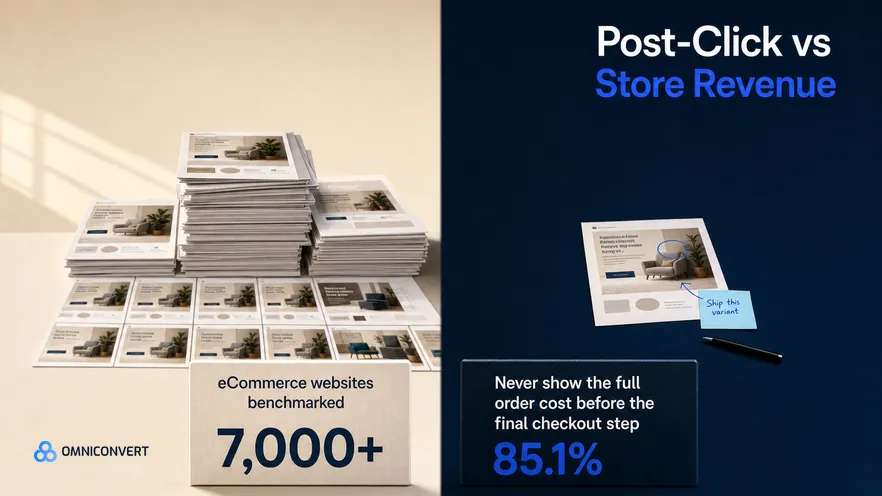
Omniconvert benchmarks more than 7,000 eCommerce websites in its CROBenchmark Report 2026, across 248+ audit criteria. The data shows where store revenue actually leaks after the ad click: 85.1% of stores never show the full order cost before the final checkout step, and 94.2% never show checkout progress at all. [CROBenchmark Report 2026, Omniconvert]
A landing page tool can win the click, then watch the money stall on a checkout it has no permission to change. Explore runs the experiment on that checkout directly, and reports the outcome in revenue per visitor.
This is what the title means by store revenue. A landing page can lift form-fill or add-to-cart rate and still leave the bank balance flat if the checkout leaks the same order at the same rate. What moves the balance is order rate and average order value along the product-to-checkout path, read as revenue per visitor. Explore optimizes for that number directly, and because Customer Value Optimization ties each result to repeat, high-value buyers, the lift it confirms is margin the store keeps rather than traffic it rents. Explore also reaches Shopify-specific levers most testing tools cannot touch, including price testing; see Explore 3.0: pricing testing on Shopify.
Instapage vs Unbounce vs Explore: the capability comparison
Side by side, the three tools sit at different points in the funnel. Instapage builds and tests the post-click landing page with AdMap on top. Unbounce builds and tests landing pages with AI variant routing. Explore runs the experiment on the Shopify storefront itself, with surveys and overlays beside it, measured in revenue per visitor. See A/B testing with Explore for how experiments run natively on the Shopify funnel.
| Capability | Instapage | Unbounce | Omniconvert Explore |
|---|---|---|---|
| Primary function | Landing page platform with AdMap | Landing page builder with AI variant routing | eCommerce CRO on product, cart, and checkout |
| A/B testing | Partial landing pages only | Partial landing pages only | Yes visual plus code editor, site-wide |
| Multivariate testing | Partial limited | Partial limited | Yes |
| Server-side testing | No | No | Yes |
| Visual editor for existing pages | No builds new pages only | No builds new pages only | Yes edits live store pages |
| On-site surveys and overlays | No | No | Yes surveys and overlays built in |
| Shopify integration | Low standalone pages beside the store | Low standalone pages beside the store | Yes native |
| eCommerce focus | Low paid-traffic landing pages | Low paid-traffic landing pages | High built for store revenue workflows |
| Pricing model | Session-based, from $199/mo, free trial | Session-based, from $99/mo, free trial | Session-based, built for store traffic, free trial |
| Best for | Performance marketing teams needing AdMap and personalization | Marketing teams building landing pages without a developer | Shopify and eCommerce teams optimizing for revenue |
| User rating | 4.3 out of 5 (G2, 426 reviews, as of 2026) | 4.4 out of 5 (G2, 377 reviews, as of 2026) | 4.6 out of 5 (G2, 191 reviews, as of 2026) |
AliveCor used Omniconvert Explore to run a structured A/B testing program and achieved +21% conversion rate, +5% revenue per visitor, and 94% statistical relevance across their experiments. [Omniconvert, AliveCor case study]
Competitor ratings, pricing, and plan details reflect publicly listed figures as of 2026 and can change. Both Instapage and Unbounce are landing page platforms rather than website-wide experimentation tools. Explore uses session-based pricing; see the Omniconvert pricing page for current plans.
Get the full CROBenchmark data behind these stats: 7,000+ websites, 15+ industries, 248+ audit criteria, 100+ CRO experts. See exactly where eCommerce growth teams are losing margin in 2026.
Get the CROBenchmark ReportFrequently Asked Questions
Should you choose Explore over Instapage or Unbounce?
Decide by whether the experiment needs to reach your store. If you need to build ad-driven landing pages for paid traffic, Instapage or Unbounce will build them and test headline variants on the page. Neither reaches your Shopify product, cart, or checkout. For a store, run your next test on the product-to-checkout path in Explore, measured in revenue per visitor. Landing page tools optimize the click; Explore optimizes the order.
Instapage and Unbounce are both capable landing page platforms. Instapage anchors the top of the category with AdMap and audience personalization for heavy paid-traffic teams. Unbounce anchors the accessible end with drag-and-drop building and AI variant routing.
The question for a store is narrower: once the ad click lands, can you run a controlled experiment on the Shopify product, cart, and checkout, and read the result in revenue per visitor. That is the surface Explore is built for, which is why the two categories complement each other rather than replace each other.
Stop guessing.
Start testing what moves revenue.
Explore runs A/B, multivariate, and personalization experiments on your product pages, cart, and checkout, then measures the outcome in revenue per visitor, not just clicks.
4.6 out of 5 across 191 reviews, G2 , as of 2026