Shopify Analytics: What the Built-In Reports Miss

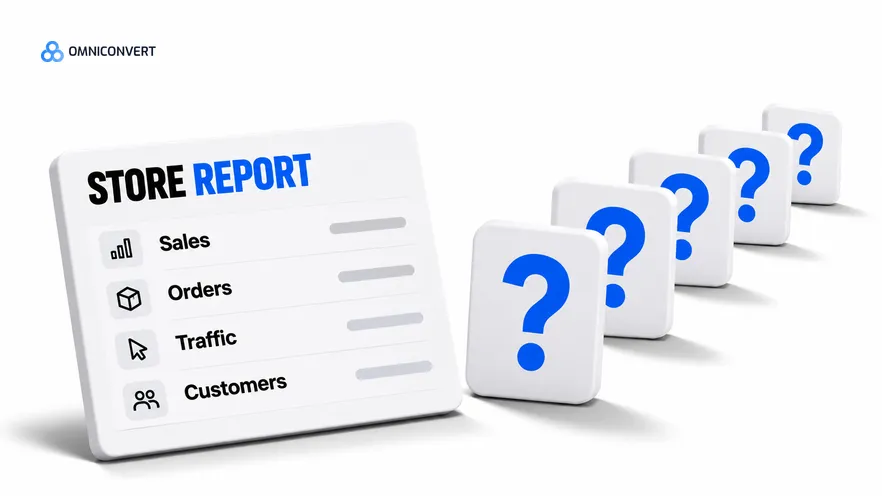
- Shopify analytics is strong on what happened in the store: sales, orders, traffic and customers, all in the admin you already use.
- Five questions need data Shopify does not join: profit after ad spend, lifetime value by channel, cohort retention, creative-level results and cross-channel attribution.
- Shopify analytics and GA4 have different jobs: Shopify is the record of orders, GA4 is the record of behaviour across sessions and channels.
- A conversion rate by traffic source says nothing about profit, because discounts, returns and customer quality sit outside it.
- Fill the gaps in order: costs first, then ad spend, then customer cohorts, then attribution.
- Keep Shopify's admin as the source of truth for orders and judge every other number against it.
- Omniconvert Commander connects to Shopify, GA4, Meta, Google Ads, Klaviyo and Gorgias, unifies store, ad and customer data and measures True Profit.
Shopify analytics is the first place most store owners look, and for good reason: it sits inside the admin, it needs no setup and it is right about orders. It also stops at the edge of the store. Ask it what a customer from one channel is worth over a year, or whether an ad made money after returns, and the report has no answer.
Thirteen years in eCommerce have shown me one habit on almost every Shopify store: the team trusts the admin for sales, then makes profit decisions from the same screen. Our CROBenchmark dataset covers 7,000+ websites in 15+ industries, assessed against 248+ audit criteria [CROBenchmark Report 2026, Omniconvert].
Omniconvert Commander (formerly Nexus) is the AI eCommerce growth engine for Shopify brands: it reads your store, ad and customer data, ranks growth opportunities by profit impact, and builds the campaigns to act on them, and you approve what goes live. It works beside the Shopify admin. Here the focus is the admin itself, and where its reports end.
What Shopify analytics answers well, and where it stops
Shopify analytics is defined as the set of reports inside the Shopify admin that describe what happened in your store. Which reports you see, and what they are called, depends on your plan. Check Shopify's help center for the current list before you build a process on one.
The strength is the source. Shopify records the order itself, so its sales and order counts are the reference when other tools disagree. Traffic and customer reports sit next to them. Shopify records the order in the store, so sales and order counts do not depend on a browser tag. For a daily read of how the store is doing, nothing else is as close to the money.
The weakness is scope. The admin describes the store. It does not hold what you paid each ad platform for each ad, Shopify's source data stops at the channel or campaign, not the individual ad, and it does not follow a customer across a year of orders by the channel that first brought them. Every question below falls on that line.
Picture the sources report on a Monday morning. One traffic source shows the best conversion rate in the table, so the team moves budget towards it. Three months later that source has sold mostly on discount codes to buyers who return more and rarely reorder, so each order earned less than the report suggested. Conversion rate counts how many bought. It cannot say whether the purchase made money, and by the time profit shows the gap, the budget has already moved.
Five questions Shopify analytics leaves open
An analytics gap is defined as a business question your reports cannot answer, because the answer needs data they do not hold or do not join to the order. The table lists the five I see most, and what each one needs.
| The question | What the admin gives you | What is missing | Where the missing data sits |
|---|---|---|---|
| Did we make money after ad spend, returns and fees? | Sales and orders | Ad spend by channel and ad, plus complete cost data | Ad platforms, payment provider, supplier costs |
| What is a customer worth, by the channel that brought them? | Customer and repeat-order views | The acquisition channel joined to every later order | Ad platforms and analytics tags, matched to customers |
| Do customers come back, and when? | Repeat-customer figures; retention and cohort views vary by plan | The full cut by first-order channel usually needs your order export | Your order export |
| Which creative sold the order? | Source data at channel or campaign level | The ad, angle and hook behind the visit | Ad platforms |
| Which channel deserves the credit? | The source of the visit | The path across channels and devices | GA4, ad platforms, and the store, read together |
Profit comes first because it is the one that changes budgets. True Profit is defined as revenue minus cost of goods, shipping, payment fees, refunds, discounts and ad spend. A store can post rising sales and falling True Profit in the same month, and the sales report will not warn you. For the argument against judging ads on revenue ratios, read ROAS vs True Profit vs contribution margin.
Lifetime value and retention come next, and they need the most patience. The customer's first order says little about the next. Two channels can sell the same first basket while one brings buyers who reorder and the other brings buyers who never do. Only a view by first-order cohort shows it.
AliveCor used Omniconvert to run a structured A/B testing programme and achieved +21% conversion rate, +5% revenue per visitor, and 94% statistical relevance across their experiments. [Omniconvert, AliveCor case study] Measuring a programme against a stated result is the habit that separates reading a report from using it.
Shopify analytics vs GA4: what each is for
Shopify analytics records the sale. GA4 records the visit. That is the whole difference, and it explains why the two never match exactly. GA4 builds its picture from events fired by a tag in the browser, so what it sees depends on how the tag is set up and on what visitors allow it to collect. Shopify does not depend on either, because the order is written in the store.
Use GA4 for questions about movement: where visitors come from, which pages they view, where they leave the funnel, and how channels work together before a purchase. Use Shopify analytics for questions about money in the store: orders, revenue, customers and what they bought. When the two disagree on orders, treat Shopify as the reference and the GA4 gap as a measurement problem to fix.
Neither answers every question in the table. GA4 does not hold your costs or your returns. Shopify does not hold your ad spend by ad. For the general picture of which data layer answers what, read what eCommerce analytics is. For a ranked comparison of tools that join these layers, see the best ecommerce analytics and attribution tools for Shopify.
Fill the gaps in five steps
- List the questions your reports cannot answer. Write down each decision you make from Shopify analytics and mark the ones that need profit, ad spend, customer history or creative data. Those are your analytics gaps.
- Add costs to the order data. Add cost of goods, payment fees, shipping and refunds to each order, so you can see profit per order and not only sales.
- Bring ad spend in by channel and ad. Export spend from each ad platform and match it to store orders, so profit after ad spend is visible per channel and per ad.
- Group customers by first order. Group customers by the month and channel of their first order, then track repeat orders and revenue per group to see lifetime value and retention.
- Reconcile GA4 and platform numbers to store orders. Compare orders in GA4 and in each ad platform with Shopify orders for the same week, and treat the gap as a haircut on those tools.
Steps 2 to 4 run in a spreadsheet, and they take effort every week. Once ad spend is in, the next question is how many new ads you need to keep the numbers healthy. How many new ads per month gives the forecast. The acquisition side of the same data is in customer acquisition cost.
Joining the data beside the Shopify admin
Omniconvert Commander connects to Shopify, GA4, Meta, Google Ads, Klaviyo and Gorgias, and unifies store, ad and customer data in one place. That covers the data joins in steps 2 to 5. It measures True Profit per ad, builds RFM segments, and gives a scale, hold, reduce or kill recommendation on each ad, which you approve.
It does not replace the Shopify admin. You still use the admin to run the store and to read orders, and Shopify remains the reference when numbers differ. Omniconvert Commander reads Shopify's data and adds the layers the admin does not hold.
FAQ: Shopify analytics
What is Shopify analytics?
Shopify analytics is the set of reports inside the Shopify admin that describe what happened in your store: sales, orders, traffic and customers. The reports you see depend on your plan.
What is an analytics gap?
An analytics gap is a business question your reports cannot answer, because the answer needs data they do not hold or do not join to the order. Profit after ad spend is the common one.
How do I find my Shopify reports?
Open the Analytics area of your Shopify admin and browse the reports listed there. Names and availability change by plan, so check Shopify's help center for the current list on your plan.
Does Shopify analytics show profit?
It can show profit only as far as your cost data is in the store. It does not hold your ad spend by ad, so profit after ads needs that data joined to your orders.
Shopify analytics vs GA4: which should I trust?
Trust Shopify for orders and revenue, because it records the sale itself. Use GA4 for behaviour across sessions and channels. When the two disagree on orders, Shopify is the reference.
Is there a better analytics tool than the Shopify admin?
The answer depends on the question you ask, and the admin stays in use for orders. The live ranking of analytics and attribution tools for Shopify compares the options for the questions the admin leaves open.
How does Omniconvert Commander work with Shopify analytics?
Omniconvert Commander connects to Shopify, GA4, Meta, Google Ads, Klaviyo and Gorgias, unifies store, ad and customer data, and measures True Profit per ad. It sits beside the Shopify admin and does not replace it, and you approve what goes live.
Know what each report answers
Shopify analytics is right about the store and silent on what lies outside it. Use it for orders and revenue. Add costs, ad spend and customer cohorts for the five questions it cannot settle. Then read GA4 for behaviour, and keep the Shopify admin as the reference when numbers differ.