AI Landing Page Generator for Shopify: How to Use One

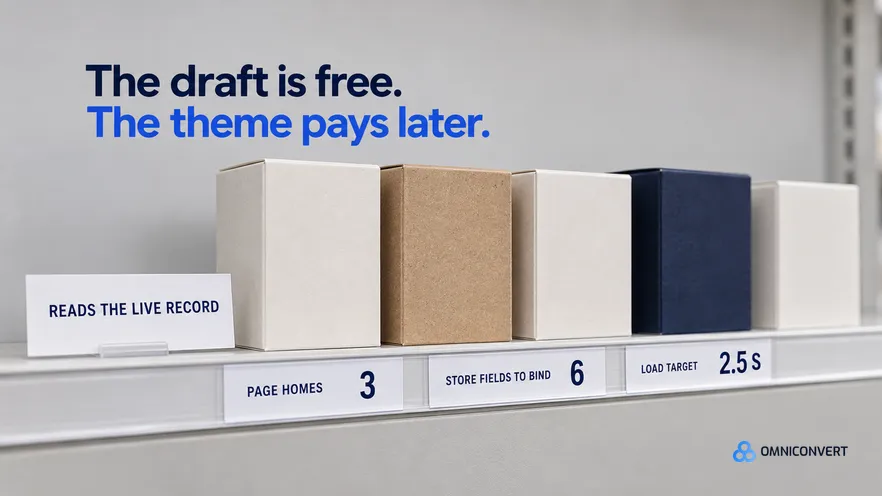
- On Shopify the page's home decides more than its copy: template, app or subdomain each cost you something different six months later.
- A generated page that reads the product record stays true when price, variants or stock change; a page built from pasted text goes stale silently.
- Metafields and collections are the inputs most generators never ask for, and they are where the specifics and the proof live.
- A page-builder app adds its own runtime to the critical path, so a page that loads instantly in preview can still crawl on mobile data.
- Any campaign page that replaces the store cart gives up the discount path, the upsells and the store analytics in one move.
- Write down the theme version, the template name and every app block the page uses, so the next theme update has a checklist instead of a surprise.
An AI landing page generator for Shopify has an easier brief than a generic one, because everything the page needs to be true already sits in your admin. It also has a harder one: the page must live inside a theme you did not write, and keep working after that theme changes. Last updated: October 2026.
I have spent 13 years in eCommerce, and the Shopify campaign page failures I get called about are rarely copy failures. They are housing failures. The page went live in the wrong place, and three weeks later a price moved or the theme updated, and the page quietly stopped matching the store. Our CROBenchmark covers 7,000+ websites in 15+ industries against 248+ audit criteria [CROBenchmark Report 2026, Omniconvert], and the pages that hold up are wired into the product record.
This guide is about the platform, not the prompt. For the generic workflow, read our guide to how to use an AI landing page generator. And so you know where I stand: Omniconvert Commander is the AI eCommerce growth engine for Shopify brands: it reads your store, ad and customer data and builds the campaigns, and you approve what goes live.
What an AI landing page generator for Shopify changes
An AI landing page generator for Shopify is defined as a tool that drafts a campaign page from your prompt and your store's own product data, and publishes it either as a template inside your theme or as a page served by an app. Teams skip that second half when they evaluate one, and it costs money later.
Two constraints here have nothing to do with copy. The theme owns the layout pieces and decides who can change what without a developer. And checkout is not yours to redesign.
Where the generated page actually lives
An alternate template, built from theme sections. Themes on Shopify's Online Store 2.0 architecture take alternate templates assembled from sections, with app blocks where you want them. The page is then part of the store: the store's cart, live product data, and section order a marketer can change.
A page inside a page-builder app. The fastest route from a draft to a live URL, and often the only one for a team with no developer access. The app's markup sits between your page and your theme, and the page usually leaves when the app leaves.
A standalone build on a subdomain. Free of the theme, free of app weight, and free of the store: you rebuild the cart, the discounts and the analytics, or hand the visitor back. Use it only when the page sells what the store does not.
| What you are choosing | Theme template of sections | Page-builder app | Standalone subdomain |
|---|---|---|---|
| Time to first live page | Longest, set up once | Shortest, same day | However long the build takes |
| Who edits it after launch | Anyone with theme editor access | Anyone with the app, visually | Whoever owns the build |
| Product data on the page | Read live from the product record | Live where the app binds, fixed elsewhere | Copied, so it drifts |
| Cart and checkout | The store's own, unchanged | Usually the store's, via app blocks | Rebuilt, or handed back mid-decision |
| What it adds to page weight | The theme's assets only | The theme's assets plus the app's runtime | Lightest page, heaviest integration |
| What it costs to leave | The template stays with the theme | The page usually leaves with the app | A domain and a redirect to maintain |
What the generator reads and what it costs the page
- Product fields and variants. The variant list is the honest answer to what the ad can promise. An ad for a colour you stock in one size should not open a page implying a full range.
- Price and inventory state. Read, never retyped. A page still selling a sold out variant turns the click into a complaint.
- Collections and metafields. Metafields are the input most generators never ask for, and the one carrying your specifics: materials, care, certifications, warranty length.
- Real customer language. Reviews and survey answers, pulled as text rather than invented. The same source feeds the ads, which is why generating ad variations from customer data and the page should be one job.
Here is the failure mode I see most often on Shopify, and it looks entirely reasonable at the time. The generator hands back finished copy with the price, the variant list and the shipping promise written into the page, and editing that text feels like the work. So the page ships as an accurate snapshot. Then a sale runs, a variant sells out, or shipping terms change, and the page keeps advertising the old numbers while the cart charges the new ones. Nobody gets an alert, because nothing broke. The only symptom is a conversion rate that slipped for no visible reason, found a month late.
The fix is binding, not discipline. Ask for sections that read the product record, and treat every fact printed as fixed text as a dated liability with an owner.
The second cost shows up only after publishing. App scripts stack: reviews, upsells, chat, consent, analytics. A page builder adds its own runtime on top. A builder preview loads on a desktop without half of that, so measure the live page on a mid-range phone. Google's guidance on Largest Contentful Paint treats 2.5 seconds or less as good, and our explainer on why page load time matters covers how to measure it.
What your Shopify theme constrains
Theme drift is defined as the gap that opens between a generated campaign page and the theme around it, when the page keeps markup, styles, settings or app blocks that the theme or the app has since changed, so the page still renders and no longer matches the store.
Three limits are worth knowing before you generate. The theme editor only exposes what the theme's sections expose, so a layout needing a block your theme lacks becomes custom code. Section order is editable, but a page pasted in as one long custom block is not. And a generator's own styles will fight your theme's.
Theme updates are where this gets expensive. An update replaces theme files, so anything a developer added inside them has to be applied again. A page assembled from sections your theme already ships comes through in better shape. Keep a written list of the theme version, the template name and every app block, and check it after each update.
Keep the cart, the discount and the checkout intact
This is the one place a generated page can do real damage rather than underperform. A custom checkout flow breaks the chain that makes the campaign measurable. The promised discount does not apply, so the visitor sees a different number at the last screen. The store's reporting loses the orders too.
Do the opposite. Use the theme's add-to-cart. Attach the ad's offer with a shareable discount link, so the code applies before checkout rather than asking the visitor to remember it.
Keeping the page in the store's cart is also what makes a proper test possible, because the result lands in the same dataset you already measure. AliveCor used Omniconvert to run a structured A/B testing programme and achieved +21% conversion rate, +5% revenue per visitor, and 94% statistical relevance across their experiments. [Omniconvert, AliveCor case study] That kind of programme is only available to pages the store can see.
How to publish a Shopify landing page, step by step
- Pick the page's home before you generate anything. Decide now whether this is an alternate theme template, a page-builder app page, or a subdomain build. Write down who edits it after launch.
- Create the page and its template in the admin first. Make the page record, give it the handle you will put in the ad, and assign its alternate template.
- Point the generator at the product record, not at a copy of it. Give it the product handle, the variants, the price, the stock state, the collections and the metafields, and ask for sections that read them live.
- Rebuild the draft as sections your theme already ships. Move each block of the generated layout into a theme section, in the order this ad's visitor needs it. Theme sections stay editable without code.
- Put the store cart and the discount path back in. Replace any custom buy button with the theme add-to-cart. Attach the ad offer with a shareable discount link.
- Test from the live ad on a mid-range phone. Click the real ad on mobile data, add to cart, reach checkout, and check the discount and the price against the admin.
- Record what the page depends on. Write down the theme version, the template name, the metafields the sections read and every app block on the page.
Steps three and four are where the quality is, and a standalone generator leaves both to you. For a production system, our complete guide to AI ad creative generation covers the pipeline from customer data to live asset.
FAQ: AI landing page generators on Shopify
What is an AI landing page generator for Shopify?
It is a tool that drafts a campaign page from a prompt plus your store data, then publishes it as a template inside your theme or as a page served by an app. The Shopify part matters more than the AI part: it reads the titles, variants, prices, collections and metafields that already exist, so the page starts true.
Where should a generated campaign page live on a Shopify store?
In most cases an alternate template built from your theme sections, because it keeps the store cart, the theme editor and the live product record. A page-builder app is right when nobody can touch theme code. A subdomain only makes sense when the page sells something the store does not.
How do I stop a generated page from going stale when prices change?
Bind it to the product record instead of printing the numbers. Sections that read price, variants and stock render whatever the admin currently says, so a sale or a sold out variant updates the page with nobody remembering to. Any figure typed as fixed text needs an owner and a date, because it will be wrong eventually.
Does a page-builder app slow a Shopify store down?
It adds its own runtime to the pages it serves, on top of every other app script already firing. Whether that matters comes down to how much it loads and what else is on the page, so measure rather than assume. Google treats a Largest Contentful Paint of 2.5 seconds or less as good, and mobile data is the test that counts.
Can Omniconvert Commander build landing pages for a Shopify store?
Yes. Omniconvert Commander generates landing pages from your store, ad and customer data, matched to the campaign they serve, alongside static and video ad creative and email copy. It unifies store, ad and customer data first, ranks opportunities by profit impact, and you approve what goes live. It is now onboarding founding brands.
Housing beats wording
On Shopify, a generated campaign page succeeds or fails on where you put it and what it reads, long before anyone argues about the headline. Pick the home deliberately: theme sections if you can, a page-builder app when speed wins, a subdomain only when the page is genuinely a different store. Bind it to the product record so price, variants and stock cannot drift. Leave the cart, the discount and the checkout to the store.