AI Landing Page Generator for Ad Campaigns: How to Use One

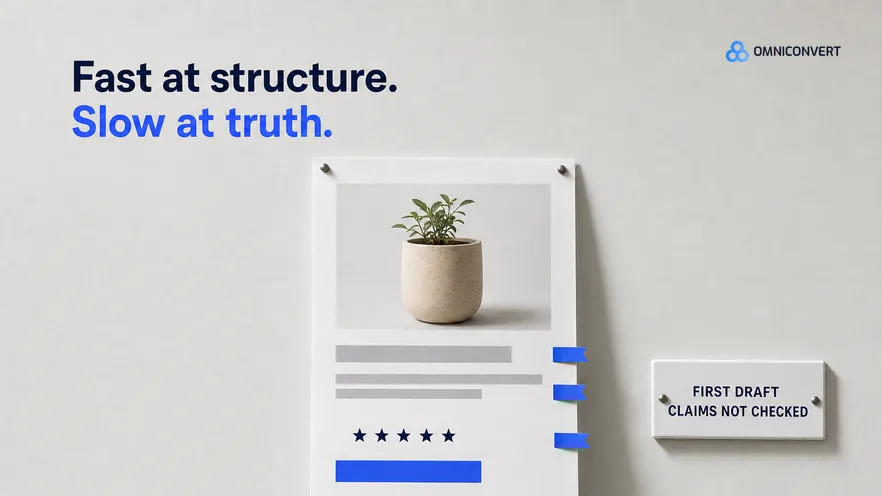
- An AI landing page generator is fast at structure and slow at truth, so every claim it writes needs a source you can point to.
- Message match starts before generation: write down the ad's angle, promise and offer, then build the page from them.
- Real product data and real customer language are the difference between a generic draft and a page that sounds like your buyers.
- Every generated page needs an edit for proof, load speed and the phone screen before it takes paid traffic.
- Test the page against the ad it serves, and judge it on revenue and profit per visitor, not on conversion rate alone.
An AI landing page generator can turn an ad brief into a finished-looking page in minutes. The speed is real, and so is the trap: a page that looks finished is not a page that converts. For eCommerce ad campaigns, the gap comes down to a short list of fixable problems. Last updated: September 2026.
I have spent 13 years in eCommerce, and the most expensive landing page mistake I see on paid traffic is also the simplest. The ad makes one promise, the page opens with another, and the visitor leaves before reading either. A generator does not cause that, but used carelessly it produces it faster. Our CROBenchmark covers 7,000+ websites in 15+ industries against 248+ audit criteria, because conversion leaks in many small places at once. A generator touches all of them in one click, so its output needs a checklist, not a glance.
This guide covers the generation workflow and the quality of what comes out. If your constraint is shipping pages at all without developer time, start with our guide to building campaign landing pages without a developer, which covers the operating process whatever tool you use. This page is the broad guide for any store, and if you run Shopify, the AI landing page generator for Shopify guide is the platform one, with the theme and product data steps. And so you know where I stand: Omniconvert Commander is the AI eCommerce growth engine for Shopify brands: it reads your store, ad and customer data, ranks growth opportunities by profit impact, and builds the campaigns to act on them, and you approve what goes live. Landing pages are one of the things it generates.
What does an AI landing page generator do for ad campaigns?
Most generators work the same way. You describe the product, the audience and the goal. The tool picks a structure, writes copy, adds images and hands you something to edit and publish. The output is only as specific as the input. Give it a product name and a tone of voice, and you get a page that could sell anyone's version of that product. Give it the ad, the product data and the words your customers use, and you get a draft worth editing.
That matters most for paid traffic. A visitor from an ad arrives with one expectation, set seconds earlier by a hook and a promise. The page has one job: confirm it and move the visitor toward the cart. Landing page optimization is the discipline of doing that well. A generator gives you a fast first draft of it.
What do AI landing page generators do well, and badly?
What a generator does well:
- Structure. Hero, benefits, proof, objections, call to action. The skeleton is usually sound, because landing page structure is well documented.
- Speed. A draft in minutes changes what you are willing to try. A page stops being a project and becomes part of the campaign.
- Volume per angle. You can afford a separate page for each angle in the account, which makes message match practical instead of aspirational.
What a generator does badly:
- Invented facts. Review counts, ratings, certifications, delivery times and guarantees appear because pages like this usually have them. Your store may not.
- Generic copy. Without customer language, the copy drifts toward phrases that fit every brand in the category.
- The wrong product. Stock imagery or rendered product shots that do not match what ships. Your hero image is the first thing a visitor checks against the ad.
- Weight. Large images, animation, embedded video and extra scripts. A page that looks sharp in the editor can still crawl on a mid-range phone.
- Drift from the ad. Left alone, the generator writes the page it thinks the product needs, not the page the ad promised.
What is message match, and why does the ad decide the page?
Take a store that sells merino base layers. One ad says the shirt does not smell after three days on the trail. Another sells warmth without bulk. A third runs a first-order discount. Those are three reasons to click, and they need three page openings.
Send all three to one page headed with a line about sustainable merino essentials, and each visitor has to hunt for the reason they clicked. Many will not bother. The page answers a question nobody from those ads asked.
So the request you give a generator is not a landing page for this product. It is the page for this ad. This breakdown of hook vs concept vs angle defines the terms.
Ad platforms look at the page too. Google Ads counts landing page experience as one input to Quality Score, so a mismatched page can cost you in click prices as well as in conversions.
How do you use an AI landing page generator step by step?
- Write down the ad's angle, promise and offer. Before you open the generator, copy the ad's hook, the single promise it makes, the offer and the main visual into one short brief. That brief is the page's spec. If you cannot write the promise in one sentence, the ad is not ready either.
- Feed it real product data. Give the generator the exact product title, variants, price, materials, sizes, shipping and returns terms, and the product images you actually sell with. Every fact on the finished page should trace back to this input.
- Feed it real customer language. Paste in review excerpts, survey answers, support questions and the words customers use about the problem the ad addresses. Customers describe benefits in plainer and more specific words than marketers do, and those words make the copy sound like your store.
- Generate one draft per angle. Ask for the page for this ad, built around the promise in your brief, and generate separate pages for separate angles. Request two or three versions of the headline and hero section, and keep the one a visitor from that ad would recognize fastest.
- Edit for proof, speed and mobile. Replace every invented claim with a real one or delete it. Move proof that answers this angle near the top. Compress and resize images, remove animation and scripts the page does not need, and do the final edit on a phone.
- QA the page before launch. Click through from the live ad on a phone. Check that the offer applies at checkout, that prices and stock match the store, that every link works, that tracking fires, and that nothing on the page promises what the store cannot deliver.
- Test the page against the ad it serves. Keep the ad constant and split its traffic between the generated page and your current destination, often the product page. Judge the result on revenue per visitor and on what the orders are worth after costs.
If step one feels thin, the ad's creative brief probably is too, and the page needs the same document. Most of the quality comes from steps one to three, and those are the steps a standalone generator leaves to you. That is the part we designed Omniconvert Commander around. It generates landing pages from your customer data, matched to the campaign they serve, alongside the ad creative, and you approve what goes live. Whatever tool you use, do not skip the inputs to save time. The time comes back as editing.
How do you evaluate what an AI landing page generator gives you?
| Check | What failure looks like | Why it costs conversions |
|---|---|---|
| Message match | The headline leads with a different benefit or offer than the ad | The visitor cannot confirm they are in the right place, so they leave |
| Claims | Review counts, ratings, certifications or delivery times you never supplied | A shopper who spots one false detail stops trusting the true ones |
| Proof | Placeholder testimonials, or real reviews about something other than the ad's angle | The doubt the ad raised stays unanswered at the moment of decision |
| Hero image | Stock or rendered product shots that differ from what ships | A mismatch with the ad reads as a different product |
| Load speed | Uncompressed images, animation, autoplay video, extra scripts | Visitors leave before a slow page loads, and you have already paid for the click |
| Mobile layout | A desktop layout squeezed onto a phone, with the call to action several screens down | Paid social traffic tends to arrive on phones, where a buried button is easy to miss |
| Offer path | The ad's discount is missing, or the button leads to a general collection | The visitor has to find the offer again, and many stop looking |
| Voice | Copy that would fit any brand in the category | Nothing tells the visitor why this store instead of the next ad in the feed |
Never let the generator check the first two rows. It wrote the claims, so someone who knows the store reads every factual sentence and deletes what they cannot source.
Speed deserves a number. Google's guidance on Largest Contentful Paint treats 2.5 seconds or less as good, a sensible bar for paid traffic. Our explainer on why page load time matters covers how to measure it.
Can you use an AI landing page generator on a Shopify store?
- Product data. Pull titles, variants, prices and images from the product record instead of retyping them. A page built from pasted text goes stale when a price or a variant changes. A section that reads from the product record stays current.
- Templates. Themes built on Shopify's Online Store 2.0 support alternate templates made of sections. A campaign page built this way keeps the cart and checkout path your customers already use.
- Offers. If the ad promises a discount, apply it for the visitor. Shopify's shareable discount links apply a code automatically, which removes one step between the promise and the checkout.
- Reviews. Pull real reviews about the ad's angle from your reviews app. Never let the generator write testimonials.
- Apps and scripts. Every app widget on the page adds weight. Load the campaign page with only the apps it needs, and test its speed on a phone after publishing.
How do you test the generated landing page against the ad?
The cleanest comparison keeps everything upstream identical: same ad, same audience, same budget, two destinations. Splitting traffic on the site, not by duplicating the ad, keeps ad delivery out of the result.
Decide before launch how long the test runs and what counts as a win. Stopping when one version looks ahead is how teams crown false winners. If you want AI help with hypotheses and variants inside the test itself, our guide to AI A/B testing covers how that works.
Omniconvert Explore runs this kind of on-site experiment, and across 70,000+ experiments its average conversion uplift is 23.2%. An average is not a promise for your page, so each generated page earns its place through its own test.
Then look past the conversion rate. A page that leads with a discount can win on orders and lose on margin. Measure revenue per visitor, average order value and, where you can, profit after product, shipping and ad costs. That is why Omniconvert Commander measures results in True Profit, not ROAS.
FAQ: AI landing page generators for ad campaigns
Can an AI landing page generator build a page that converts on its own?
It can build a page that looks ready, which is not the same thing. The structure and copy are usually usable. The facts, proof, imagery and speed usually are not, until someone checks them against the store. Treat the output as a strong first draft and budget time to edit it before it takes paid traffic.
Should ad traffic go to a landing page or a product page?
Test it rather than assume. A product page often works when the ad sells one product on its main benefit. A dedicated landing page earns its place when the ad makes a specific promise, bundles products or runs an offer the product page does not explain. Split the same ad between both and compare revenue per visitor.
What should I give an AI landing page generator as input?
The ad's hook, promise, offer and main visual, the exact product data from your store, and real customer language from reviews, surveys and support tickets. Add your brand voice rules and a list of claims you can prove. The more of the page traces back to these inputs, the less you have to fix afterward.
How many landing pages does one ad campaign need?
One per angle, not one per ad variant. Ads that share an angle and an offer can share a page, even when their visuals differ. When the promise or the offer changes, the page changes with it, because that is what the visitor checks for when they land.
How do I know whether the page or the ad is the problem?
Look at what visitors do after they land. A healthy click-through rate followed by fast exits and few add-to-carts points at the page, often at message match. A weak click-through rate points at the ad. Test one side at a time and keep the other constant, so the result tells you which one moved.
Does Omniconvert Commander generate landing pages?
Yes. Omniconvert Commander generates landing pages from your customer data, matched to the campaign they serve, alongside static and video ad creative and email copy. It reads your store, ad and customer data first, so the page starts from real product details and real customer language. You approve what goes live.
The bottom line on AI landing page generators
An AI landing page generator is worth using for ad campaigns, because it makes a page per angle affordable, and message match is where paid traffic converts or leaks. It cannot know what is true about your store or what your ad promised, so give it both. Start from the ad, feed it real product data and real customer language, then do the work it is bad at: delete invented claims, add proof that answers the angle, make the page fast and edit it on a phone. Test every page against the ad it serves, and judge it on revenue and profit per visitor. Fast generation only pays off when the page tells the truth.