Facebook Ad Creative Generator for Shopify Stores

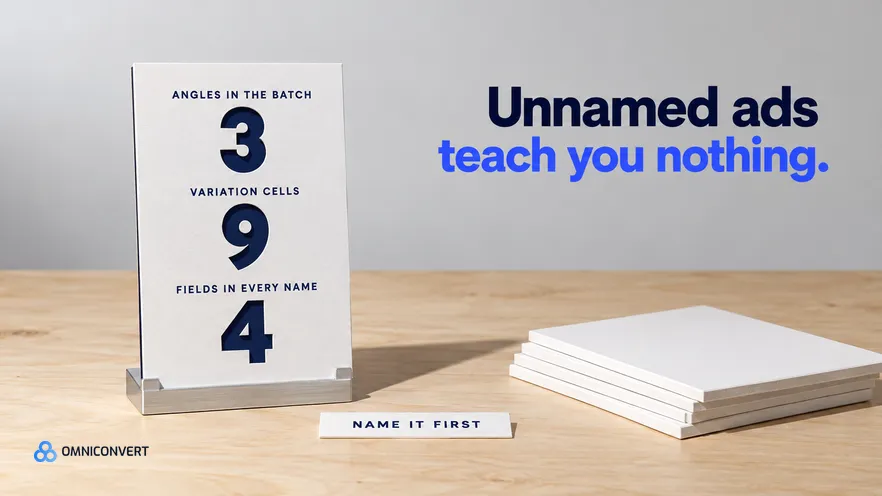
- Generation is the cheap part of a Facebook ad batch, and naming is the part that decides whether you learn anything.
- Vary the angle between ad sets and vary the hook, format and proof inside an ad set, so each result has one owner.
- A four-field name for angle, hook, format and iteration turns an Ads Manager export into a finding instead of a list.
- Ship only as many variation cells as your budget can still read against your stopping rule.
- Hold placement and automatic creative settings identical across cells, because uneven automation becomes the variable you are measuring.
- The page the ad points at has to repeat the ad promise above the fold, or the test is measuring the page.
A batch of Facebook ad variations is easy to produce and easy to make unreadable. Twelve ads go live on a Tuesday, three of them take most of the spend, and a week later nobody can say whether the winner won on the angle, the hook, the format or the delivery. Generation was never the hard part. Bookkeeping was. Last updated: October 2026.
This is the operational version for a Shopify brand shipping a batch this week: what to vary, what to freeze, how many to make, how to name every asset, and what to check before anything spends. It sits under our complete guide to AI ad creative generation for eCommerce. Omniconvert Commander automates the data-shaped parts, and every step here also works with a spreadsheet.
How do you use a Facebook ad creative generator for Shopify?
A facebook ad creative generator for Shopify is defined as a tool that reads your store, catalogue and customer data and produces ready-to-launch Facebook ad variations that you review before they go live. The tool decides what gets made. You decide what gets spent on.
The second decision is structural. A variation cell is defined as one ad inside a batch that differs from its siblings in exactly one named variable, so a result can be attributed to that variable rather than to the batch. Produce cells and you get findings; produce ads and you get a leaderboard with nothing attached.
The seven steps, in order
- Fix the constants first. Audience, budget shape, landing page and placement set, shared by every ad.
- Write three angles as one sentence each. From reviews, return reasons and your highest-value segment.
- Pull the raw material out of your store. Product data, variant images, review text and order history by customer value.
- Generate variations one variable at a time. Keep the angle fixed and change the hook, format or proof element.
- Name every asset with the four-field code. Angle, hook, format and iteration, in the ad name, file name and content parameter.
- Build the Ads Manager structure. One campaign, one ad set per angle, named ads inside, identical settings.
- Run the review and set the kill order. Check fidelity, claims, page match and names, then write down which ad you switch off first.
The variation matrix: what to vary, what to freeze
Settle the vocabulary first. An angle is the reason to buy and a hook is how the first beat earns attention; our note on the difference between a hook, a concept and an angle is the short version.
| Variable | Vary or freeze | What breaks when you get it wrong |
|---|---|---|
| Angle, the reason to buy | Vary, one per ad set | Two angles in one ad set and the result explains nothing |
| Hook, the first beat | Vary inside the angle | You learn an angle works, not how to open it again |
| Format and ratio | Vary inside the angle | A square and a vertical of one idea compete on delivery, not message |
| Proof element | Vary inside the angle | Review quote against spec detail is a test, until you swap both |
| Offer and price framing | Freeze for the first batch | A discount moves volume and hides which promise worked |
| Audience and exclusions | Freeze across the batch | Different audiences make every creative number incomparable |
| Budget and bid setup | Freeze across the batch | Unequal spend picks the winner before the creative does |
| Landing page | Freeze across the batch | One page difference turns a creative test into a page test |
The raw material already sits in your store: product and variant data set what you can honestly claim, review text supplies the proof elements, and order history split by customer value ranks the angle list. The frozen landing page matters as much: an ad promising the bottle survives a gym bag needs a page that says so in the first screen. See generating ad variations from customer data and building ad creative from customer reviews.
How many variations to ship per angle
Work it backwards. Set the stopping rule first, as a minimum number of purchases or a minimum spend per cell. Divide the daily budget you can commit by the number of cells, and ask how long each cell needs to clear that bar. If that is longer than the creative stays fresh, cut cells, never the bar.
AliveCor used Omniconvert to run a structured A/B testing programme and achieved +21% conversion rate, +5% revenue per visitor, and 94% statistical relevance across their experiments. [Omniconvert, AliveCor case study] The transferable part is not the uplift. It is the stopping rule, which is the only reason those numbers mean anything.
The naming convention, field by field
Here is the scheme, written out:
- Field 1, angle. An uppercase code from your own fixed list: DURAB, GIFT, FITSMALL, REFILL. Never invented on the spot. The list lives in one document.
- Field 2, hook. How the ad opens: QUESTION, STAT, REVIEWQUOTE, DEMO, BEFOREAFTER. One word, from a fixed list, for the same reason.
- Field 3, format. Ratio and asset type together: 4x5STATIC, 1x1STATIC, 9x16VIDEO, 4x5CAROUSEL. Ratio first, because you filter on it most.
- Field 4, iteration. V1, V2, V3. Not a version of the ad but of this exact combination, so V2 means the same angle, hook and format, generated again.
Joined with underscores, that reads DURAB_REVIEWQUOTE_4x5STATIC_V1. Three rules keep it usable. Field order never changes, so the string sorts into meaningful groups. Underscores separate fields and nothing else, so splitting on one gives four clean spreadsheet columns. And the string goes in three places: the ad name, the asset file name, and the content parameter on the destination URL.
The constants sit a level up: the campaign name carries the batch date and objective, the ad set name the angle and audience. By the time you reach the ad, the only things left to encode are the variables. That is what lets you read an export: group by ad set to compare angles, split the ad name to compare hooks.
The failure mode is common enough to have a shape. A team finds an ad that works, duplicates the ad set to try new creative, duplicates it again for a vertical cut, and renames nothing, because the interface suggests a name and renaming feels like admin. Three weeks later the account holds entries like Copy of Copy of Ad Set 3 and five ads called Image final, the person who made them is on the next sprint, and recovering which creative carried which promise means scrolling a Slack thread for screenshots. The spend was real and the learning was thrown away, and nothing warns you, because as far as Ads Manager is concerned the naming was fine.
Shipping the batch: structure, review and kill order
The reason for one ad set per angle is mechanical. Budget and audience are set at ad set level, so anything compared under equal spend and targeting has to sit there. Two angles sharing an ad set compete for the same delivery, and the system gives almost all of it to one.
Meta also offers settings that pick placements and adjust the creative for you. Their names change often, so check the current Meta Ads Guide before each launch. Whatever you choose, choose it identically in every ad set. Automation applied unevenly becomes the variable you are measuring, and it appears in no column of your report.
Then review each ad against five things, rejecting on any single failure: product fidelity against the real item, claim support from the catalogue or a review, page match read on a phone, name correctness in all three places, and settings parity between ad sets.
Kill in this sequence: anything that fails those checks, however well it performs; then any cell too far below the others in spend to be readable; then, once the stopping rule is met, the losers inside each angle. Judge angles last, on the value of the customers they brought in. Across the 7,000+ websites in our CROBenchmark dataset, assessed against 248+ audit criteria [CROBenchmark Report 2026, Omniconvert], the brands that compound are the ones whose tests still mean something later.
Doing this with a growth engine
Mapped onto the seven steps, Omniconvert Commander builds RFM segments from your store, ad and customer data, the raw material for steps two and three, then generates launch-ready static and video assets ranked by CLV-weighted angle, which is step four. It measures True Profit per ad rather than ROAS and puts a scale, hold, reduce or kill recommendation on each one, which you approve. No tool can decide your angle list is right. Our ranking of the best AI ad creative tools for Shopify compares what each one reads.
FAQ: Facebook ad variations for Shopify
What is a Facebook ad creative generator for Shopify?
It is a tool that reads your store, catalogue and customer data and produces Facebook ad variations you can load into Ads Manager. The useful ones write a different ad for a different customer promise rather than ten skins of one ad. The output is a draft, so reviewing it is your job.
How many Facebook ad variations should I launch at once?
Launch as many as your budget can still read. Three angles with three variations each is a sensible first batch, because nine cells can be separated if each gets real spend. If that leaves every cell too thin for your stopping rule, cut cells rather than the rule.
How should I name Facebook ad variations?
Use a fixed field order and never improvise. Angle, hook, format and iteration, in that order, in the ad name, the asset file name and the campaign content parameter. Keep the constants, such as audience and landing page, one level up.
Is a Meta ad generator different from a Facebook ad generator?
In practice the two terms describe one category. Meta is the company and Facebook is one of its surfaces, so a meta ad generator usually covers Instagram placements too. Judge the tool on what it reads, not on the name it uses.
How does Omniconvert Commander generate Facebook ad variations?
Omniconvert Commander unifies your store, ad and customer data, builds RFM segments and ranks angles by CLV-weighted value, then generates launch-ready static and video creative from it. It also classifies competitor creative by angle, hook and offer. It measures each ad in True Profit rather than ROAS, and you approve what goes live.
Readable beats plentiful
The constraint on Facebook creative testing moved, and most teams are still optimising the old one. Twelve variations is now an afternoon, so the scarce thing is a batch you can still interpret a week later. That comes from three decisions taken before anything is generated: which variables you vary and which you freeze, how many cells your budget can read against a stopping rule you wrote first, and a four-field name that travels from the ad to the file to the URL.