How to Match Landing Pages to Ad Creative Automatically

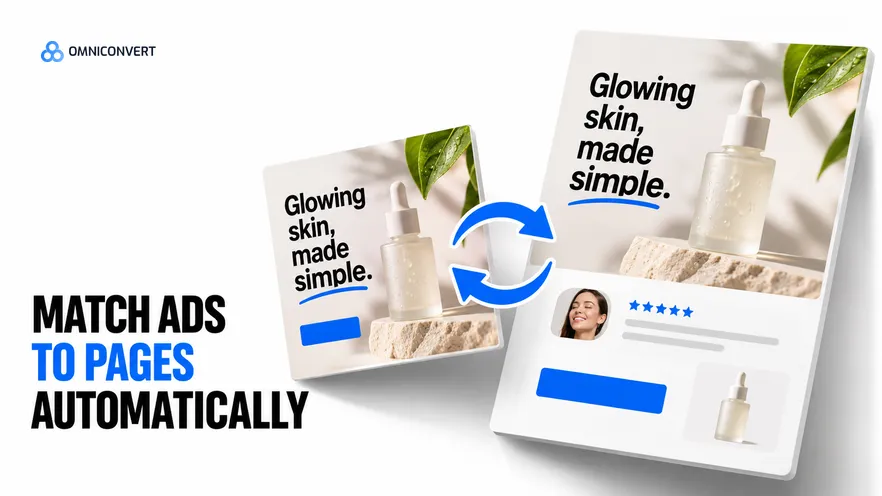
- A visitor who clicked an ad judges the landing page against the ad, so the page has to repeat what the ad promised.
- Five elements must match: the headline promise, the offer, the visual, the proof and the product.
- Match by angle, not by single ad. One page variant serves every ad that makes the same promise to the same buyer.
- Automatic matching works when the ad and the page come from the same angle and customer data, not from two separate writing jobs.
- Judge a matched page against your default page on the same traffic, and read profit per visitor, not click-through alone.
- The match must stay true to the product: a page can repeat an ad's promise only if the store can deliver it.
- Omniconvert Commander builds matching landing pages from the same angle as the ad, and you approve each page before launch.
To match landing pages to ad creative, make the page repeat what the ad promised, in the same words, with the same offer and the same picture. A visitor clicks one message and lands on another far too often. The click was paid for, and the page throws it away.
Across the brands we work with, the ad team writes the ad and a different person builds the page weeks later. The two never meet. The matching logic is the subject here. Two guides already cover page building: AI landing page generators on Shopify covers where a generated page lives, and landing pages without a developer covers the launch process.
Omniconvert Commander (formerly Nexus) is the AI eCommerce growth engine for Shopify brands: it reads your store, ad and customer data, ranks growth opportunities by profit impact, and builds the campaigns to act on them, and you approve what goes live. The method below also runs by hand.
What does it mean to match landing pages to ad creative?
Message match is defined as the degree to which a landing page repeats the promise, offer, visual, proof and product of the ad that sent the visitor. A page with full message match feels like the second screen of the ad.
A matched page is defined as a landing page built for one ad angle, whose first screen shows that angle's promise, offer, visual, proof and product. Your homepage is not a matched page. It serves everyone.
Ten ads sit in the account, each on a different angle, and all ten point at one product page. One promised a gift-ready bundle. It lands on a single item with no gift framing, and the buyer who clicked for a gift sees nothing about gifts. Nine of the ten send people to a page that never mentions what made them click. The team blames the creative and pauses the ad. Give each angle its own destination before you judge any ad.
The five elements that must match
| Element | What the ad shows | What the page must show | Typical mismatch |
|---|---|---|---|
| Headline promise | The hook or claim that earned the click | The same claim, in close to the same words, in the first headline | A generic brand line that ignores the hook |
| Offer | A discount, bundle, shipping term or guarantee | The same offer, with the same terms and dates, visible without scrolling | The offer is missing, or the terms differ |
| Visual | A product shot, a scene or a person | The same image or the same scene, so the visitor recognises it | A stock hero image with no link to the ad |
| Proof | A review line, a rating or a result the ad hints at | The review or evidence behind that hint, placed near the headline | Proof is claimed in the ad and absent on the page |
| Product | The specific item or set shown | That item or set, ready to add to the cart | The visitor lands on a category and must hunt for it |
Read the offer row first. A mismatched offer is the most costly miss, because the visitor feels misled and not merely confused. The page must carry the ad's terms word for word. If the ad names a free-shipping threshold, the page shows the same threshold.
Only repeat proof you can verify: a real review, a real rating, a real guarantee. Never invent a quote to look matched.
How to map ad angles to page variants
An angle is defined as the reason the product matters to a particular buyer, such as saving time, giving a gift or fixing a specific problem. Two ads with different pictures but the same promise belong to one angle.
You build a page per angle, not per ad. When a new ad joins an existing angle, its destination is already built.
Take a store selling home coffee equipment. One angle promises a café-quality cup at home, another promises a gift for a coffee lover, a third promises easy cleaning. Each angle gets its own variant. The first leads with the result in the cup. The second leads with a gift-ready set and a delivery cut-off. The third leads with the cleaning step. The product catalogue is the same. The first screen is not.
The angles themselves come from customer data: what buyers say in reviews, what they ask support, and what repeat buyers have in common. The guide on writing ads from customer data covers how to find them. Use the same angle list for the ads and the pages, so both start from one source.
Match a landing page to ad creative in six steps
- Group your ads by angle. Sort live and planned ads by the promise they make and the buyer they make it to. Each group is one angle and gets one page variant.
- Write the match brief for each angle. For each angle, record the headline promise, offer, visual, proof and product the ad uses. The page copies these five items.
- Build one page variant per angle. Build each variant from reusable sections, with the brief filling the headline, offer block, hero visual, proof and product. Keep one default page for comparison.
- Route every ad to its variant. Set each ad's destination to its angle's variant, with tracking parameters that identify the ad and the angle.
- Check the match before launch. Put the ad and the page side by side on a phone. Confirm the promise, offer, visual, proof and product agree, and that the store can deliver the promise.
- Compare each variant with the default page. Send comparable traffic to the variant and the default page. Read profit per visitor and conversion rate, and keep the variant that wins on profit.
Step 3 is a build task, and the build guides above cover it. If you are choosing a builder, the best AI landing page builders for Shopify are ranked on their own page.
What automatic matching needs
Most teams automate the wrong step. They add a tool that writes a page from a prompt, then paste in the ad copy by hand. That speeds up typing. The page is still a second writing job.
Automatic matching starts earlier. The angle, the customer data behind it and the offer are recorded once. The ad is generated from them, and so is the page. When the offer changes, you update the brief once and regenerate both the ad and the page for approval.
Omniconvert Commander works this way. It generates launch-ready assets from customer data, and it builds matching landing pages from the same angle as the ad. A person still checks that the promise on the page is one the store can keep. You set each ad's destination and approve each page yourself. Omniconvert Commander does not route ads to pages on its own, keep live pages in sync, sync a product feed or run catalog ads.
Automatic does not mean unchecked. Read each page next to its ad before approving.
A matched page is a hypothesis, and a structured test is how you confirm it. This is what a structured programme produced for another brand.
AliveCor used Omniconvert to run a structured A/B testing programme and achieved +21% conversion rate, +5% revenue per visitor, and 94% statistical relevance across their experiments. [Omniconvert, AliveCor case study]
How to read the result
Click-through rate tells you about the ad, not the page. Read what visitors do after the click: add to cart, buy, and the order value after returns and discounts.
Run the matched variant and the default page against comparable traffic, from the same angle and in the same weeks. If you want a clean read, a split test is the tool for it: Omniconvert Explore runs A/B tests, and Explore data covers 23.2% average conversion uplift across 70,000+ experiments [Omniconvert Explore, 70,000+ experiments]. That figure is an average across tests, not a promise for your pages. Your own test settles it.
A variant can lose. When it does, the angle is usually the weak part, not the page. For the testing method, see what A/B testing is.
Do not stop at conversion rate. A page that converts more by repeating a steep discount can earn less profit per visitor. Omniconvert Commander measures True Profit per ad, so you can compare angles after costs. Compare page variants on profit per visitor using your own order data. The wider approach to ad creative sits in the complete guide to AI ad creative generation.
FAQ: matching landing pages to ads
What is message match between an ad and a landing page?
Message match is the degree to which a landing page repeats the promise, offer, visual, proof and product of the ad that sent the visitor. When they agree, the visitor sees one message on both sides of the click and keeps going. When they disagree, the visitor has to work out whether the page is the right one.
What should match between an ad and its landing page?
Five things: the headline promise, the offer and its terms, the main visual, the proof the ad hints at, and the product shown. The tone and the call to action should also agree, but these five decide whether the visitor feels they landed in the right place.
How many landing pages do I need for my ads?
One per angle, not one per ad. Several ads that make the same promise to the same buyer share a page variant. Start with your two or three strongest angles and keep a default page to compare against.
Can I match landing pages to ad creative without a developer?
Yes. Build reusable sections once, then fill them from a short brief for each angle. Marketing assembles each variant and sets the ad destinations. The pages that own the build steps are the guides on landing pages without a developer and on AI landing page generators for Shopify.
How do I know the matched page works better?
Compare it with your default page on comparable traffic. Read profit per visitor and conversion rate, not click-through alone. Run both until each has enough orders to trust, and keep the page that earns more profit per visitor.
How does Omniconvert Commander match landing pages to ad creative?
Omniconvert Commander builds matching landing pages from the same customer data and angle as the ad it generates, so ad and page start from the same angle and customer data. It measures results in True Profit, not ROAS, and you approve what goes live.
One angle, two outputs
A click is a promise, and the landing page is where you keep it. Group your ads by angle, write the five-item brief, and build one page per angle. Then compare each page with your default on profit per visitor. Matching by hand works. Matching from one source of angle and customer data works faster, and you still approve every page before it goes live.