Build Landing Pages Without a Developer: Step-by-Step Guide

- A campaign needs its own landing page when the ad promises something no existing page shows in its first screen.
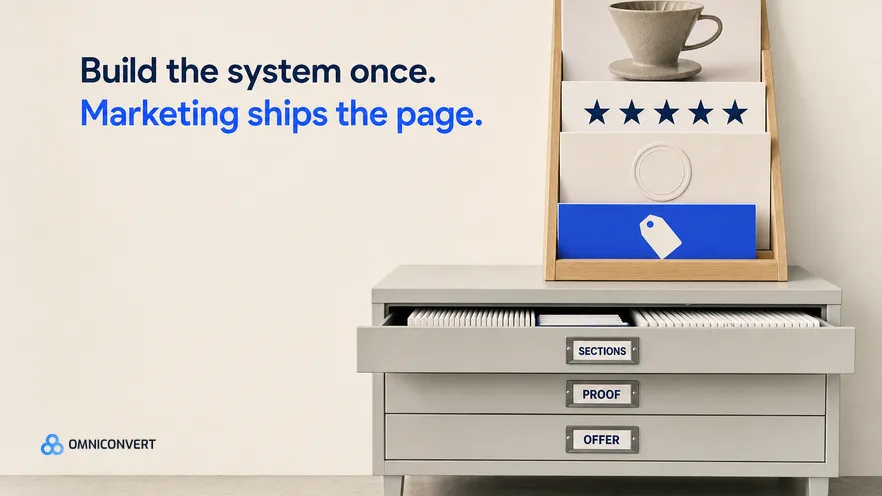
- The build tool matters less than the page system behind it: approved sections, a proof library and one offer block.
- Theme templates carry the least risk, page builder apps add freedom and code, and AI generators need the strongest review.
- Every campaign page needs tracking, a mobile speed check, a named owner and an end date before it takes paid traffic.
- Test the campaign page against the product page first, and judge it on revenue per visitor, not bounce rate.
When a campaign landing page is late, the reason is usually the same: it waits in a developer's queue behind a checkout bug. You can build campaign landing pages without a developer, and the tool you choose matters less than the process around it. This guide is that process, written for a marketing team on Shopify. Last updated: September 2026.
I have spent 13 years in eCommerce, and Omniconvert's CROBenchmark has assessed 7,000+ websites in 15+ industries against 248+ audit criteria. The landing page problem I see most often is not design. It is the gap between what the ad promised and what the page shows first.
Omniconvert Commander is the AI eCommerce growth engine for Shopify brands: it reads your store, ad and customer data, ranks growth opportunities by profit impact, and builds the campaigns to act on them, and you approve what goes live. For how to brief an AI tool and judge what it produces, read how to use an AI landing page generator well. This guide covers the operating layer around any tool: when to build a page, how to build it safely, and how to retire it.
How do you ship campaign landing pages without a developer?
Most teams treat every campaign page as a new project. Someone starts from a blank page, writes copy from memory, hunts for a review screenshot, and asks a developer to fix the mobile layout. The work is a series of design decisions, made again for every page.
Make those decisions once, in a page system, and each page becomes an assembly job: choose a template, fill approved sections, set the offer, run the checklist. A developer or a well-made theme can supply the sections. After that, marketing owns the pages.
When does a campaign need its own landing page?
Every page you add is a page you track and retire, so first ask whether the campaign needs one. The test is the first screen: does the destination show the ad's promise, the product and the next step without scrolling?
- Use the product page when the ad shows one product, the offer is a simple price change, and the page already answers the main objection.
- Use a collection page when the ad is about a range, such as a new season, and the visitor's next job is to choose.
- Build a campaign landing page when the ad sells an angle rather than a product, the offer has conditions (a bundle, a spend threshold, a deadline), or the audience needs different proof than your usual buyer.
Two rules keep the decision honest. A campaign page must let people buy, with add to cart on the page or one click to the product. And if you cannot name its end date, it is not a campaign page. What makes the page convert once it exists is covered in what landing page optimization is.
What are three ways to build landing pages without code, and their trade-offs?
Theme templates and sections. On an Online Store 2.0 theme, you create a new page template in the theme editor, add sections and blocks, and assign the template to a page. No code is involved. You are limited to the sections your theme and apps provide, but the page inherits the theme's styles, speed and tracking.
Page builder apps. Drag-and-drop builders give you layouts the theme cannot. They also bring their own storefront code, a subscription and a learning curve, and with some builders the pages depend on the app staying installed. Check that before you build twenty pages in one.
AI landing page generators. They draft a page from a prompt, a product or a URL, faster than any other route. The open questions are operational: where the page is hosted (another domain changes tracking and checkout), who checks the claims, and who edits the page later. The AI landing page generator guide covers the workflow, and the AI landing page generator for Shopify guide covers the theme and product data steps. Omniconvert Commander starts from the data side: it generates campaign landing pages from customer data, matched to the ad that sends the traffic, and you approve what goes live.
| Build option | Speed to launch | Flexibility | Risk to the store | Who owns maintenance |
|---|---|---|---|---|
| Edit a copy of an existing page | Fastest | Low: the existing layout | Low, if only content changes | Marketing |
| New theme template with sections | Fast, once the sections exist | Medium: theme and app sections | Low, if default templates stay untouched | Marketing, with a theme owner |
| Page builder app | Fast, after a learning curve | High: drag-and-drop layouts | Medium: extra code and an app dependency | Marketing and the app owner |
| AI landing page generator | Fastest to a first draft | Medium to high, by editor | Medium: claims and tracking need review | Marketing, with a named reviewer |
| Developer-built custom page | Slowest: waits in the queue | Highest | Low, but every change needs the developer | The developer |
Read the last column first. Speed to launch matters for a week. Maintenance lasts as long as the page is live.
How do you build a page system before the first page?
Modular sections in a fixed order. A typical stack: a first screen that repeats the ad's headline and product image with one button, the angle in three short points, the product with add to cart, proof, objections (delivery, returns, sizing), and the offer block. Write limits for each section: headline length, image ratio, file size. If your ads come from your real product photos, reuse the same images so the click lands on something the visitor recognizes.
A proof library. One shared sheet with every claim a page may make: reviews with source and date, customer photos you have the rights to, approved guarantee and returns wording, and numbers you can verify. If it is not in the library, it does not go on a page. Approval gets fast, because each source is checked once.
An offer block. One reusable section with the offer, who qualifies, the terms, the dates and the discount. This is where expensive mistakes happen: the wrong code, a threshold that does not match the discount settings, a deadline that already passed. One block means one place to check.
Take the angle, the proof and the offer from the same creative brief as the ad. That keeps the ad and the page matched.
How do you build and launch a campaign landing page, step by step?
- Write the promise before the page. Copy the headline and the offer from the ad that sends the traffic, and repeat them in the first screen next to the same product image.
- Duplicate the matching template. Pick the template for the campaign type (single product, bundle or seasonal offer) and name the copy after the campaign and its end month. Never start from a blank page.
- Assemble sections from the library. Fill the sections in the standard order with proof from the library, set the offer block last, and cut any section that does not answer a question the ad raises.
- Set up tracking before you publish. Add UTM parameters to the ad URLs, and confirm that analytics, ad pixels, add to cart and purchase events all fire on the page and attribute to the campaign.
- Check speed and mobile on a real phone. Open the page on a phone over mobile data, run it through PageSpeed Insights, compress large images, and confirm the main button shows in the first screen.
- Publish and click through from the real ad. Make the page visible, click through from the live ad, and check the headline match, the discount at checkout and the UTM parameters.
- Schedule the end on launch day. Record the end date and the redirect target in the page register. When the campaign ends, pause the ads, then redirect the URL or swap in a version of the offer block without the offer.
Speed is not cosmetic on paid traffic: a visitor who leaves while the page loads is a click you already paid for. Read why page load time matters, and use Google's Core Web Vitals as the shared language with your theme owner.
Check that redirects actually fire. On Shopify, a URL redirect does not take effect while a page still exists at that address, so delete the page or change its handle first, then test the old URL in a private window. For a sale that repeats every year, keep one URL and refresh the page instead.
Which guardrails stop marketing from breaking the store?
- New templates only. Default templates, the header and the footer affect every page. A new template affects only the pages you assign it to.
- No code files. Marketing works in the theme editor. Code changes go to the theme owner, who tests them on a duplicate theme first.
- One app gatekeeper. Builders, timers, review widgets and popups all add storefront code, and some leave code behind after uninstall. One person approves installs and asks for the removal steps first.
- A weight budget for each page. A file size cap for the first-screen image, no autoplay video at the top, and no social feed embeds near the top.
- A page register. One sheet with the URL, campaign, owner, linked ads, launch date, end date and redirect target, reviewed every week.
- Two people to publish. One builds and one approves: claims against the proof library, the offer against the discount settings, tracking against the ad URLs.
None of this slows a good team down. In my experience, developers were rarely needed to build campaign pages. They were needed to clean up after them.
How do you test the landing page against the alternative?
A campaign page is a hypothesis: this angle, told this way, sells better than your standard page. Test that before you polish it.
Start with the destination test. Split the campaign's traffic between the new page and the page it replaces, through your ad platform's experiment feature or with a split URL test in a testing tool. Neither needs a developer, as the teams in how eCommerce teams run A/B tests without dev resources show.
Measure money, not attention. Revenue per visitor tells you whether people bought. If the page carries a discount, check the margin too, because a page can win on conversion rate and still lose money.
Then test inside the page. First screen first, then the position of the offer block, then the type of proof. If you are new to testing, your first A/B test in under an hour walks through the setup. Log every result in the page register, so the next campaign starts from the last winner.
FAQ: campaign landing pages without a developer
Do I need a developer to build landing pages on Shopify?
Not for each page. On an Online Store 2.0 theme, marketing can create page templates, add sections and publish pages in the theme editor without code. A developer or a well-built theme helps once, to supply the reusable sections. After that, each campaign page is an assembly job.
Should I send ad traffic to a landing page or a product page?
Use the product page when the ad shows one product with a simple offer. Build a campaign landing page when the ad sells an angle, a bundle or an offer with conditions. When you are unsure, test the two destinations against each other.
Do page builder apps slow down a Shopify store?
They can, because they add their own code to the storefront, and the effect varies by app and by page. Compare a builder page with a similar theme page in PageSpeed Insights on mobile before you commit every campaign to the app.
What should happen to a campaign landing page when the campaign ends?
Pause the ads first. Then redirect the URL to the closest live page, or swap the offer block for a version without the offer. For a sale that repeats every year, keep the same URL. Never leave an expired offer live.
Can Omniconvert Commander build campaign landing pages?
Yes. Omniconvert Commander generates campaign landing pages from customer data, matched to the ad that sends the traffic, and you approve what goes live. Keep the same guardrails: check claims, tracking and the end date before you approve, and judge the page on True Profit, not ROAS.
How do I A/B test a landing page without a developer?
Split the ad traffic between the campaign page and the product page, with your ad platform's experiment feature or a split URL test in a testing tool. Measure revenue per visitor, not clicks. Once the page wins, test one element at a time, starting with the first screen.
The bottom line on landing pages without a developer
Building campaign landing pages without a developer is not a tooling question. It is a question of where the decisions sit. Make the design, proof and offer decisions once, in a page system. Choose the build option by who will maintain it. Run the same launch checklist every time, and record the end date before the page takes its first click. Then test the page against the product page it replaces, and keep only what earns more per visitor. Marketing ships pages at the speed of the campaign, and the store stays as fast and as safe as it was before.