How to Use an AI Video Generator for Ads

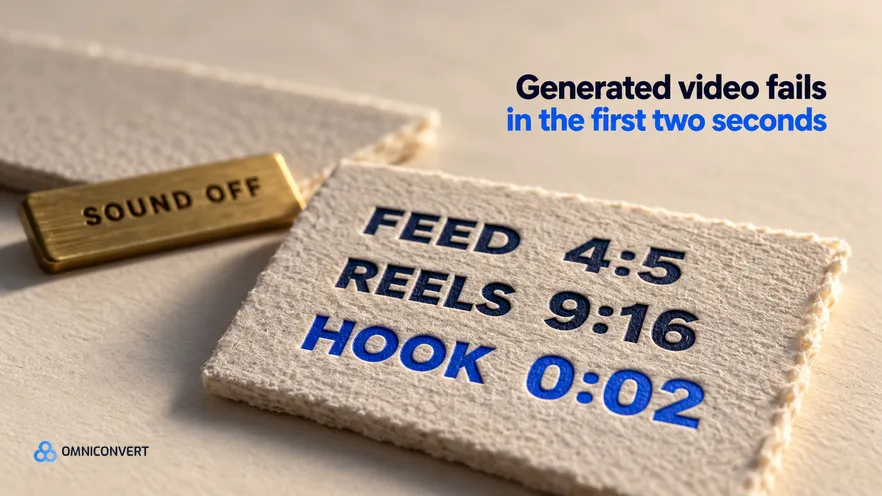
- A generator assembles a cut from assets and a brief, and it never decides which claim is worth fifteen seconds.
- Build the vertical 9:16 master first, then export a 4:5 version for Feed, and never ship one horizontal file to every placement.
- Burn captions into the frame, because the ad is watched with the sound off by default.
- Type placed in the top or bottom band of a vertical frame is covered by the platform interface.
- Generated video almost always fails in the first two seconds, usually to a logo bumper or an establishing shot.
- Judge the output in True Profit and days active, not in views or in how polished the preview looked.
An AI video generator for ads hands you a finished fifteen second cut in roughly the time it takes to write the brief. It fails at delivery: the file is horizontal when the placement wanted vertical, the headline sits under the caption bar, the argument rides a voiceover nobody hears, and the first second is a logo animation. Nobody specified the job. Last updated: October 2026.
Thirteen years in eCommerce, and the CROBenchmark dataset of 7,000+ websites assessed against 248+ audit criteria [CROBenchmark Report 2026, Omniconvert], have taught me to distrust any step that ends in a file nobody checked against a spec. The editing preview is the one place the ad will never be watched.
Nexus by Omniconvert is the AI eCommerce growth engine for Shopify brands: it reads your store, ad and customer data, ranks growth opportunities by profit impact, and builds the campaigns you approve. For video it composes cuts from the product imagery you already hold.
Two neighbouring guides own the ends of this job: how to turn product pages into video ads and video ad variations at scale. The umbrella argument sits in AI ad creative generation for eCommerce.
What an AI video generator for ads actually does
The category is wider than the name suggests. Asset assemblers animate your own photography; template engines drop it into a pre-built edit with fixed beats; script-to-video tools write the script and source the visuals. Avatar and presenter tools render a synthetic person reading your copy, which is a separate category with its own credibility cost rather than what an AI video tool is. In every case the brief is the product: name the claim, the proof frame, the objection, the offer, the length and the placement.
The specs a video ad generator output has to hit
Start with shape, because it decides the edit and not just the export. Build the vertical 9:16 master for Reels and Stories, then cut a 4:5 version for Feed. Square at 1:1 still runs in Feed and gives up height you could have used. The file to avoid is a 16:9 horizontal master, which every vertical placement crops.
Then the file itself. Export at 1080 pixels or better on the short edge, as MP4 or MOV, with H.264 video and AAC audio, and do not re-export an already compressed file, because a second pass of compression is where motion smears. Cut fifteen seconds first, which holds a hook, one proof, one objection and an offer, then derive a six second version from the hook and the offer.
A safe zone is defined as the band of a vertical frame that the platform interface sits on top of: the account row at the top, the caption, the call to action and the audio strip at the bottom. Type placed there looks perfect in the editing preview and is covered at playback, so keep every line of text in the middle of the frame.
Captions are not an accessibility nicety here, they are the ad. Feed and Reels autoplay muted for a large share of impressions, so a cut whose argument lives in the voiceover never arrives. Burn the hook, the proof line and the offer into the frame as short on-screen text rather than trusting auto-captions.
Meta changes recommended ratios, length ceilings and interface proportions without warning, so read the Meta Ads Guide for the exact figures on the day you ship, and never let a generator preset stand in for that check.
Why generated video dies in the first two seconds
Here is the failure I see most often, and it is specific to generated video rather than to video in general. A team writes one brief, generates a polished horizontal cut with a voiceover and a logo sting, uploads that single master to a campaign covering Feed, Reels and Stories, and lets the platform handle the rest. It looks like the responsible choice: one approval, one file, consistent branding everywhere. Then the vertical placements crop the sides off the product, the burned-in headline lands under the caption bar on Reels, the voiceover carries an argument nobody hears, and the first second is a brand bumper. Every individual decision was defensible, the ad was never judged on its idea, and the team concludes that the generator does not work.
The fix is unglamorous. Specify the opening frame as a shot: what is on screen, what the one line of text says, and when it lands. Then ban the three defaults by name, because a generator reinstates them unless told not to: no fade from black, no establishing shot, no logo before the hook. Open on the problem rather than the product.
How to run an AI video ad generator in seven steps
- Write the delivery spec before the brief. Put the placement, aspect ratio, length, resolution floor, caption policy and type-safe band at the top of the brief. A generator obeys a spec and invents one when none is given.
- Pick one claim and the one frame that proves it. Take the claim from review language or survey answers, not your page headline, then name the one product frame that proves it.
- Feed it your own product imagery. Upload your own photography at full resolution and name the five frames the cut may use. Library footage is what makes a generated ad look generated.
- Script the first two seconds as a shot, not a sentence. Specify the opening frame, the one line of on-screen text and the moment it lands. Ban the logo bumper, the establishing shot and the fade from black.
- Burn in the captions and keep type inside the safe band. Assume the sound is off, so every load-bearing line is on screen, and keep all type clear of the account row at the top and the caption bar at the bottom.
- Export one master per placement, not one file for all of them. Render the 9:16 cut for Reels and Stories and a 4:5 for Feed, at 1080 pixels or better on the short edge, as MP4 with H.264 video and AAC audio.
- Review the export on a phone, then ship three openings and read profit. Watch the real file on a phone with the sound off before the ad account sees it, then rank three openings on profit after discounts, returns and cost of goods.
By the third product a run is under two hours, because the spec sheet is written once. The same discipline covers static work in Facebook ad variations for Shopify.
One cut per placement: Feed, Reels and Stories
| Placement | Shape to export | What changes in the edit | Where type can live |
|---|---|---|---|
| Facebook Feed | 4:5 vertical | Caption does part of the work, so the frame carries less | Most of the frame, with a margin all round |
| Instagram Feed | 4:5, or 1:1 if shared | Tighter crop, offer held longer at the end | Middle of the frame, clear of the bottom edge |
| Instagram Reels | 9:16 vertical | Faster cuts, hook on screen immediately, sound often on | Middle band only, clear of the top and bottom interface |
| Facebook Reels | 9:16 vertical | Same cut as Instagram Reels, no re-edit | Middle band only, clear of the top and bottom interface |
| Stories | 9:16 vertical | Shortest attention, so the offer arrives earlier | Middle band, and keep the call to action area empty |
Four of the five rows want the same vertical master, which is the argument for building 9:16 first rather than cropping down from a horizontal cut.
How to judge video ads for eCommerce once they are live
Ship three openings over one identical body, keeping the proof, the objection and the offer the same, because the first two seconds is the variable you are testing. A cheap cut that holds for three weeks beats an expensive one that spikes for four days, so track days active alongside profit.
The habit underneath this is structured testing rather than opinion. AliveCor used Omniconvert to run a structured A/B testing programme and achieved +21% conversion rate, +5% revenue per visitor, and 94% statistical relevance across their experiments. [Omniconvert, AliveCor case study]
Where the data comes from decides what the openings can say, and the method is in how to generate ad variations from customer data. Once one opening wins, stop testing openings and multiply the winner.
FAQ: AI video ad generators and Meta specs
What is an AI video generator for ads?
A tool that assembles a finished video ad from assets you supply and a brief you write: product stills, short clips, on-screen captions, music and timing, exported to a placement spec. None of them decide which claim is worth fifteen seconds or what your offer should be.
What is a safe zone in a vertical video ad?
The band of a vertical frame that the platform interface sits on top of. The top carries the account row and the bottom carries the caption, the call to action and the audio strip, so any word or logo placed there is covered. Keep type in the middle of the frame.
What aspect ratio should a video ad on Meta use?
Two ratios cover most of it. Build the vertical 9:16 master for Reels and Stories, then export a 4:5 version for Feed. Square at 1:1 still runs in Feed and gives up height. A single 16:9 horizontal file is the one export to avoid, because every vertical placement crops it.
Do AI video ad generators need avatars to work?
No. An avatar is one way to put a person on screen, and it is a separate category of tool with its own failure modes, including the slight wrongness that viewers read as cheap. Product stills with deliberate movement, real customer footage and burned-in captions carry most eCommerce concepts with no presenter.
Does Nexus by Omniconvert work as an AI video ad generator?
Nexus by Omniconvert generates video ad creative from your customer data and composes it with the product imagery you already own, ranks the angles by CLV, and you approve what goes live. There is no synthetic presenter and no cloned voice in it, so a concept that needs a person on camera still needs a camera.
Where generated video wins
The generator is the commodity part of this workflow. The hard parts are a delivery spec written before the brief, one claim per cut taken from what customers actually said, type kept out of the bands the interface covers, captions burned in because the sound is off, and a first two seconds that opens on a recognisable problem instead of a logo. Build the vertical master, watch the real file on a phone before the ad account sees it, then read the result in profit rather than views. Check the current Meta spec page on the day you ship, because the shape of the frame is the one input you do not control.