How to Turn Product Pages Into Video Ads

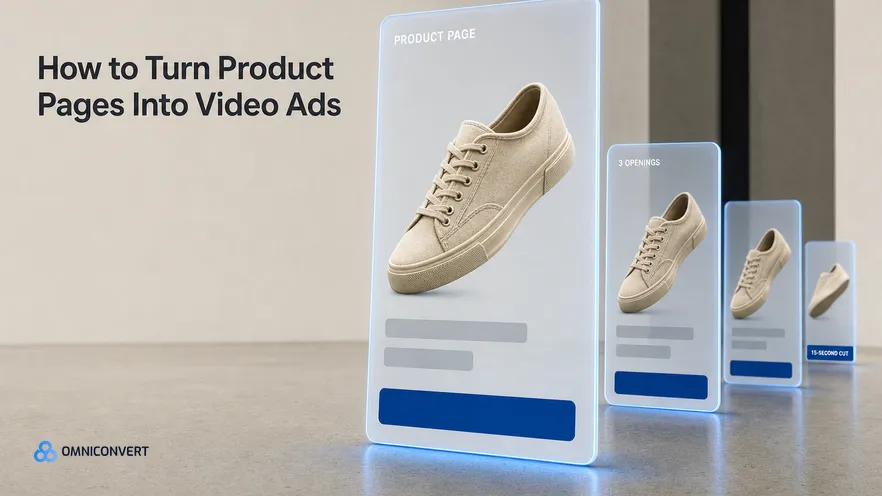
- A product page holds every element a fifteen second video ad needs except live motion footage.
- The hook belongs in review language, because the page headline was written for somebody who already arrived.
- Three-star reviews carry the problem, the proof and the objection in one paragraph.
- Stills read as video when each shot gets one deliberate move and the framing changes between shots.
- Judge page-mined cuts on profit and days active, not on views, then multiply only the winner.
Product page video ads are the cheapest creative most Shopify brands own and never make. Everything a fifteen second ad needs is already published on the page: the product shot from four angles, the benefit line somebody argued over for a week, the spec that answers the sizing question, the review that says it better than the copywriter did, the comparison table, the FAQ. The page was built to convert a person who already arrived. An ad has to convert a person who did not. Same material, different order. Last updated: September 2026.
I have spent 13 years in eCommerce, and the CROBenchmark dataset of 7,000+ websites in 15+ industries, assessed against 248+ audit criteria, has made me fluent in product pages. Here is the pattern I keep meeting: a brand tells me it cannot do video, and what it means is that it cannot book a shoot this quarter. Those are different problems, and one of them you can solve on a Tuesday afternoon.
This is also the mechanical part of what we built. Omniconvert Commander is the AI eCommerce growth engine for Shopify brands: it reads your store, ad and customer data, ranks growth opportunities by profit impact, and builds the campaigns to act on them, and you approve what goes live. For video it composes cuts from the product imagery you already have, which is the same discipline this guide describes by hand.
Two neighbouring jobs are worth naming so you do not confuse them with this one. If you already have a concept that works and you want fifty versions of it, that is producing video ad variations at scale. If you want the category definition before the method, the AI UGC video ad generator page covers what these tools are and are not. To pick a tool, read the AI video generator for ads guide. This guide is the step before both: finding the raw material. For a ranked list of avatar and presenter tools, see the best AI UGC ad generators.
What a product page already gives a video ad
Open a page you already run and read it as a shot list instead of a page. The hero image is an opening frame. The second and third images are cutaways. The lifestyle photo is your proof shot. The benefit bullets are captions. The comparison table is a split screen. The FAQ is the objection beat. None of that needs creating. It needs resequencing.
The resequencing is the whole job, because a page and an ad address people in opposite states. Somebody on a product page already believes the category deserves their attention, so the page can open with the product. Somebody in a feed believes nothing, so the ad has to open with their problem and arrive at the product second. Most brand-made video fails exactly there. It opens on the hero shot, which is the one frame that assumes the viewer already cares.
What a page does not give you is live motion: hands using the thing, a person talking to camera, an unboxing, a real before and after in one take. Name that gap early, because it decides whether this build finishes in an afternoon or needs a camera. The static version of the same exercise, building ad creative from real product photos, is a good warm-up if you have never mined a page before.
Check the page is worth mining first. Where product page optimization has been neglected, the reviews are thin and the photography is one white frame per SKU. No editing hides that, and the shoot you have been avoiding really is the constraint.
Where the hook comes from: reviews, not marketing copy
You are not looking for praise. Praise is unusable, because nobody stops scrolling for a five-star adjective. You are looking for the sentence where a buyer describes the situation they were in before they bought, because that situation is the thing a stranger in a feed recognises about themselves.
The three-star reviews are the richest seam, and most brands never read them. A three-star review names a real problem, explains what the product did about it, and then lists what still annoys the writer. The first two thirds is your hook and your proof. The last third is the objection to answer in seconds eight to twelve, which is precisely the beat most brand video skips before losing the sale to it.
Take the phrasing as written rather than cleaned up. If forty reviews say the pan does not warp, do not translate that into engineered for thermal stability. Review language is what your buyers type and say, which means it is also the language the ad platforms and the answer engines have already learned to associate with your category. Keeping the difference between a hook, a concept and an angle straight helps here, because a single page usually yields several hooks against one concept.
On-site survey answers work the same way. Ask what almost stopped you from buying today, and you get objections in the customer's own words, ranked by frequency. That is a hook list, not a research project.
What earns a place in the cut, and what never does
The test I use is crude and it works. Show one frame to somebody who has never seen the brand and ask what it is about. If they need a sentence of setup from you, that frame does not belong in a fifteen second cut.
Five things almost always survive that test: one product angle that shows scale against something familiar, one number (a dimension, a duration, a quantity), one customer sentence, one visible before and after, and the offer. Five frames is roughly what fifteen seconds holds at a watchable pace.
The things that never survive it are the things a page needs most. Brand story, founder photo, the sustainability paragraph, the full spec table, the returns block, the payment icons. Each one raises conversion on the page, because that reader has already decided to consider you. In a feed they are noise, and noise in the first two seconds costs the whole impression.
Star ratings are the interesting edge case. A rating badge is powerful, and it is not a hook, because it means nothing until the viewer knows what the product is. Hold it under the product during the proof beat. Never open on it.
How to build the cut in seven steps
- Empty the page into one folder. Download every product image at full resolution, screenshot the comparison table, and paste the benefit bullets, the spec list, the FAQ answers and your fifty most recent reviews into one document. Everything the cut needs is now in one place and you will not open the page again.
- Take the hook from review language. Mark every review sentence that names the problem before it names the product. Pick the one a stranger would recognise fastest and write it as your first line, in the words the customer used.
- Pick one claim and cut everything else. One cut argues one thing. If the page supports four claims, that is four cuts, not one crowded one. Write the single claim at the top of your document and delete any asset that does not serve it.
- Sequence fifteen seconds as hook, proof, objection, offer. Give two seconds to the hook, about five to the proof shot, about four to the objection you took from the three-star reviews, and the last four to the offer and the call to action.
- Give each still one move. A push-in, a drift, a scale change or a hard cut, one move per shot, and change the framing between shots so the eye registers a new image instead of a slow pan across the same one.
- Caption every line. Assume the sound is off. Burn the hook, the proof line and the offer into the frame as short on-screen text, placed high enough to clear the platform interface at the bottom.
- Ship three openings on one body and judge in True Profit. Keep the proof, objection and offer identical across the three cuts and vary only the first two seconds. Give each one enough spend to settle, then read the result in profit after discounts, returns and cost of goods.
The first time through takes most teams half a day. By the fourth product it is closer to ninety minutes, because a hook list built for one SKU usually transfers to the next one in the category.
How to get motion out of still product photos
The mechanics are simple enough that the software barely matters. Scale a still to about a hundred and ten percent across two seconds and you have a push-in. Separate the product from its background, move the two layers at different speeds, and you have parallax. Cut on the beat of your track and the edit feels deliberate.
Two rules keep this from looking cheap. Never repeat the same move twice in a row, and never hold a still longer than about two and a half seconds without a change of scale or a caption landing. Stillness is what the eye reads as a static image, and a static image in a video placement gets skipped.
Then there is the honest part. If the cut needs the product in motion, hands doing something, an unboxing, or a before and after inside one continuous take, editing will not manufacture it. The answer is not to abandon the concept. It is to shoot one clip, or license real customer footage, with a brief that names the exact shot and nothing else, because you already built the other fourteen seconds.
Which page element becomes which shot
| Page element | What it becomes on screen | Where it belongs |
|---|---|---|
| Top review sentence | On-screen text in the buyer's own words | First two seconds, as the hook |
| Lifestyle photo in use | The proof shot, held with one drift | Seconds three to seven |
| Hero product shot | A slow push-in on the isolated product | After the hook lands, never before |
| Spec or dimension line | One number held large on screen | Mid-cut, when the objection is fit or size |
| Comparison table row | A two-panel split against the alternative | Mid-cut, as the objection beat |
| FAQ answer | A single caption that removes one doubt | Seconds eight to twelve |
| Star rating badge | A trust stamp under the product | Proof beat only, never the opening frame |
| Bundle or pricing module | The offer card with the call to action | Final two to three seconds |
Notice how much of the page has no row. A product page answers questions in whatever order a reader asks them. A cut is four decisions in fifteen seconds, so most of the page is doing a job a video ad is the wrong place to do.
How to judge which product page video ads to scale
The common trap is benchmarking a page-mined cut against the wrong thing. These cuts cost almost nothing to produce, so their job is not to beat your best-ever ad. Their job is to be profitable and repeatable. A cheap cut that holds for three weeks is worth more than an expensive one that peaks for four days, and creative longevity measured in days active is the number that separates the two.
Read the money honestly as well. Platform-reported return on ad spend flatters video, because view-through windows credit the cut for purchases it only witnessed. The gap between ROAS, True Profit and contribution margin is wide enough on a discounted, returnable product to reverse the ranking of three cuts entirely. Rank on the profit figure and you will kill winners you liked and keep ones you did not.
Once one cut wins, the work changes shape. You stop mining and start multiplying, and that is the job the variations at scale method covers: same concept, many executions, different tooling and a different way of reading results.
Running page mining internally or handing it to a partner is a question of cadence, not craft. The method rewards weekly repetition across your catalogue, which suits a small internal team better than a monthly delivery cycle: the trade-off in full is in in-house versus agency ad creative. Either way, keep the review reading in-house.
Where software helps is the repetition, not the judgment. Omniconvert Commander generates launch-ready assets from customer data, composes video cuts from the product imagery you already hold, and ranks angles by CLV-weighted value so the hook points at buyers worth acquiring rather than the cheapest click. You approve every asset before it goes live, and Omniconvert Commander is now onboarding founding brands.
FAQ: product page video ads
Can you make a video ad from a product page alone?
For most of the cut, yes. A product page carries the angles, the benefit claims, the specs, the review language, the comparison and the objections, which is everything a fifteen second ad needs except live human footage. Build the cut from the page first. If the concept then demands a person using the product in a real environment, that one shot is what you film or license, and by then you know exactly what it has to show.
What makes a good hook for a product page video ad?
A sentence a customer already wrote. Sort your reviews newest first and find the line where somebody describes the situation they were in before they bought. That phrasing beats the headline on the page because it was not written to sell. The marketing copy tells you what the brand wants to claim, and the reviews tell you what the buyer actually noticed.
How long should a product page video ad be?
Fifteen seconds is a sensible default for feed and story placements, and the first two seconds do most of the work. Cut the fifteen second version first, then trim it to about six by keeping only the hook and the offer. If a cut cannot hold attention for fifteen seconds, a longer version will not rescue it.
Do still product photos really work as video?
They do, when each shot gets one deliberate move and the cut changes on a beat. A slow push-in on the hero shot, a parallax drift across a lifestyle photo, then a hard cut to a held number: that reads as video. What kills a still-based cut is one slow pan across everything with no change of scale between shots.
When do you still need to film something?
When the ad has to show something your page never photographed: the product in motion, hands using it, an unboxing, or a before and after in one continuous take. Stills cannot fake those. That is where you shoot one clip or license real customer footage, and the brief is cheap to write because the rest of the cut already exists.
Does Omniconvert Commander build video ads from my product pages?
Omniconvert Commander generates video ad creative by composing the product imagery and customer data you already have, and it ranks the angles by CLV so the hook points at your most valuable buyers. You approve what goes live. It does not film new footage, so a concept that needs real-world clips still needs a camera or licensed customer video.
How many cuts should I test at once?
Three, sharing one body. Cut three different openings over the same proof, objection and offer sequence, because the first two seconds decide whether the rest is seen at all. Judge them in True Profit rather than views, and only once one of them clearly wins do you spend on variations of it.
The bottom line
The video ad you have been postponing is already sitting on your product page, in pieces, in the wrong order. The photography is there, the claims are there, the specs that answer objections are there, and the best line of copy you own was written by a customer in a three-star review. What is missing is not footage. It is the decision about what one cut argues, and the discipline to take the hook from the reviews rather than the headline your team wrote. Do that, sequence fifteen seconds as hook, proof, objection and offer, give every still one move, and ship three openings over one body. Read the outcome in profit, then multiply only what holds. When a concept genuinely needs a camera, you will know the single shot to ask for, which makes that shoot smaller and cheaper than the one you were avoiding.