Ad Creative Variations at Scale: Volume Without Bad Ads

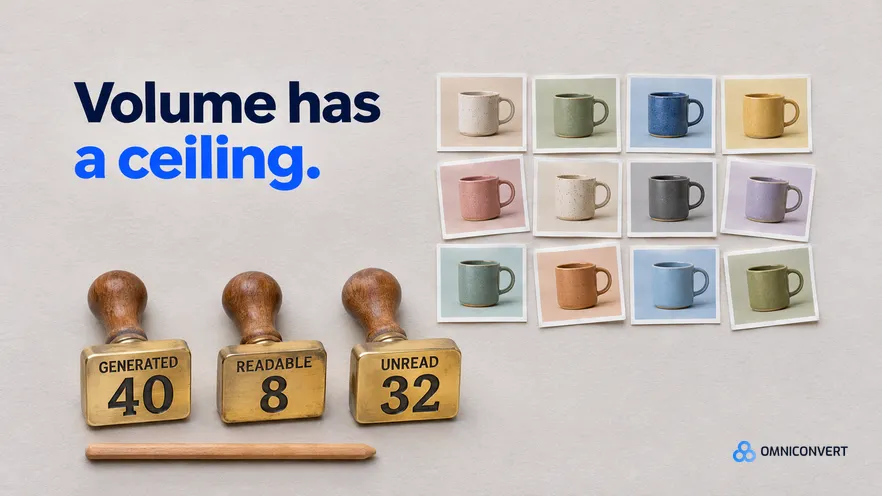
- Scale describes the production line, not the count: dozens of checked ads are at scale, hundreds of unchecked ads are only fast.
- The variation ceiling is the lower of what your test budget can read and what your reviewer can verify in one cycle.
- Vary one layer per variation: few angles, several hooks per angle, and freeze offer, price and landing page inside a batch.
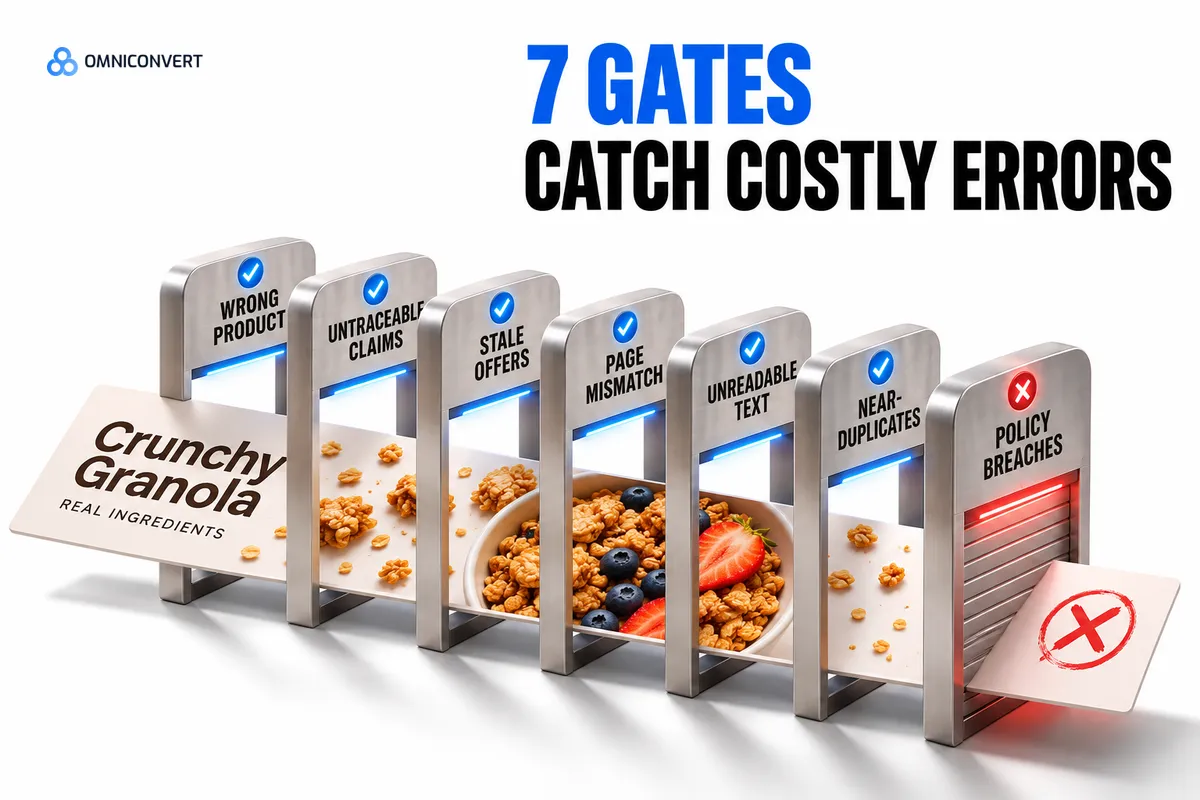
- Seven QA gates stop the expensive errors: wrong product, untraceable claims, stale offers, page mismatch, unreadable text, near-duplicates and policy breaches.
- Run the store lookups on every ad, because a generator errs on the fields it was given least about: price, stock and colour. Sampling suits the review gates, inside an approved concept.
- An AI ad generator is the production step. The ceiling and the gates stay your decisions.
- Omniconvert Commander generates launch-ready assets from customer data, ranks variants by CLV-weighted angle, and you approve what goes live.
Ad creative variations at scale work only when volume is capped by what you can read and what you can check. A generator can produce hundreds of static ads in an afternoon. The damage comes from the few with the wrong price, the unreadable headline and the product in the wrong colour, shipped in the same batch as the good ones.
Teams tend to treat volume as the goal and review as an afterthought. I name the check before the change, a habit that comes from auditing stores: our CROBenchmark dataset describes 7,000+ websites in 15+ industries, scored against 248+ audit criteria [CROBenchmark Report 2026, Omniconvert]. For the data input, see generating ad variations from customer data. For video, see video ad variations at scale. For batch naming on Meta, see Facebook ad variations for Shopify.
Omniconvert Commander (formerly Nexus) is the AI eCommerce growth engine for Shopify brands: it reads your store, ad and customer data, ranks growth opportunities by profit impact, and builds the campaigns to act on them, and you approve what goes live.
Ad creative variations at scale: how many are worth making
Ad creative variations at scale is defined as producing many static ad versions from one tested structure, where each version changes one named layer and clears the same checks before it spends. Scale describes the production line, not the count. A line that makes dozens of ads and checks every one is at scale. A line that makes hundreds and checks none is only fast.
So the question is not how many ads a generator can make. It is how many your account can learn from.
Find your variation ceiling before you generate
The variation ceiling is defined as the largest number of variations you can both fund to a readable result and check properly in one cycle. Two limits set it. The budget limit is your weekly test spend divided by the spend one variation needs before you will trust its result. The review limit is the number of ads one person can verify against the store without skimming. Take the lower.
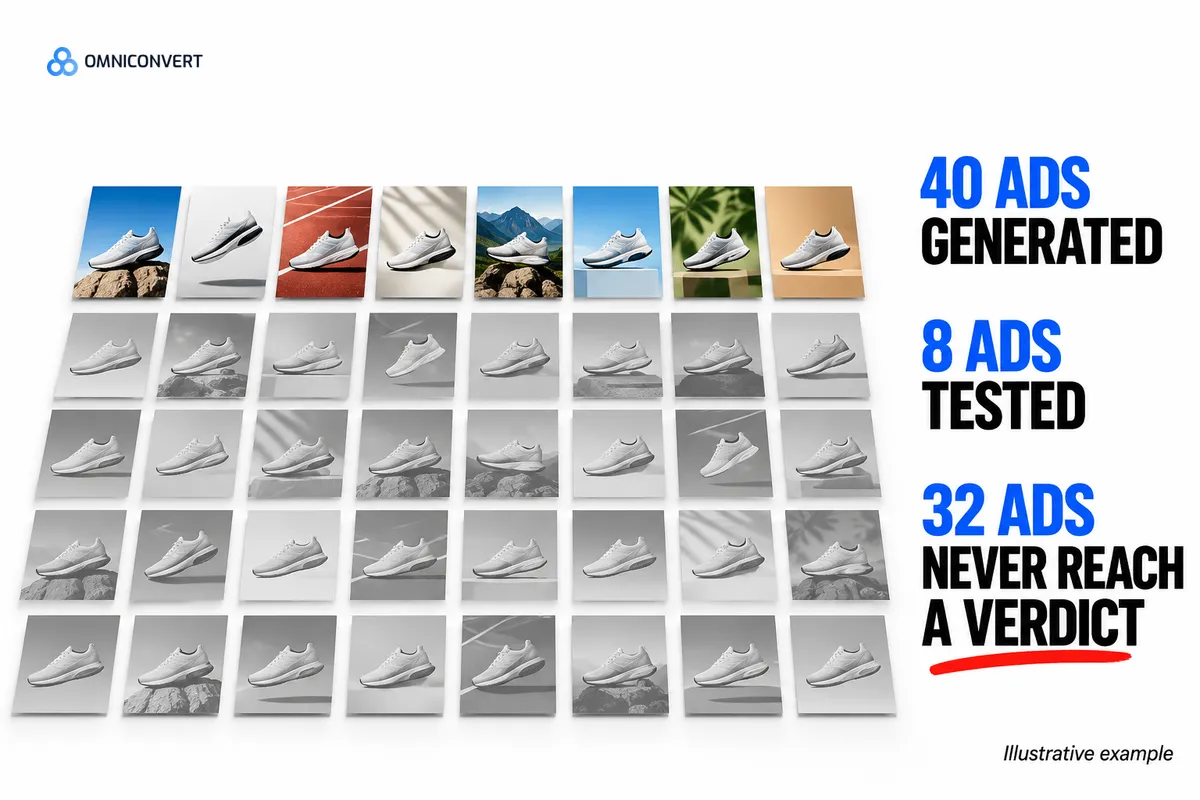
Here is an illustrative case, not data. A brand can put enough spend behind eight variations a week, and its reviewer can properly check twelve. Its ceiling is eight. Generating forty does not buy forty tests. It buys eight tests and thirty-two ads that never reach a verdict.
The ceiling rises when budget rises or checks get cheaper, never because a tool got faster. A cap only helps when every variation answers a named question, and that is the discipline of a structured testing programme.
AliveCor used Omniconvert to run a structured A/B testing programme and achieved +21% conversion rate, +5% revenue per visitor, and 94% statistical relevance across their experiments. [Omniconvert, AliveCor case study]
Which layers to vary in a static ad
A static ad has six layers. They do not deserve equal volume, because they differ in what they teach you and in what a mistake costs to catch.
- Angle, the reason to buy. The biggest swing and the fewest variants. Take angles from customer data, and keep them few.
- Hook, the headline or first line. Cheap to write, so give each angle several. This is where volume pays most.
- Scene, how the product is shown. Costly to check, so keep it to a few. Build scenes from your own product imagery, so what the shopper sees is what arrives.
- Proof line. A review quote, a spec or a guarantee. Swap it after you know which hook opens the ad.
- Format crop. One creative cut for each placement you run. It is production, not a test, so it adds files without adding questions.
- Offer, price and landing page. Freeze these inside a batch. A discount moves volume and hides which promise worked.
An angle is the reason to buy and a hook is how the first line earns attention. The full vary-or-freeze table for a Meta batch is in Facebook ad variations for Shopify.
The QA gates every batch passes before launch
A QA gate is defined as a pass-or-fail check that an ad must clear before any budget goes behind it. Gates work because they have one answer. An ad that is mostly fine fails.
| Gate | What you check | What it catches |
|---|---|---|
| Product fidelity | Colour, shape, quantity and scale in the image match what you ship | A wrong-colour or invented product that earns clicks and returns |
| Claim trace | Every claim traces to a product page, a review or a written policy | Invented specs, guarantees and delivery promises |
| Offer and stock | Price, discount and variant match the store today, and the variant is in stock | Ads that sell a price or an item the store no longer has |
| Page match | The first screen of the landing page repeats the ad's promise | A click followed by an instant exit |
| Legibility | Text reads at phone size and clears the zones each placement covers with interface | Headlines hidden or cut by the crop |
| Distinctness | Two variations that look the same at thumbnail size count as one, so delete one | Fake volume that splits spend across duplicates |
| Policy and voice | Copy fits the platform's ad policies and your brand voice | Disapprovals and off-brand copy |
The first four gates are lookups against your store, so run them on every ad. That is the first of the three lanes in the guide to scaling ad creative production: automated checks on every asset. Sampling covers variants inside an approved concept, and full review covers new concepts and claims. Apply those two lanes to legibility, distinctness and voice.
A review that thins as the batch grows is where batches go wrong. A team checks the first ten ads closely, finds them fine, and waves the rest through because the generator made them the same way. It looks reasonable: same process, same output. For the lookup fields it is not, because a generator errs on the fields it was given least about, and those differ ad by ad. One stale compare-at price, one variant out of stock, one wrong colour. The cost of skipping the lookups is a result you cannot trust, because the bad ad took spend and now sits in the data next to the good ones.
Ship a batch of variations in six steps
- Set the ceiling. Divide your weekly test budget by the spend one variation needs to reach a verdict. Compare that with the number of ads your reviewer can check properly, and take the lower number.
- Choose the angles. Pick the few reasons to buy that your customer data supports, and write each one as a single sentence.
- Write the variation matrix. List the one layer that changes in each variation, so every file answers a named question.
- Generate to the matrix, not past it. Produce only the cells in the matrix. Delete extras instead of testing them.
- Run the lookups on every ad, then review by lane. Check product fidelity, claim trace, offer and stock, and page match on every ad. Then sample variants inside an approved concept for legibility, distinctness and policy, and review new concepts and claims in full. Log who passed each ad.
- Launch, read and retire. Read results by angle and by profit per ad. Keep what earns, retire the rest, and carry the winning angle into the next matrix.
Step 3 is easier with a written brief, and the ad creative brief generator template shows what to put in one. For step 6, ad creative analytics covers how to find what your winners share.
Where an AI ad generator fits in the batch
A generator is fast at step 4 and silent on steps 1, 3 and 5. For a ranked view of the tools, see the best AI ad generators for Shopify.
The next step up is autonomous ad campaign generation, where software also picks the angle and recommends spend. The ceiling and the gates matter more there, because the volume arrives faster.
Omniconvert Commander generates launch-ready assets from customer data, with creative variants ranked by CLV-weighted angle. It composes creative with your existing product imagery. Approved work launches to Meta, and once an ad runs it measures True Profit per ad and gives a scale, hold, reduce or kill recommendation that you approve. It speeds up steps 2 to 4 and 6. The step 5 sign-off stays with a person. If you are comparing generators, see Omniconvert Commander versus AdCreative.ai.
FAQ: ad creative variations at scale
What are ad creative variations at scale?
Ad creative variations at scale means producing many static ad versions from one tested structure, where each version changes one named layer and clears the same checks before it spends. Scale describes the production line, not the count.
What is a variation ceiling?
A variation ceiling is the largest number of variations you can both fund to a readable result and check properly in one cycle. It is the lower of your budget limit and your review limit, and generating past it adds cost without adding tests.
How many ad creative variations should I make?
Make as many as your ceiling allows. Divide your weekly test budget by the spend one variation needs to reach a verdict, compare that with what your reviewer can check, and take the lower number. I know of no sound universal figure, so use your own.
How do I QA AI-generated ads before launch?
Use seven gates: product fidelity, claim trace, offer and stock, page match, legibility, distinctness, and policy and voice. The first four are lookups against your store, so run them on every ad. The last three need a person at phone size: sample variants inside an approved concept, and review new concepts and claims in full.
Which layers should I vary first?
Vary the angle first and the hook second, because they change the reason to buy and how the ad opens. Vary the scene and the proof line next. Freeze the offer, price and landing page inside a batch, and change one layer per variation.
Is an AI ad generator enough to scale ad creative?
No. An AI ad generator turns a matrix into files quickly, but it does not decide how many to make, which angles deserve a test, or whether a price is current. Scaling needs the ceiling, the matrix and the gates around it.
How does Omniconvert Commander help with ad creative variations at scale?
Omniconvert Commander generates launch-ready assets from customer data, with creative variants ranked by CLV-weighted angle. Approved work launches to Meta, and it measures True Profit per ad and recommends scale, hold, reduce or kill. You approve what goes live.
Volume you can verify
More ads do not make more tests. Set the ceiling from your budget and your reviewer, vary one layer at a time, and run the store lookups on every ad before it spends. A generator makes the files quickly. The cap and the checks decide whether volume becomes learning or only cost.